你的浏览器版本过低,可能导致网站不能正常访问!
为了你能正常使用网站功能,请使用这些浏览器。

【STM32H745I-DISCO】TouchGFX探索——2、照葫芦画瓢

[复制链接]
网络孤客 发布时间:2025-3-1 12:34

一、生成代码

在TouchGFX Designer按F4可以生成代码

目录.png

从代码目录中可以看出,生成的目录已经直接支持多个常用平台,如:IAR,Keil,stm32cubeide等。我用的是stm32cubeide。

为方便以下讲解先把需要的源码位置先标示出来

源码.png

二、照葫芦画瓢,自建example

重建一个基于STM32H745I-DISCO空白工程,按照example,布局按键和显示,各控件的命名与原来一直。只做了些微调和增加一个复位按钮。

界面.png

设置按键单击事件

按钮.jpg

生成代码后,会在MainViewBase.hpp中建一个MainViewBase类,类中定义了按键的虚函数(上图:Action中设置)。

定义.png

在MainViewBase.cpp中设置了回调

callback.png

具体实现:

首先在MainView.hpp中创建MainView类,继承自MainViewBase类

子类.png

然后在MainView.cpp中编写各按键具体操作函数和刷新显示函数


void MainView::increaseValue()
{
    count = (count++ > UPPER_LIMIT) ? UPPER_LIMIT : count;
    updateGFXElements();
}

void MainView::decreaseValue()
{
    count = (count-- <= LOWER_LIMIT) ? LOWER_LIMIT : count;
    updateGFXElements();
}

void MainView::resetValue()
{
        count = 0;
        updateGFXElements();
}

void MainView::updateGFXElements()
{
    //Counter text area GFX uptade.
    Unicode::snprintf(countTxtBuffer, 3, "%d", count);
    //Button GFX update and touchable.
    if (count < UPPER_LIMIT)
    {
        buttonUp.setBitmaps(Bitmap(BITMAP_UP_BTN_ID), Bitmap(BITMAP_UP_BTN_PRESSED_ID));
        buttonUp.setTouchable(true);
    }
    else
    {
        buttonUp.setBitmaps(Bitmap(BITMAP_UP_BTN_DISABLED_ID), Bitmap(BITMAP_UP_BTN_DISABLED_ID));
        buttonUp.setTouchable(false);
    }
    if (count > LOWER_LIMIT)
    {
        buttonDown.setBitmaps(Bitmap(BITMAP_DOWN_BTN_ID), Bitmap(BITMAP_DOWN_BTN_PRESSED_ID));
        buttonDown.setTouchable(true);
    }
    else
    {
        buttonDown.setBitmaps(Bitmap(BITMAP_DOWN_BTN_DISABLED_ID), Bitmap(BITMAP_DOWN_BTN_DISABLED_ID));
        buttonDown.setTouchable(false);
    }
    // Invalidate all GFX area, which will result in it being redrawn in next tick.
    countTxt.invalidate();
    buttonUp.invalidate();
    buttonDown.invalidate();
}
钩.png
效果.gif
效果.gif
钩.png
收藏 评论1 发布时间:2025-3-1 12:34

举报

1个回答
网络孤客 回答时间:2025-3-1 12:59:06
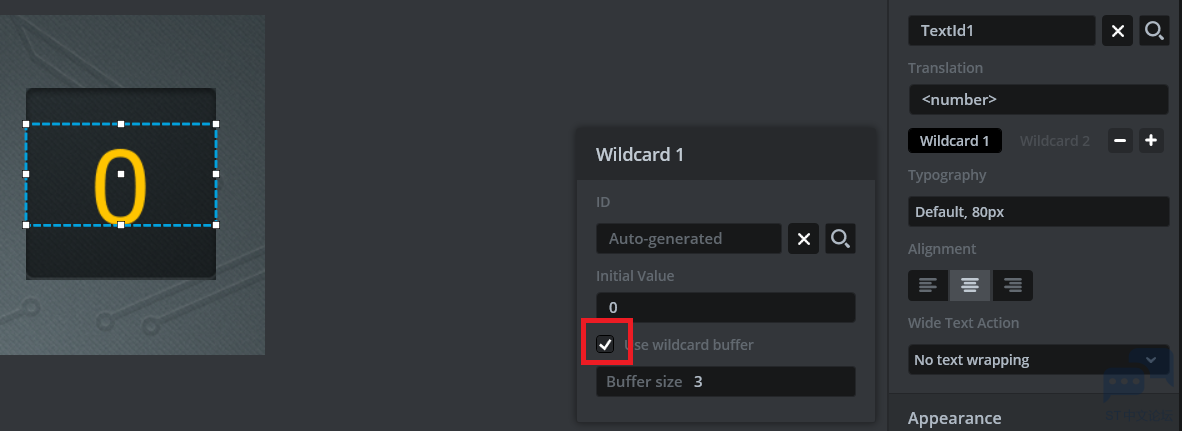
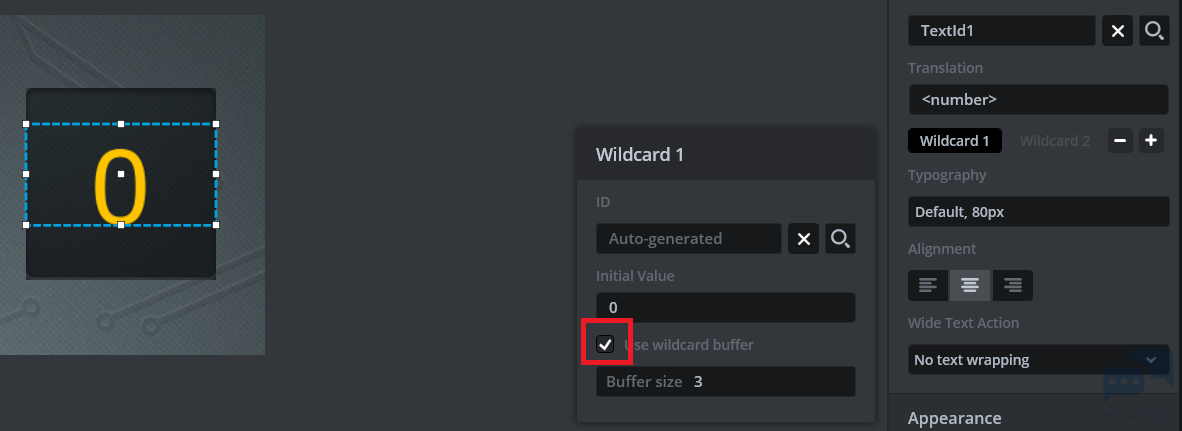
如何与显示关联起来
1 {, p+ g: X7 P8 h
3 s9 C# P& X0 Y& I( i
+ p) J# N( j" |' a, X8 F* ?. n2 Z' `1 z6 S( N7 d/ }7 k
在把钩打上,就会在MainViewBase.hpp的MainViewBase类内,建立一个buffer。
1 J" a0 b- g, l% y5 ^- F/ K' `6 O# g! k! Z4 K. f7 \) [% C+ Y9 q. l
```
; z, A/ [# f# b7 C, ?$ q( G" N9 H( q    /*
, p: o/ D; ?) b6 Z' B& P2 j     * Wildcard Buffers
7 h8 W/ {5 p7 k9 e& S     */
& g7 v2 B& e* b" D& Y& R' E    static const uint16_t COUNTTXT_SIZE = 3;
' a' ^( s, v: \+ X' P0 Z8 ~. l    touchgfx::Unicode::UnicodeChar countTxtBuffer[COUNTTXT_SIZE];
7 N& }( f- K! X9 `, K5 l, y8 f& {```
; W( N7 D" M, q+ d5 J& ?- `* i& c3 R0 E' z9 ~% w; s
在MainView.cpp的刷新显示函数里,往这个buffer里填入count值就行了
0 n5 R6 e$ n, E; U( n% o% n. G2 d) j6 O& Y9 U3 m! H3 F
```
$ o1 w) E# G* O* Bvoid MainView::updateGFXElements(), I7 Y" B4 C1 X, |
{0 ?  k% E0 l! s, \
    //Counter text area GFX uptade.
; e" L- i# K6 j% R; q6 V    Unicode::snprintf(countTxtBuffer, 3, "%d", count);* }+ x. x" |: x' y
    //Button GFX update and touchable." O, _' D- U) ?9 R3 N2 y8 i
```, H$ b% J5 o' h7 E
' v3 X# A, h6 I1 N9 M- m$ r& Z' C. G
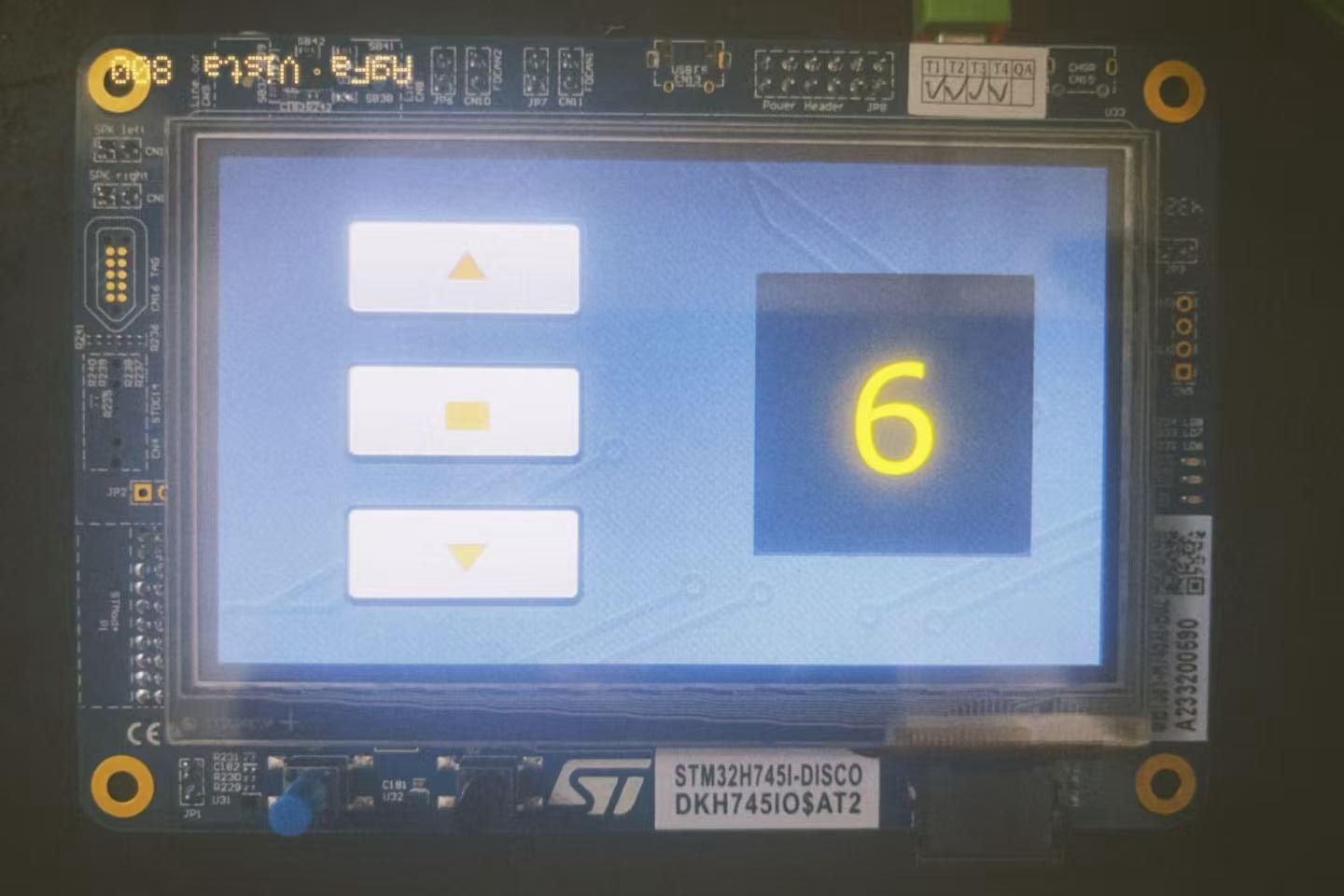
三、效果
1 @( z8 l$ |. {% H
# J. l5 ?8 X* V* r  ^5 x( R2 R* u

所属标签

相似技术帖

官网相关资源

关于
我们是谁
投资者关系
意法半导体可持续发展举措
创新与技术
意法半导体官网
联系我们
联系ST分支机构
寻找销售人员和分销渠道
社区
媒体中心
活动与培训
隐私策略
隐私策略
Cookies管理
行使您的权利
官方最新发布
STM32N6 AI生态系统
STM32MCU,MPU高性能GUI
ST ACEPACK电源模块
意法半导体生物传感器
STM32Cube扩展软件包
关注我们
st-img 微信公众号
st-img 手机版