|
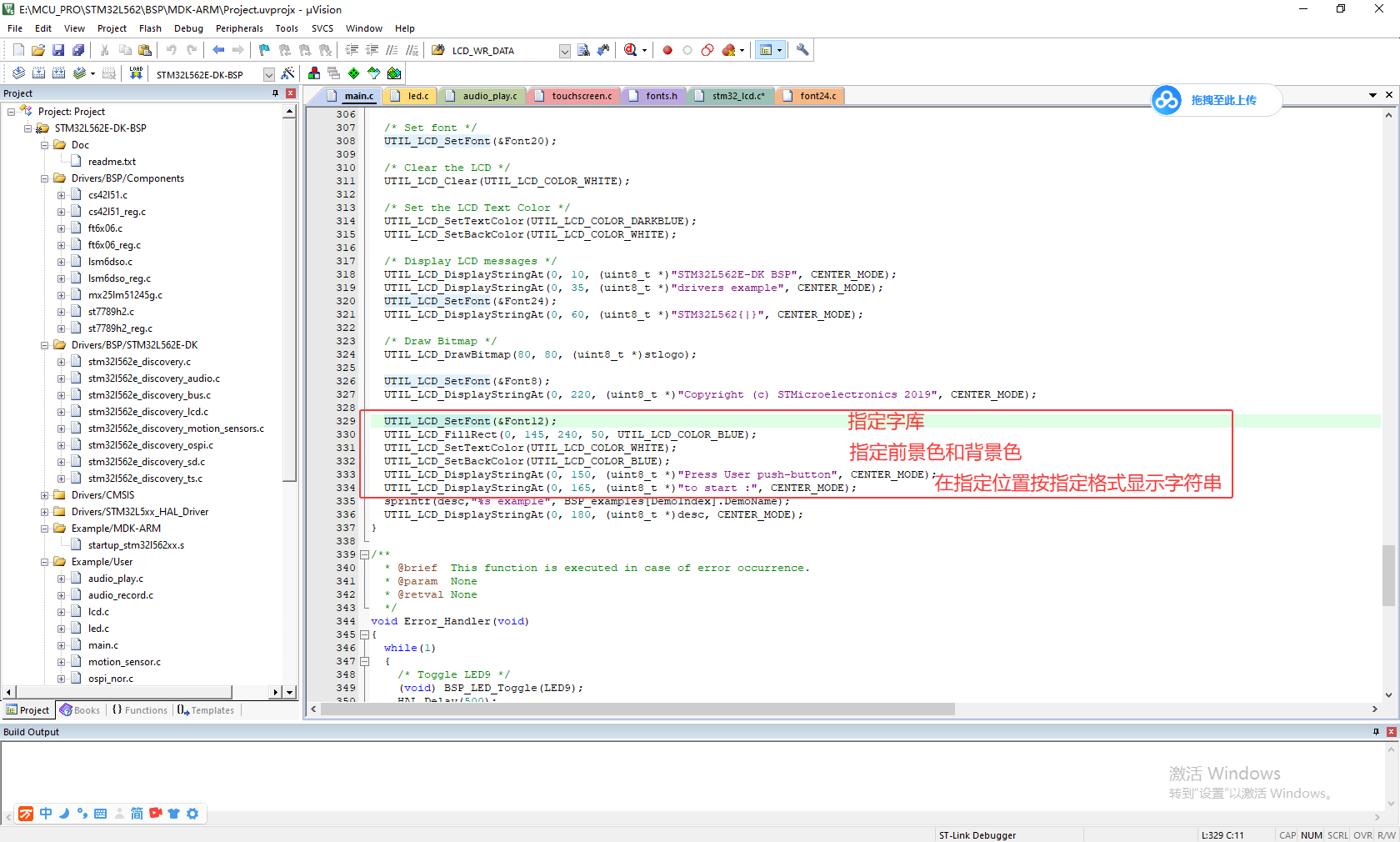
官方例程中显示不同大小的字符都是共用一个函数,即先指定字库、前景色和背景色,然后再将字符串及起始行列、对齐方式作为参数传送给字符串显示函数UTIL_LCD_DisplayStringAt(),如下图所示:8 p, O+ V, \2 n6 Q6 Z! t ) b; R& X. G3 w 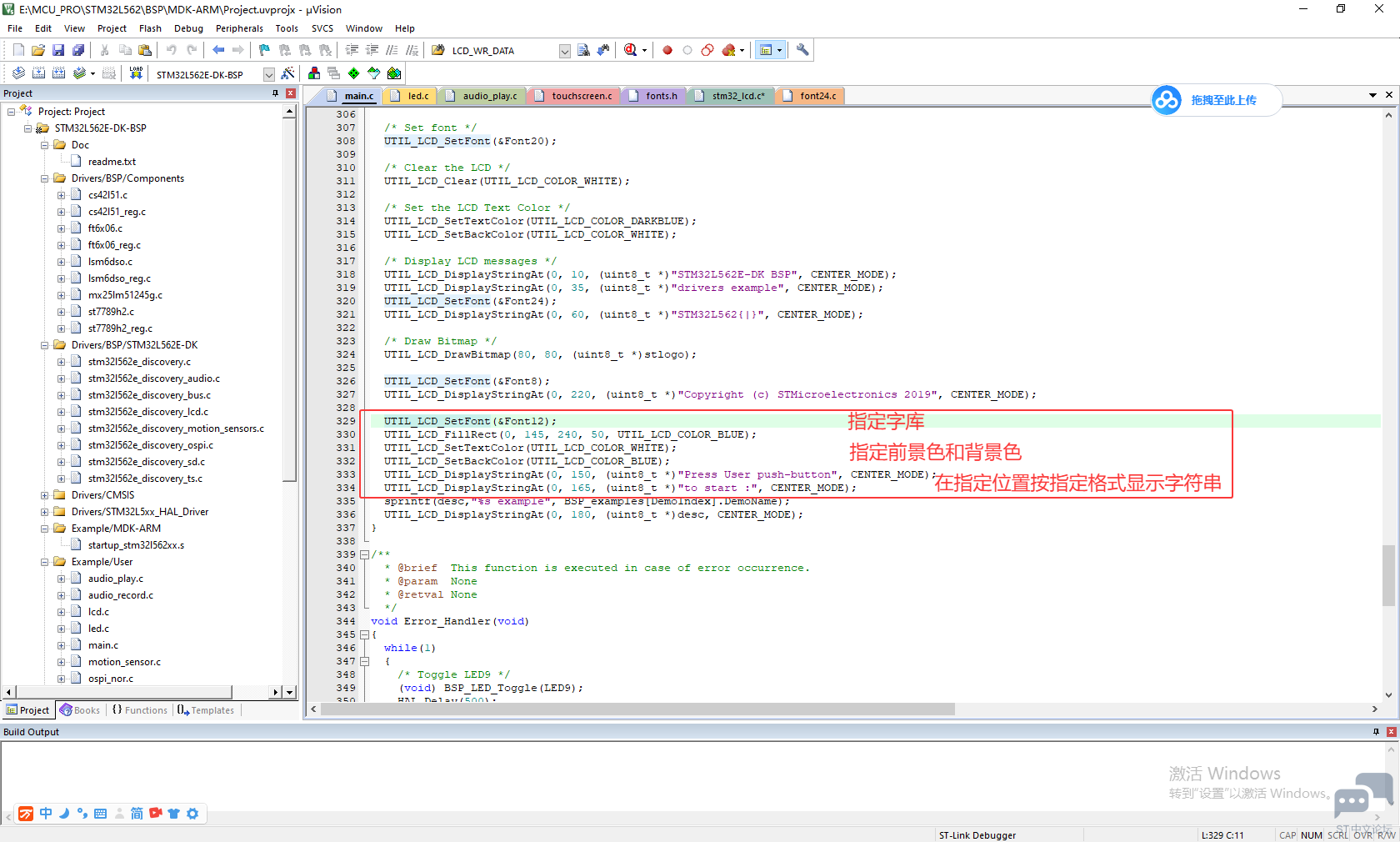
; }8 ?2 l% R2 Y5 O6 ]3 q% p) A1 R+ U 在UTIL_LCD_DisplayStringAt()函数中也仅仅是处理好显示的起始位置后,依次将字符串逐个字符传递给后续函数UTIL_LCD_DisplayChar(refcolumn, Ypos, *Text)处理: 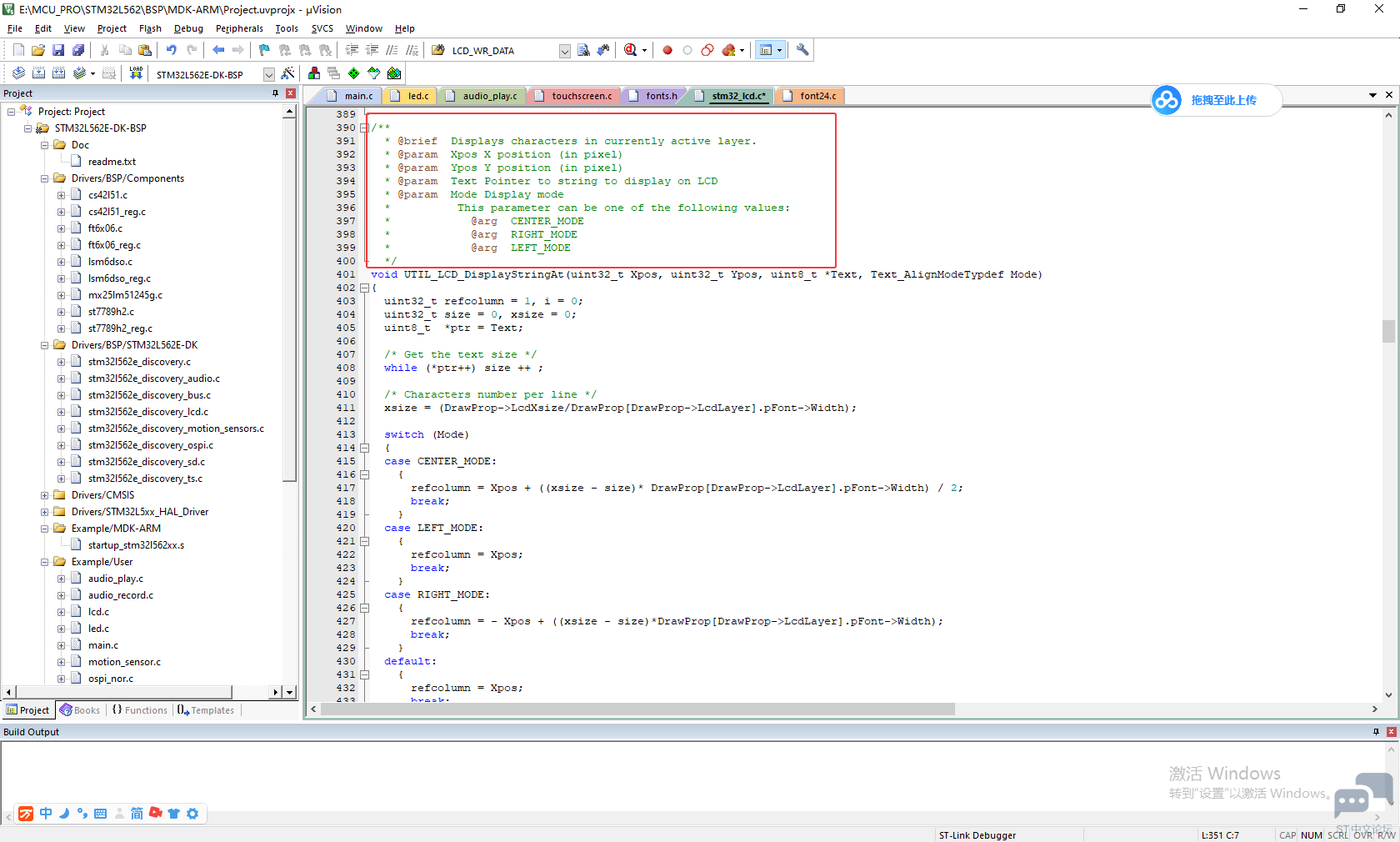
后续的DisplayChar()函数如下:" _3 N/ U" I: n: N, V$ V, v /** * @brief Displays one character in currently active layer.在当前活动层中显示一个字符。 * @param Xpos Start column address7 H/ [: I+ G' L+ Q9 P" ?. v! Q' A * @param Ypos Line where to display the character shape.. M9 ]$ S8 d8 c0 W1 {* f * @param Ascii Character ascii code Y c/ \/ U9 X; c; W) J/ J * This parameter must be a number between Min_Data = 0x20 and Max_Data = 0x7E! d: _0 O$ Y; }$ s& @ */ void UTIL_LCD_DisplayChar(uint32_t Xpos, uint32_t Ypos, uint8_t Ascii) {( a, y9 h" _& k2 k& ~ DrawChar(Xpos, Ypos, &DrawProp[DrawProp->LcdLayer].pFont->table[(Ascii-' ') *\ DrawProp[DrawProp->LcdLayer].pFont->Height * ((DrawProp[DrawProp->LcdLayer].pFont->Width + 7) / 8)]);" }; W7 n0 B3 p% ?/ y8 K }, ^6 B* U- w) N6 x: Q; f' [ 在这个函数中也只是将之前指定的字库设置好,继续交给DrawChar()函数执行,DrawChar函数如下: , a& x+ C- R& [4 B' y" f' Z3 H: W 4 w* X. o. h* a0 ?) n* { /** * @brief Draws a character on LCD. * @param Xpos Line where to display the character shape# A7 P- c/ x6 e" I * @param Ypos Start column address( U$ Y8 d+ U/ c * @param pData Pointer to the character data+ t, K3 |7 x2 h, a */ static void DrawChar(uint32_t Xpos, uint32_t Ypos, const uint8_t *pData)4 C6 l2 N$ h( n- I- i { uint32_t i = 0, j = 0, offset; uint32_t height, width; uint8_t *pchar;. O* G/ s6 M0 S uint32_t line; height = DrawProp[DrawProp->LcdLayer].pFont->Height; width = DrawProp[DrawProp->LcdLayer].pFont->Width; y6 y- R- O% h8 y1 t uint16_t rgb565[24];4 \0 B$ E' S$ l( s6 N# b uint32_t argb8888[24]; 9 o+ J2 G) ?1 c offset = 8 *((width + 7)/8) - width ;7 j8 \( G+ n- h ^- t for(i = 0; i < height; i++): V# [' r4 @5 g* X3 w4 D { pchar = ((uint8_t *)pData + (width + 7)/8 * i); * [/ t3 x' t5 Y7 x switch(((width + 7)/8))$ U8 c* _( a3 i { case 1: line = pchar[0];' |" | f$ \* q" h1 C break;/ S* s2 c2 Z! }4 T- R5 L) w case 2:" q7 F8 S: a6 u8 f4 V6 t9 F/ o9 x line = (pchar[0]<< 8) | pchar[1]; break; case 3:( F4 F: w! L' X2 q* B default: line = (pchar[0]<< 16) | (pchar[1]<< 8) | pchar[2];" U. O$ W; y* U4 m2 V0 d break;+ E; z& V7 o( b } ' B6 s( h' O- o if(DrawProp[DrawProp->LcdLayer].LcdPixelFormat == LCD_PIXEL_FORMAT_RGB565): x k) V7 o7 z# T {4 u+ S# f! K6 Y' R for (j = 0; j < width; j++) { if(line & (1 << (width- j + offset- 1)))2 Y, A# o3 R3 T( e4 _+ N# ]( L { rgb565[j] = CONVERTARGB88882RGB565(DrawProp[DrawProp->LcdLayer].TextColor);% }& R2 @; a! t0 T! X } else {8 E, q8 s0 l0 h- i. p rgb565[j] = CONVERTARGB88882RGB565(DrawProp[DrawProp->LcdLayer].BackColor);% o1 f: m; p8 S }4 e- Q3 J4 ?. V! O+ p- o- b! G } UTIL_LCD_FillRGBRect(Xpos, Ypos++, (uint8_t*)&rgb565[0], width, 1); } else {1 y1 F* q e& j- I4 J/ P for (j = 0; j < width; j++) { if(line & (1 << (width- j + offset- 1))) { argb8888[j] = DrawProp[DrawProp->LcdLayer].TextColor; }% x& Q' q5 K- d9 N else {' _8 e- ?; R. ?# {* \ argb8888[j] = DrawProp[DrawProp->LcdLayer].BackColor; } } Y! `2 e/ M, U e" @" D UTIL_LCD_FillRGBRect(Xpos, Ypos++, (uint8_t*)&argb8888[0], width, 1);# N& z: a) F% M8 r, F' M0 J/ l }! `2 P( |% s0 n& S: r }/ U# Y5 x3 z0 I* C! B }6 D; E& d5 }: e9 M' c4 W 在这个函数中,将字库中的字模逐个点交给写矩形的函数,在屏幕中“画”出字符来。 我好奇的是:为什么不使用画点的函数UTIL_LCD_SetPixel(),而使用画矩形的函数UTIL_LCD_FillRGBRect()? |
【STM32C5教程】(9)DAC 模拟量信号输出实验
STM32C543RC开发板Stop、Sleep和standby模式测试
【STM32C5教程】(10)LPUART DMA 通信实验
【STM32C5教程】(8)ADC 模拟量数据采集实验
【STM32C5教程】(7)TIM1 互补 PWM 输出实验
【STM32C5教程】(6)定时器 PWM 输出实验
【STM32C5教程】(5)定时器周期中断实验
【STM32C5教程】(4)GPIO 外部中断实验
【STM32C5教程】(3)GPIO 按键输入实验
STM32C542RC开发板PWM呼吸灯及多功能按键实验
 微信公众号
微信公众号
 手机版
手机版