




|
本帖最后由 点点&木木 于 2019-4-12 09:16 编辑 本次介绍的是一款基于STM32的3D打印的万圣节南瓜灯,并且当它听到周围的噪音时,会改变颜色并哼唱万圣节歌曲。 # v. q5 X4 P, ?8 g$ Z7 E0 Z; Y% F( h: K2 h 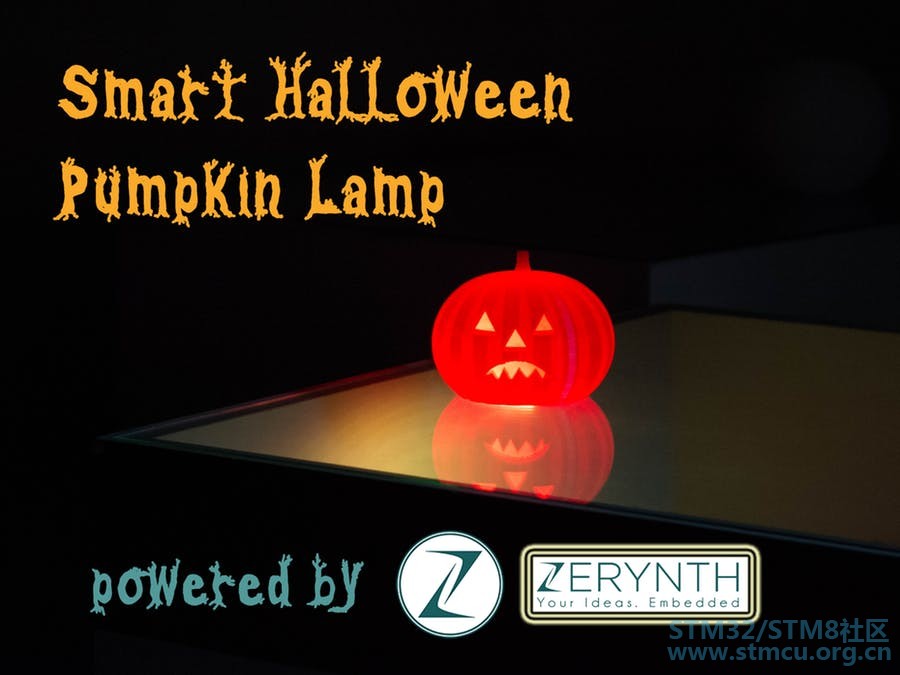
/ W$ [& }+ ?! c' ^" Y. A 2 v8 A; o; H9 ~ I 硬件组件 Zerynth Shield × 1 Arduino × 1 STM32 Nucleo ST Nucleo × 1 粒子光子 × 1 Adafruit NeoPixel × 1 3D打印的南瓜灯 × 1 9 F$ ^( h& {8 d Y7 u2 @万圣节即将到来,可能你需要一些东西来打动你的朋友。那么你可以试试这个项目:3D打印的万圣节南瓜灯,当它听到周围的噪音时会改变颜色并哼唱万圣节歌曲。设计非常简单,因为Zerynth (编程工具)和ZerynthShield (与Arduino和Particle板兼容的多传感器屏蔽)完成了大部分的工作。 1 E8 o' ?/ p# k; _1 i7 I5 r+ E7 c 第1步:所需材料 9 ], Q- h- Z3 u- K7 u: h2 `4 H
3 p- I, k; O3 n , N6 l# a1 G* }3 L 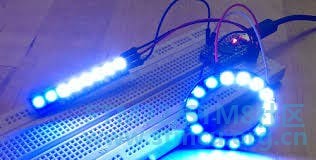
6 X% ?* j# b! Y6 R K8 Y ' A' ?: x6 l6 B M- H 

6 U0 N) M- v2 p1 O t1 i, D: L, f) f 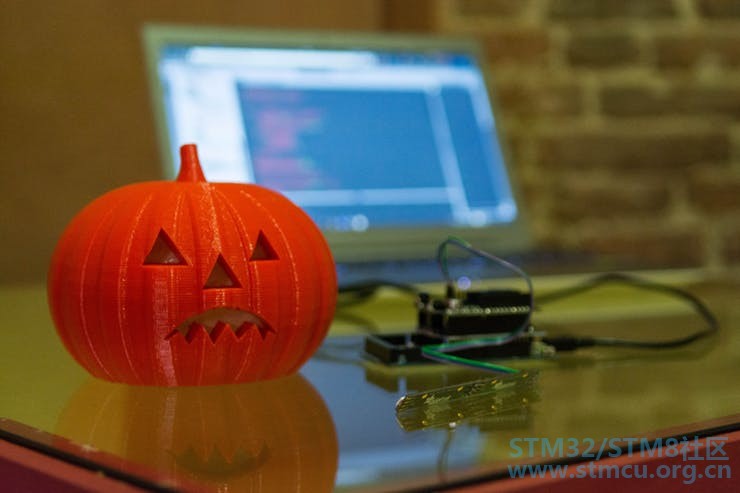
: R& j7 W$ p/ W/ { 9 |3 [3 H; B5 d* j% n2 p5 ]9 o 该项目需要的内容很少: 0 x& j& d) m- Q! d无论你使用哪种操作系统,Zerynth都会运行!只需下载包并安装它:http ://www.zerynth.com/zerynth-studio/ Arduino DUE 或ST NucleoF401RE 或Particle Photon 或Mikroe Flip&Click 。无论您使用哪种主板,Zerynth都是多板兼容的!您可以在Zerynth文档的专用部分中找到所有支持的板详细信息。 Zerynth,它是一个多板屏蔽,提供一组传感器和执行器,包括用于触摸检测的传感器,红外LED,麦克风,光传感器和温度传感器。 来自Adafruit的NeoPixel LED条(或环)(可在此处获取http://www.adafruit.com/products/1426 ) 这个可爱的3D打印的杰克南瓜(http://www.thingiverse.com/thing:500762 ) / z. A( r, Y9 z- c4 j/ y 第2步:组装 F+ }- c; D6 o6 {0 W0 Z) _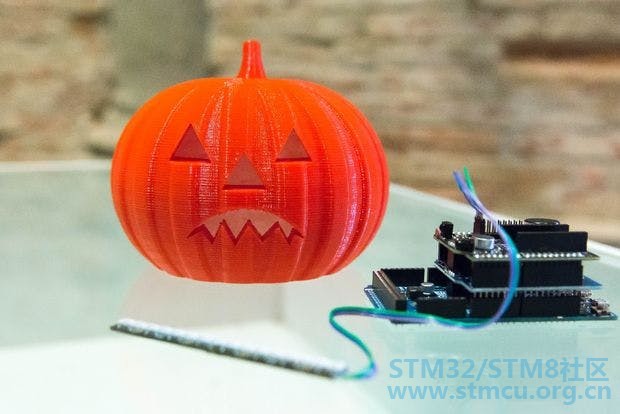
2 ~/ d) Q: Y. { a 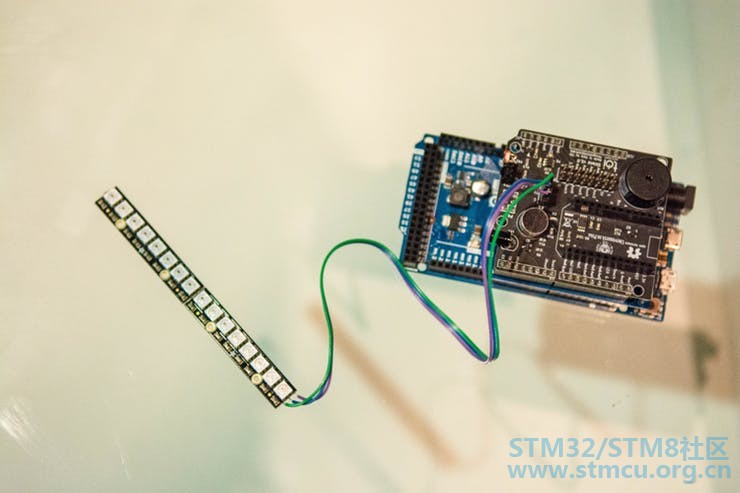
我相信没有比这更容易的了 Zerynth Shield配备了一套传感器,可以插入所有最常用的通信端口,使制造商,设计人员和物联网专业人员能够轻松开发智能物体,而无需担心布线和焊接。那么你的工作只需将Zerynth Shield搭载到您的Arduino上,并充分利用麦克风和蜂鸣器。 在Zerynth Shield中还有一个专门用于连接AdafruitNeopixel LED灯条的端口。端口引脚为:GND; VIN;LED控制引脚。 F) g+ r: _, Q最后,将所有电路板和LED放入3D打印的南瓜灯中,您就完成了! 第3步:编程 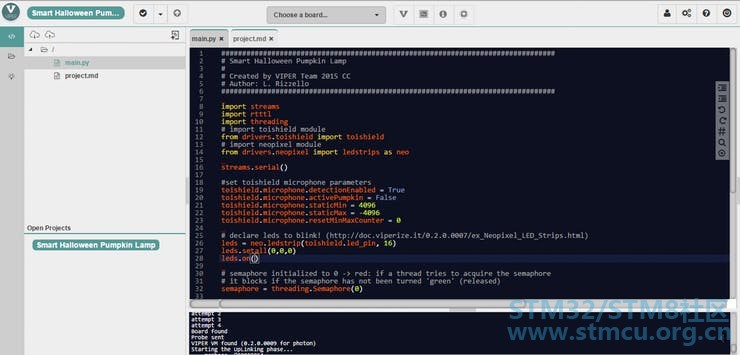
6 ^. T8 b( @+ t/ R* J, G 连接并“虚拟化”您的电路板(已经解释过 http://bit.ly/Hackster-VIPER-Theremin ) 在Zerynth创建一个新项目(已在此处解释 http://bit.ly/Hackster-IoT-Notes-Printer ) 复制您在此hackster中可以找到的代码 将代码上传到您的主板上即可完成! 代码非常简单,有很多注释。 % M! r F$ h3 a6 f/ k" l3 U 最后一步:享受它! 9 @9 H( d+ c e& I7 l! r5 x2 q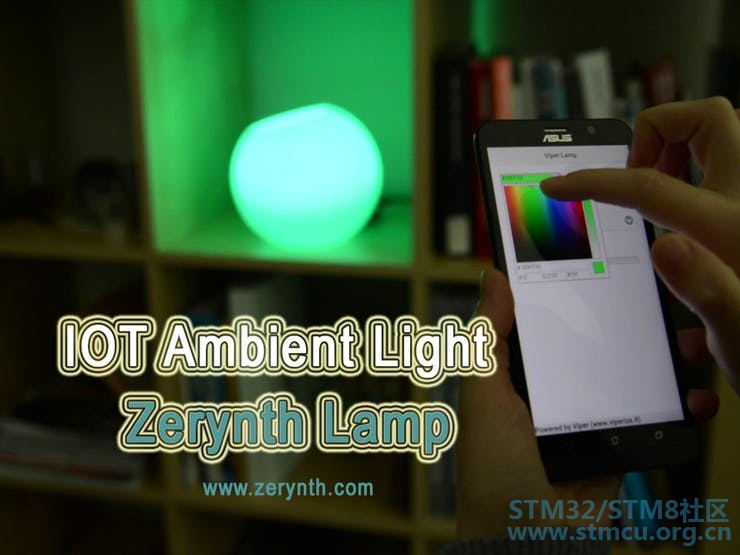
也许你想远程控制你的南瓜灯?使用Zerynth,您也可以轻松完成此操作! # F9 V" Y8 g7 Z. h% d' b- D- T请看上面的图片:通过移动设备控制的IoT环境光灯。相关教程已经准备就绪......请继续关注! 8 K2 f4 n. \7 i6 L+ y ' \1 k9 \& U7 B) W0 g* Q 原理图 盾牌设置 只需将Zerynth Shield搭载到您的Arduino上,并充分利用麦克风和蜂鸣器。 将所有电路板和LED放入3D打印的南瓜灯中,您就完成了! # E. K0 y- k) q2 k4 Q0 N+ W代码 ( Q" N9 ~5 x, W% S9 [- i: W################################################################################ # Smart Halloween Pumpkin Lamp # # Created by Zerynth Team 2015 CC # Author: L. Rizzello ################################################################################ import streams from community.floyd.rtttl import rtttl import threading # import toishield module from toishield import toishield # import neopixel module from neopixel import ledstrips as neo streams.serial() # set detection enabled and pumpkininactive by default toishield.microphone.detectionEnabled = True toishield.microphone.activePumpkin = False # set some variable for sound detection toishield.microphone.staticMin = 4096 toishield.microphone.staticMax = -4096 toishield.microphone.resetMinMaxCounter = 0 # declare leds to blink! leds = neo.ledstrip(toishield.led_pin, 16) leds.setall(0,0,0) leds.on() # semaphore initialized to 0 -> red: ifa thread tries to acquire the semaphore # it blocks if the semaphore has not beenturned 'green' (released) semaphore = threading.Semaphore(0) # define a RTTTL Halloween melody to beplayed by passing it the RTTTL string. # find more songs athttp://ez4mobile.com/nokiatone/rtttf.htm and many other websites hsong = rtttl.tune('Halloween:d=4,o=5,b=180:8d6,8g,8g,8d6,8g,8g,8d6,8g,8d#6,8g,8d6,8g,8g,8d6,8g,8g,8d6,8g,8d#6,8g,8c#6,8f#,8f#,8c#6,8f#,8f#,8c#6,8f#,8d6,8f#,8c#6,8f#,8f#,8c#6,8f#,8f#,8c#6,8f#,8d6,8f#') # If you use Particle Photon uncomment thefollowing line and short-circuit the Buzzer and Aux2 pins # toishield.buzzer_pin=D9.PWM def blink(): # blink while the pumpkin is active whiletoishield.microphone.activePumpkin: leds.setall(255,0,0) leds.on() sleep(500) leds.setall(255,140,0) leds.on() sleep(500) leds.setall(0,0,0) leds.on() semaphore.release() def playHalloween(): # plays halloween song two times, then disables pumpkin,but also waits # at the semaphore to synchronize with blinking thread for i in range(2): hsong.play(toishield.buzzer_pin) toishield.microphone.activePumpkin = False semaphore.acquire() sleep(1000) print("enabled again") toishield.microphone.detectionEnabled = True def scare(): # this is called when the sound exceeds the threshold,waits one second # and starts scaring! sleep(1000) thread(playHalloween) thread(blink) # define a function that takes a sensorobject as parameter and checks the # maximum peak to peak extension of thesignal in a preset window # look at this # example for details on how the sound detectorworks def detectSound(obj): if(obj.resetMinMaxCounter == obj._observationWindowN): extension = obj.staticMax - obj.staticMin if (extension> 1000): ifobj.detectionEnabled: obj.detectionEnabled = False obj.activePumpkin = True thread(scare) obj.staticMax, obj.staticMin = -4096, 4096 obj.resetMinMaxCounter = 0 else: c = obj.currentSample() if (c >obj.staticMax): obj.staticMax = c elif (c < obj.staticMin): obj.staticMin = c obj.resetMinMaxCounter += 1 # set 'detectSound' as the function to beapplied to the object at every sampling step toishield.microphone.doEverySample(detectSound) # start sampling at 1 millisecond (1 kHZ)with a window length of 50 so that # the lowest detectable frequency is 20 Hz toishield.microphone.startSampling(1,50,"raw") 5 |) h, t2 T8 [, {# F |
| 点赞 |
1 有点意思 有点意思 |
 微信公众号
微信公众号
 手机版
手机版


