




|
正则表达式就是用于匹配每行输入的一种模式,模式是指一串字符序列。拥有强大的字符搜索功能。也非常方便的搜索过滤出我们想要的内容。 1、找出 ifconfig “网卡名” 命令结果中本机的 IPv4 地址ifconfig | head -n 2 |tail -1 |tr -s " " |cut -d" " -f3 
/ r- M1 i, i: J/ W 2、查出分区空间使用率的最大百分比值df |tr -s " " |cut -d" " -f5 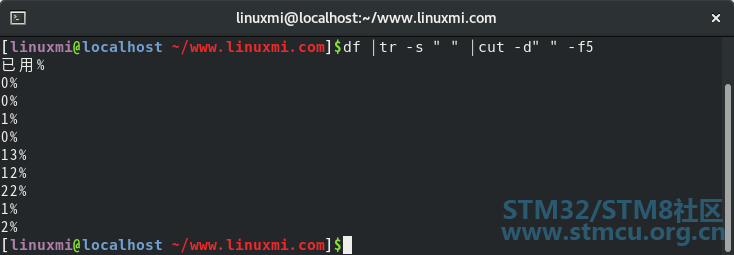
/ U a V) x# e( o8 A1 W% B 3、查出用户 UID 最大值的用户名、UID 及 shell 类型cat /etc/passwd | cut -d: -f1,3,7| sort -nt: -k2 |tail -n 1 
- E a3 g( s% u5 o& t4 E3 j6 J- c 3 H5 r& K2 }; g' l! g9 G4 J8 A7 O 4、查出 /tmp 的权限stat /tmp | head -n 4 |tail -n 1|cut -c10-13, }$ o& L, l- _* Q+ P$ R! T 
' c) c4 A2 P+ O 5、显示 CentOS8 上所有系统用户的用户名和 UIDcat /etc/passwd |cut -d: -f1,3 | egrep -v "[0-9]{4,}" 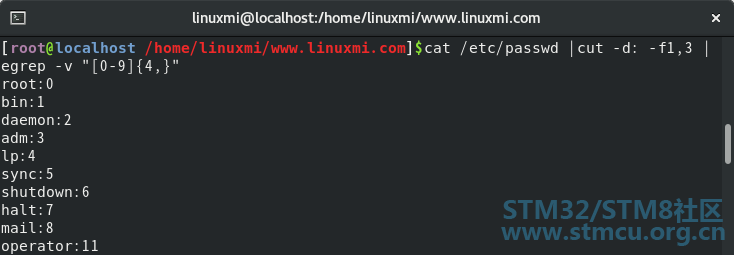
* H( `+ ^7 {1 L9 z6 { 6、显示三个用户 root、linuxmi、mi 的 UID 和默认 shell(A8代替)6 z: N0 y+ l1 S5 d' j% k cat /etc/passwd |egrep "^(root|A8)" |cut -d: -f1,3 
^5 ~! M# W) K2 \ 7、使用 egrep 取出 /etc/rc.d/init.d/functions 中显示文件中符合条件的字符% r* W0 R0 Z, v4 q5 f5 c! J+ d echo /etc/rc.d/init.d/functions | egrep "[a-z]$" 
$ ]# ~' P; g1 z+ L$ J9 o 8、使用egrep取出上面路径的目录名0 Y, x" O+ T$ x! M ] echo /etc/rc.d/init.d/functions | egrep "/.*/" 
B7 Q4 I. S$ q O) ^ * N4 o0 U6 [1 o X2 b* v" F 9、统计 last 命令中以 root 登录的每个主机IP地址登录次数 
$ C0 f) J* ]6 g+ H; D8 f 10、利用扩展正则表达式分别表示0-9、10-99、100-199、200-249、250-255 echo {1..255} | egrep "\<[0-9]\>"& f" e- Z& S, T( w8 a 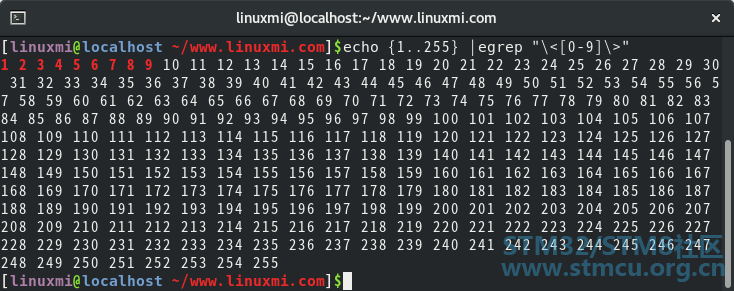
egrep "\<1[0-9]\>" 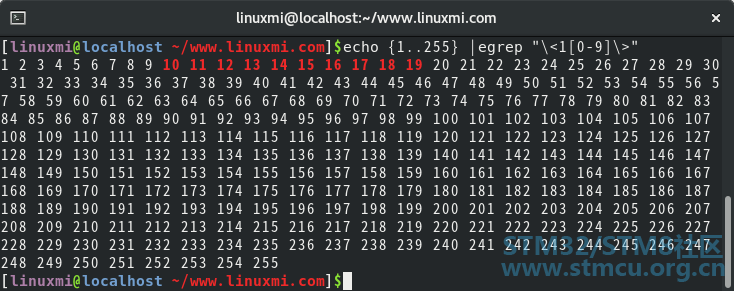
egrep "\<1[0-9][0-9]\>"2 e( ~9 B6 ?! {: }0 M 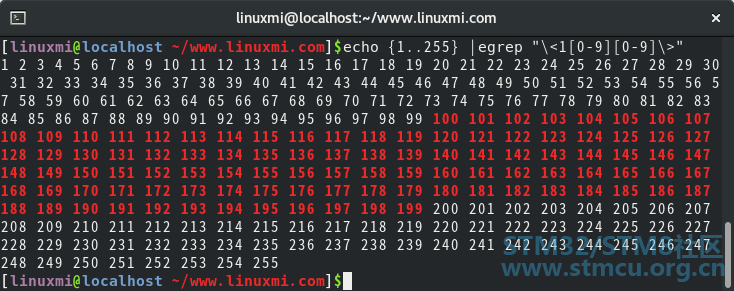
egrep "\<2[0-4][0-9]\>"* [# a- L/ N$ q W) y! l 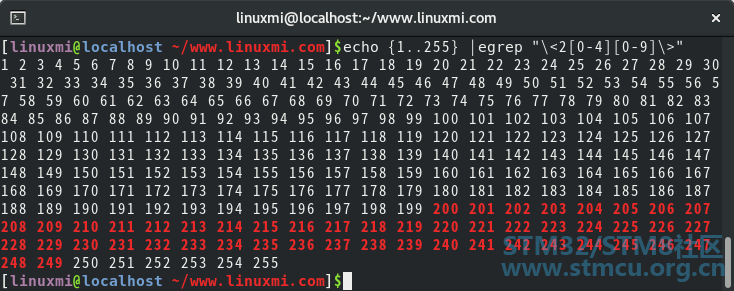
egrep "\<25[0-5]\>": M G- s& `( ~# m) l/ q 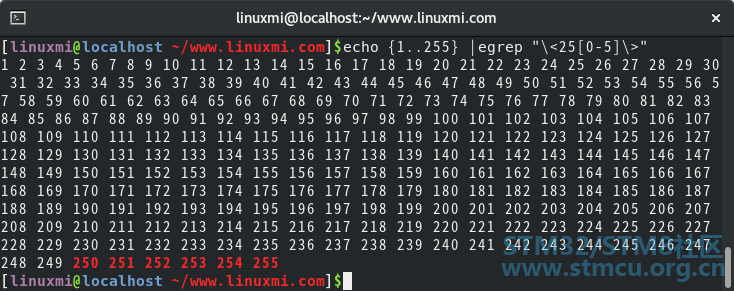
! s" V) l C& a 7 e+ u; q( e! A2 G( \7 _ 11、显示 ifconfig 命令结果中所有 IPv4 地址ifconfig |egrep "[0-9]{1,3}.[0-9]{1,3}.[0-9]{1,3}.[0-9]{1,3}" 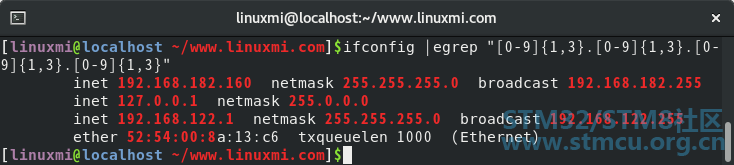
# o# H% t1 F( I' g4 s+ \ 简单点来说,正则表达式是对一组正在处理的文本的描述。 |
 微信公众号
微信公众号
 手机版
手机版


