




|
所有学习Linux系统的初学者都知道,入门时除了简单的系统知识需要了解之外,其次,最重要的就是学习与理解Linux命令的用法与其应用场景。0 E+ W: {' \* q, G 所以,大家也会遇到这样的情况,不太懂的命令用法,我们会去查找资料。据不完全统计,Linux系统常见的命令约600+个,一时间想全部掌握太难了,特别对于一个初学者来说,更是难上加难。! h+ g' [1 W: n3 G 我在公众号的后台、技术交流群,经常看到很多人都会遇到这种苦恼,命令长时间不练,不敲,很快就会全部忘记,等到应用时,再去查看帮助,又有点模糊不清,找不准其使用方法与参数的应用。 特别是需要多个命令去配合完成一个工作的时候,更难下手去写,有时候,就算群里有人给出了相关的答案,他还是一时很难理解其中的含义是什么?为什么是这样配合使用的?为什么需要使用这个参数?一连串的问题接踵而至,但你这样一问,难免让回复你的人望而却步! 如果,这个时候有一个命令解释器的工具存在,那将是多么的完美! 那么,今天,民工哥给大家安利一款实用、好玩的命令学习神器:kmdr。 kmdr 的强大之处在于
支持列表如下 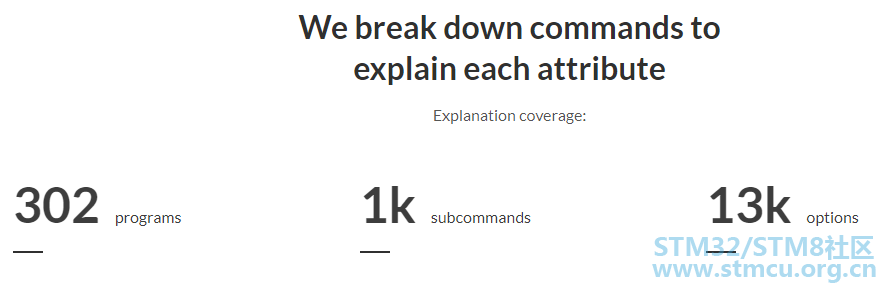
查看完整的支持列表: https://github.com/ediardo/kmdr-cli#supported-programs) 安装 Kmdr CLIkmdr 是用 Nodejs 开发出来免费、开源的工具,所以,对于安装环境要求如下:
使用npm包安装kmdr的命令如下: ! s( h6 H- {' l* r- H 如果不想安装的话,也可以直接使用在线的kmdr,web地址如下:http://demo.kmdr.sh/ macOS安装命令% G2 H7 P8 R/ n/ q# _' e brew install kommandr / tap / kmdr* J+ t& k" c* l5 F2 W# S* U 检查安装情况 4 U8 k6 k# I$ t& P 运行命令kmdr以检查它是否已正确安装在系统上。Usage: kmdr [options] [command] * V3 Z* h8 y+ B9 m* Q/ m* t The ultimate CLI learning tool for explaining commands from your terminal/ E; ]1 f ?1 b" p9 t kmdr provides command explanations for hundreds of programs including git," E# I& ]- o0 k( I) q6 T8 f9 k docker, kubectl, npm, go and more straight forward programs such as bash builtins. Options:/ s, |' A5 @' |' c5 d -v, --version output the version number5 n6 L/ m1 s9 M/ ~! E) b2 g -h, --help output usage information Commands: explain|e [options] Explain a shell command upgrade|u Check for new releases! l3 ?$ h t0 B% ^ feedback|f Send feedback  kmdr还可以通过容器的方式来运行 具体的步骤如下:7 e. E7 R7 j1 h" u/ r/ I 1、构建镜像 ' v) ~1 ?' N& D 2、运行容器 下面我们通过一条复杂点的命令作为例子,来看看 kmdr 究竟有多强! 7 `5 l* o9 v4 B6 {! |4 v git commit -am "Initial commit"/ ?. l4 b, K& L+ V# Z5 `$ j! G 首先,运行下面的命令,让 kmdr 进入解释状态: 8 z& l% i, ?% S* S# B $ kmdr explain+ b- X$ Y! ~5 C1 |+ n$ x? Enter your command: git commit -am "Initial commit"7 _, z! E" w, l) ^0 W. p git commit -am "Initial commit" EXPLANATION0 L# i" ^, r# w! J) }9 w git( r7 P) `/ K" N- H The stupid content tracker commit# q, C/ I u' o- m1 m. I. K Record changes to the repository -a, --all3 }$ E! Z0 l; f2 N* b8 t- \& @ Tell the command to automatically stage files that have been modified and deleted -m, --message Initial commit Use the given <msg> as the commit message( H0 ?. y% e9 g- q0 [" v) n! t7 y EXAMPLES) S7 Q* b3 k' P( C% o) g. q* r git reset HEAD~17 V1 u: F( m9 q6 }4 s' B Undo the most recent commit, keeping its changes in the filesystem git commit -m "Initial commit" Commit staged files to the repository with message "Initial commit" + a; I) `: G% F2 ^1 b( ^ git log -n 3 --oneline Show only the first line of the last three commit messages 2 i7 M, Z. ~3 t RELATED PROGRAMS3 p7 ]' m- ^; P% f hg, lsof, systemctl, aria2c, dmesg, make 4 W% T* c9 s6 R6 a, Z. k 从上面的结果可以看出,kmdr的强大之处就在于它会把一个复杂的命令拆分开来,一个个给你解释出来 ,连参数的含义都解释的很清楚,让你一眼就能看出其中的意思。 通过这个强大的神器kmdr,再难懂的命令都可以通过它解释给你,哪里不懂,看哪里,妈妈再也不用担心我们再看不懂命令了! |
| kmdr命令 |
 微信公众号
微信公众号
 手机版
手机版


