




|
本帖最后由 点点&木木 于 2019-4-12 09:14 编辑 : n, e9 a' y4 [$ w+ n 8 Y1 v8 D0 V1 C4 d- ~ 智能照明是物联网的催化剂。在本教程中,我们将了解如何使用Zerynth App通过移动设备控制NeoPixelLED。 % d# }& D7 F. J+ h$ b9 ]9 l) V2 I9 o& e 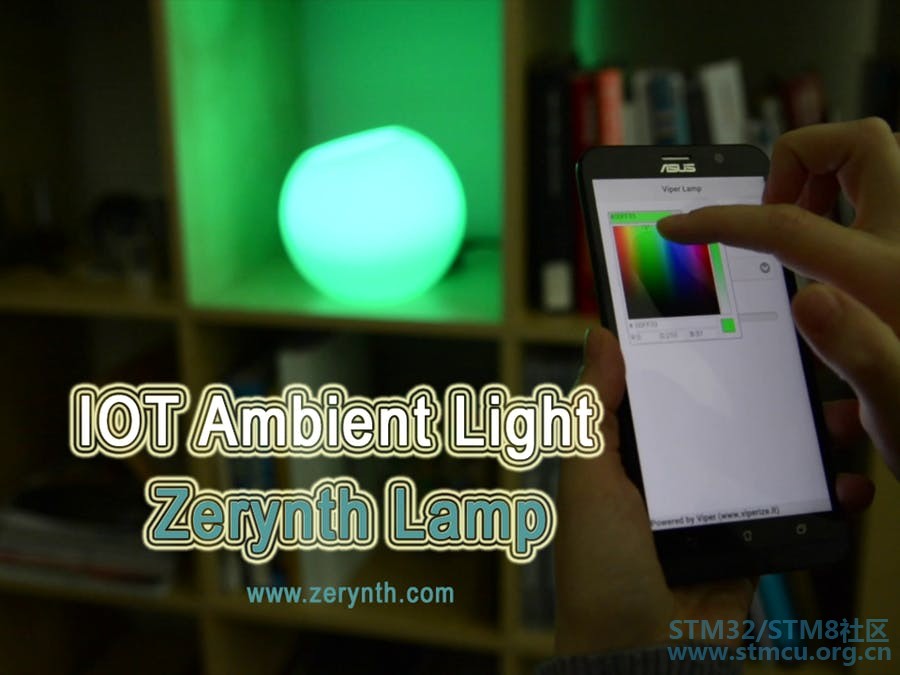
2 s% _9 `- V% t6 H# R/ z % g+ Y! Q5 c7 ^9 O8 ?6 m! h9 s 这个项目中使用的东西 硬件组件 Zerynth Shield × 1 Arduino × 1 STM32 Nucleo ST NUCLEO × 1 粒子光子 × 1 UDOO DUAL × 1 Adafruit NeoPixel × 1 7 x4 Y5 _% Z0 G9 L低功耗无线模块与低成本,超小型LED,传感器和通信设备相结合,使智能照明成为物联网和家庭自动化的催化剂。 在本教程中,我们将了解如何使用Zerytnh应用程序通过移动设备控制NeoPixelLED灯条,该应用程序可实现颜色的选择和各种预配置动画的菜单的选择。 & d2 l$ e5 n, G2 o5 r# @+ Q) b5 B0 x5 [0 V+ C 第1步:所需材料 7 m! V! ^, n$ ^6 u 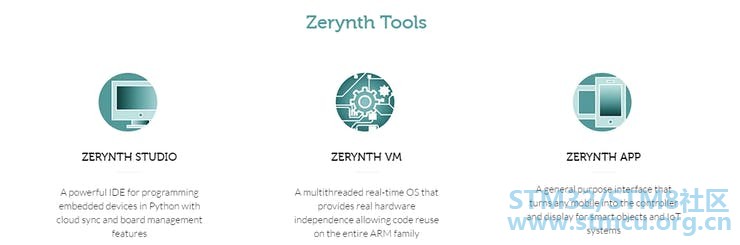
TOI盾和uC板 1 _) d W& d3 ?; B) ^9 V' j+ V5 T/ \% J7 l5 v8 B* s: Q' [9 U; @ 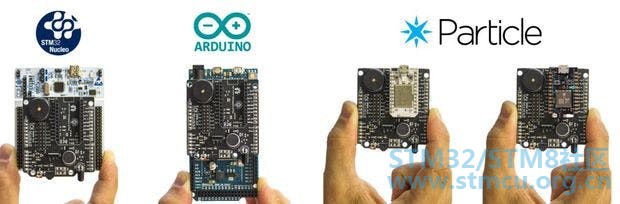
WiFi盾 6 R x: F9 h/ { 9 Q1 l: z% n1 {- f 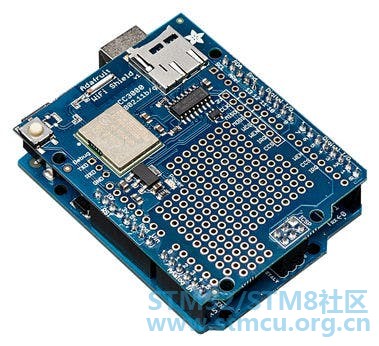
3 U: i3 y" e t% V 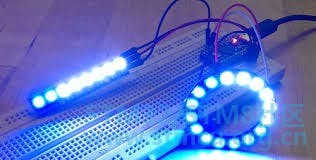
Neopixel " _1 V* y6 d# j/ @8 ^; i! f# k: h" t+ E; h5 Q & e; l, \6 t1 m; g 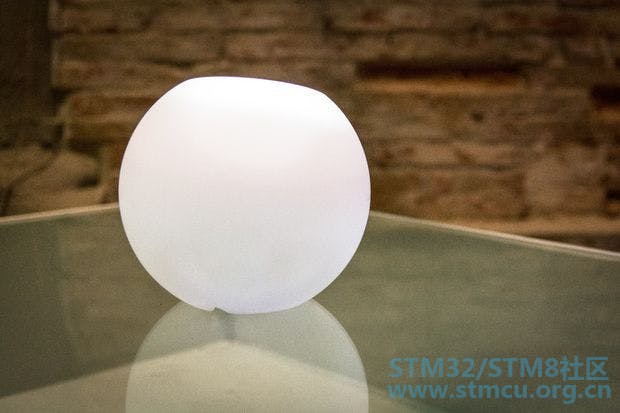
玻璃灯 * P: a) G; w" V; i8 ~, q( A5 _5 T6 X" Y5 R, _7 n/ Q! L2 `- c / ` J i0 |- [ J8 u' s- E9 ^ 该项目需要的内容很少: 2 ]4 c0 o. B3 r sZerynth Studio :一个基于多平台和浏览器的Python开发环境,其具有云同步和电路板管理功能。无论你使用哪种操作系统,Zerynth都会运行!只需下载Zerynth并安装它(http://www.zerynth.com/zerynth-studio/ )。 Zerynth App:用于智能对象和物联网系统的Zerynth移动界面。任何手机都将成为对象显示和遥控器。下载地址:http ://www.zerynth.com/zerynth-app/ Zerynth Shield (可在此处获取:https ://store.open-electronics.org/index.php?_route_ = Shield_ZERYNTH&search = toi )。随时可用的多传感器板,为您的日常生活物品增添智能功能。 Arduino DUE 或ST NucleoF401RE 或ParticlePhoton 。无论您使用哪种主板,Zerynth都能实现多板兼容的!您可以在此处找到所有支持的电路板详细信息:http ://www.zerynth.com/zerynth-studio/ 如果你不使用粒子光子(内置WiFi模块),您需要将电路板连接到网络,如元素的WiFi盾的Adafruit的。您也可以使用任何其他适配器并安装无线芯片CC3000 Texas Instruments 来实现。(http://www.ti.com/product/cc3000 )。 来自Adafruit 的NeoPixel LED 条(或环)(可在此处获取http://www.adafruit.com/products/1426 )。一个玻璃或3D印刷灯。 $ [/ M+ ~: E6 W' X9 L 第2步:组装 % I( i& m1 v: ]# p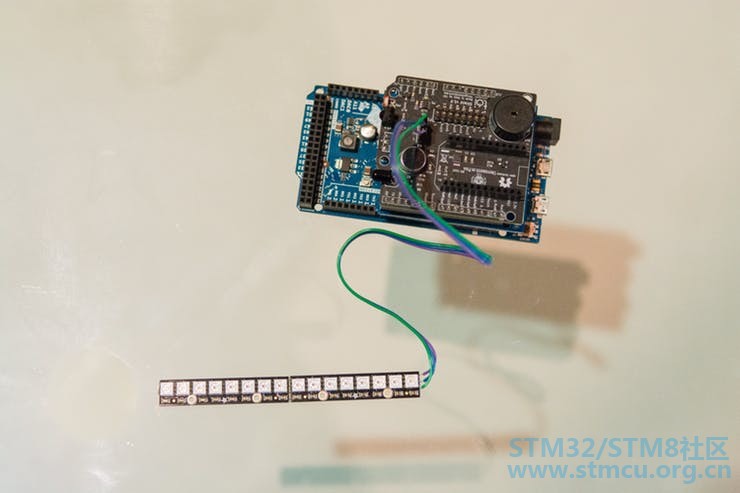
/ R: k; ]- o0 h) F# P 接下来,只需将wifi Shield和Zerynth Shield搭载到你的Arduino(或ST Nucleo或UDOO)上。只需LED将它背负在ZerynthShield上的专用连接器上。 将NeoPixel LED连接到ZerynthShield上的相关端口。最后将所有电路板和LED都放入灯泡中。 . x( b3 z: X& Y( w; V6 s第3步:编程 4 `; H: X5 m% J; P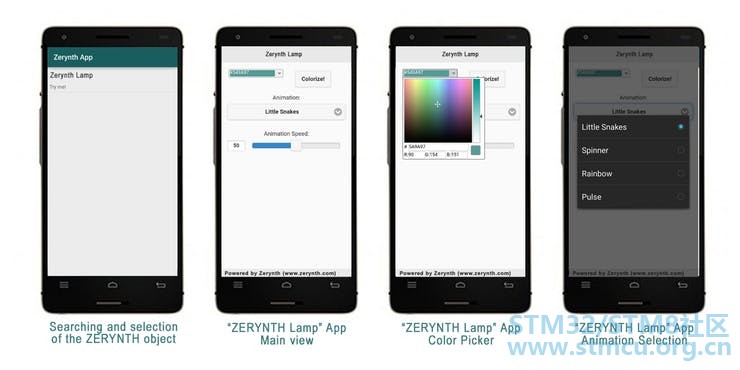
使用Zerynth非常简单! 4 T0 M _7 @) [ S3 k2 G2 s+ }连接并“虚拟化”您的电路板(已在此处解释 http://bit.ly/Hackster-VIPER-Theremin ) 在Zerynth中创建一个新项目(已在此处解释 http://bit.ly/Hackster-IoT-Notes-Printer )。注意:您需要创建3(+1)个文件:main.py,animation.py,template.html(和project.md) 复制发布的代码 上传你电路板上的代码,你就完成了! 打开灯后,它将自动连接到预设网络。 然后只需打开Zerynth应用程序,它将搜索连接到网络的Zerynth对象,选择感兴趣的对象,在本例中为“Zerytnh Lamp”,您可以与它进行交互!在这种情况下,Zerynth应用程序显示颜色选择器和用于选择各种预配置动画的菜单。 代码非常简单,有很多注释。 , E" z y1 x/ }5 w; N$ v% }+ l) U; f% E0 ?4 y. ]! [8 @ 第4步:让物联网更加明亮! ; S$ i/ A! o! T) O" M# P. l* ^# l0 x 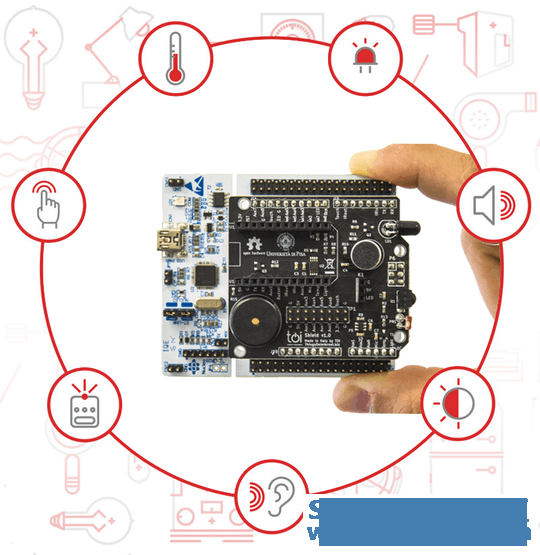
9 r8 i# o$ K: [: s0 A( T% u3 _% I# W , N0 h9 l/ y, `3 {8 V+ A/ Q' b/ C 1 E9 n! f' L% I1 {/ W* C Zerynth Shield提供一套传感器和执行器,包括用于触摸检测的传感器,红外LED,麦克风,光传感器和温度传感器。您可以从这个非常简单的示例代码开始,以开发您喜欢的东西。使用Zerynth Shield扩展灯泡的功能! - ?& K" H. V% y3 G9 X! P! b, { 原理图 ! ~6 ~' K; m- E. u7 u) l代码 ################################################################################ # Zerynth Lamp # # Created by Zerynth Team 2015 CC # Authors: G. Baldi, D. Mazzei ################################################################################ # import needed modules import streams from bcm43362 import bcm43362 as wifi_driver from wireless import wifi import animation from toishield import toishield # and import the zerynthapp module from zerynthapp import zerynthapp streams.serial() # connect to a wifi network try: wifi_driver.auto_init() print("Establishing Link...") wifi.link("SSID",wifi.WIFI_WPA2,"password") print("Ok!") except Exception as e: print(e) # save the template.html in the board flashwith new_resource new_resource("template.html") #### ZerynthApp Setup # :: Javascript to Python :: # the following functions will be calledwhen buttons are pressed def change_color(r, g, b): animation.setup_color(r, g, b) def change_animation(n): animation.setup_anim(n) def change_speed(n): animation.setup_anim_speed(n) # configure the Zerynth app with a name, adescripton and the template url vp = zerynthapp.ZerynthApp("Zerynth Lamp", "Try me!", "resource://template.html") # everytime Javascript generates events thecorresponding functions are called vp.on("change_color", change_color) vp.on("change_animation", change_animation) vp.on("change_speed", change_speed) # run the ZerynthApp! vp.run() # since vp.run starts a new thread, you cando whatever else you want down here! # let's control leds animation.start(D6, 24) & A* b* h/ J, w |
| 点赞 |
【MCU实战经验】+基于stm32L的低功耗物联网温度测量节点
【NUCLEO-WBA65RI评测】物联网 LED
【NUCLEO-WBA65RI评测】蓝牙体温计
【NUCLEO-WBA65RI评测】Home Assistant 物联网心率计
意法半导体与高通达成无线物联网战略合作
《RT-Thread设备驱动开发指南》书籍学习记录
[STM32WB55评测] 开箱
【我心中的STM32WBA52】
【我心中的STM32WBA52】
将STM 32 Lora DiscoveryKit连接到AWS物联网(三)
 微信公众号
微信公众号
 手机版
手机版


