|
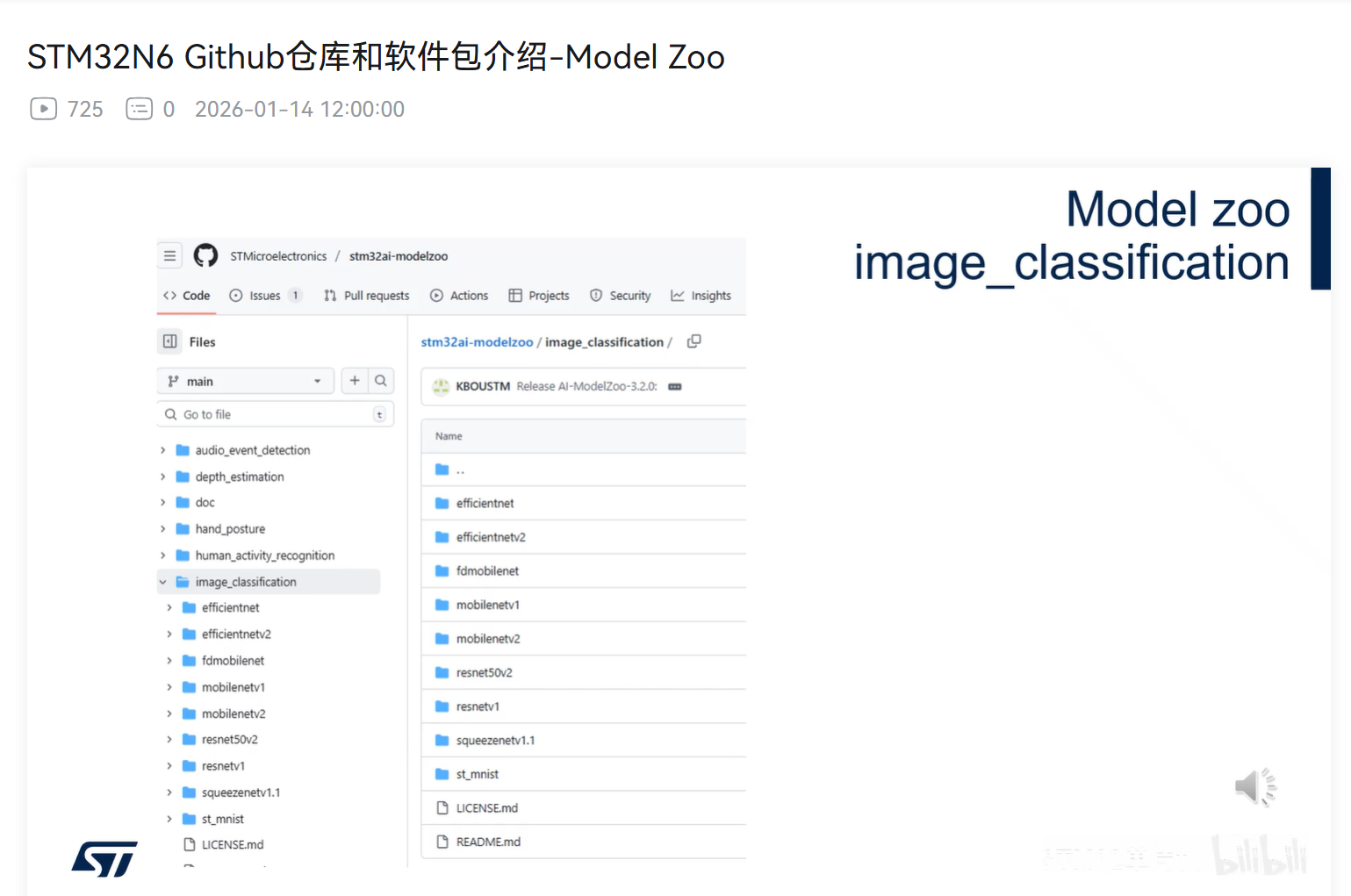
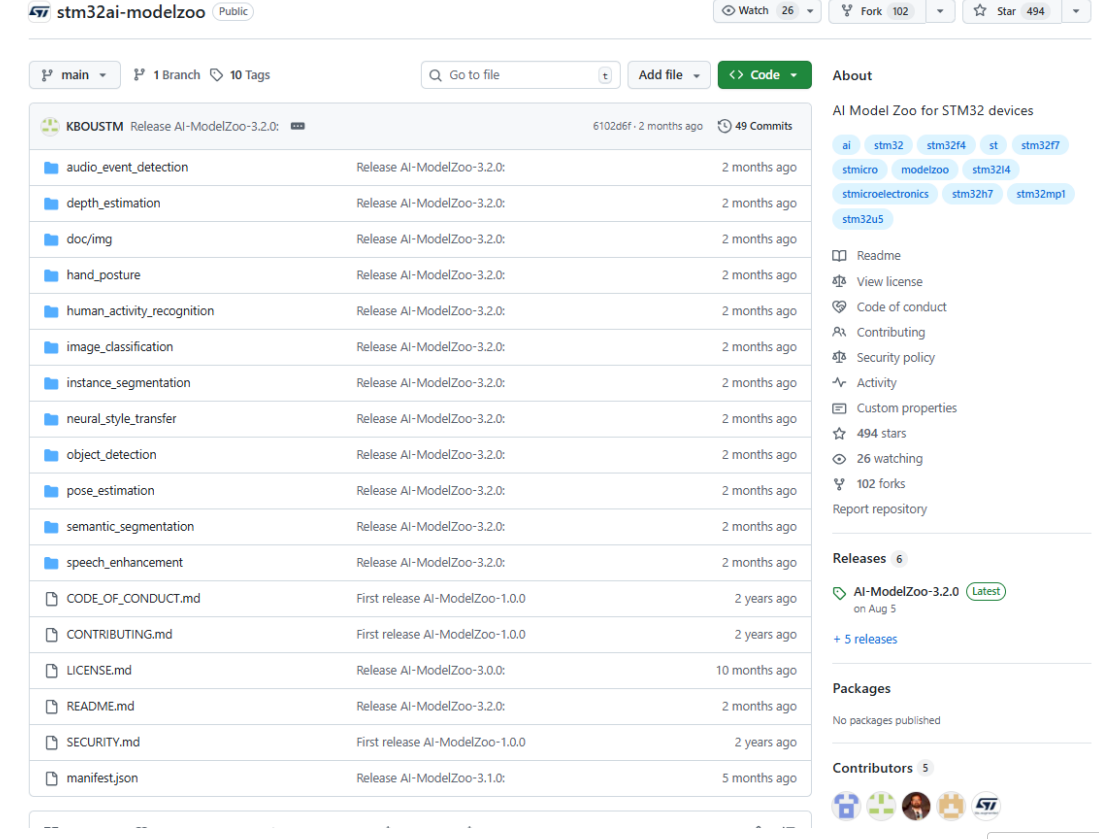
介绍Model Zoo 路径:https://github.com/STMicroelectronics/stm32ai-modelzoo
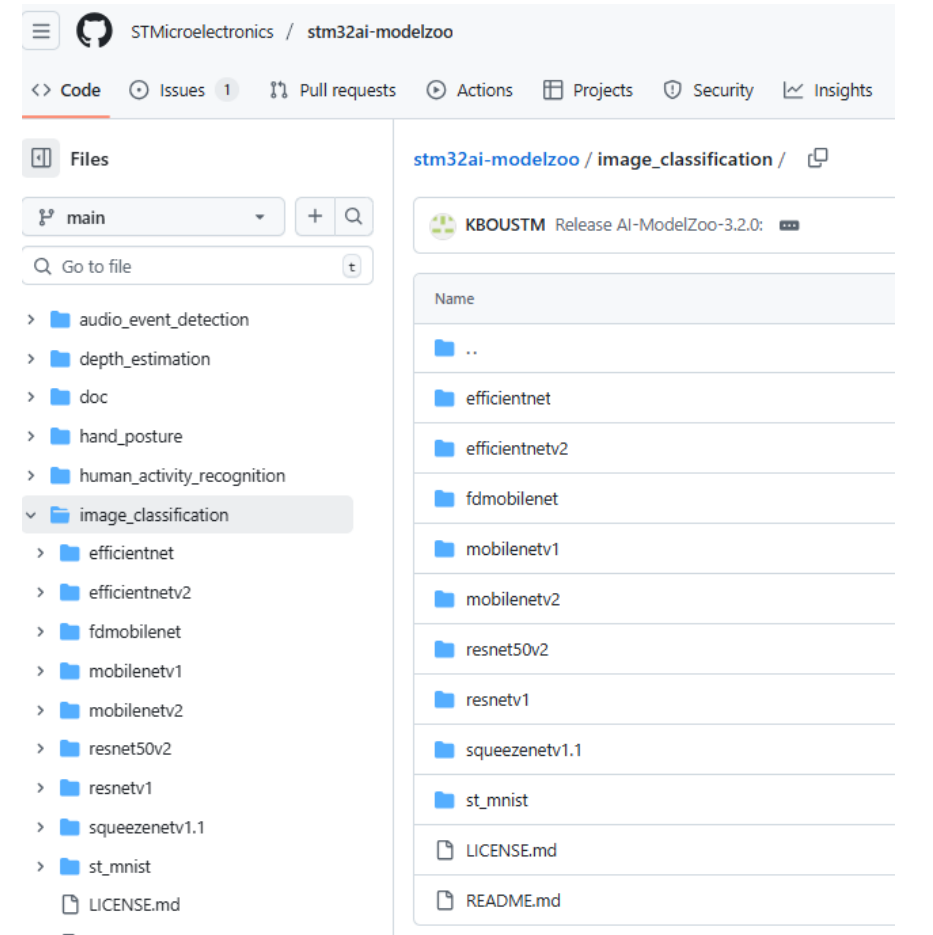
一、Model zoo-----image_classification
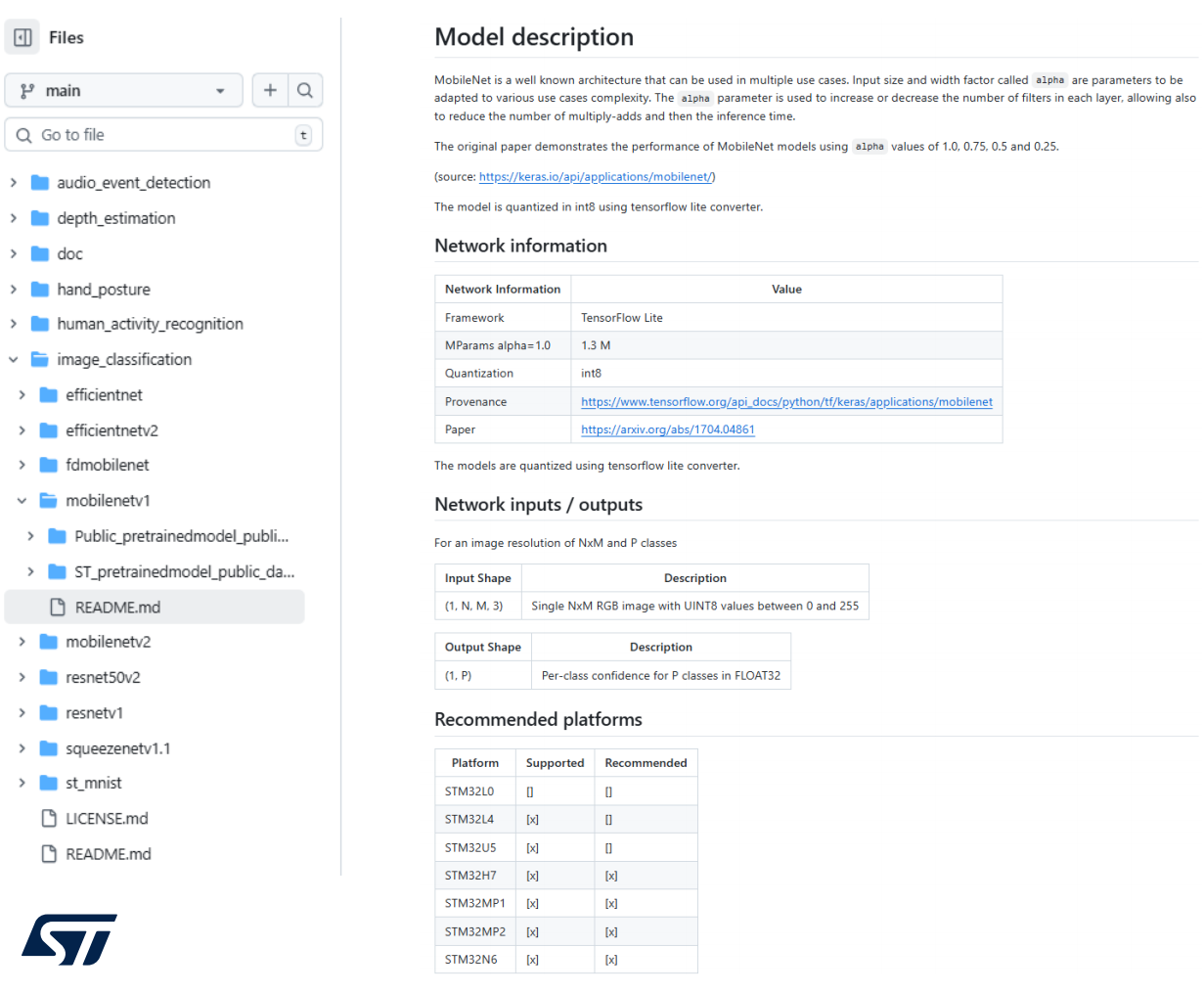
二、MobileNet v1 1、模型描述
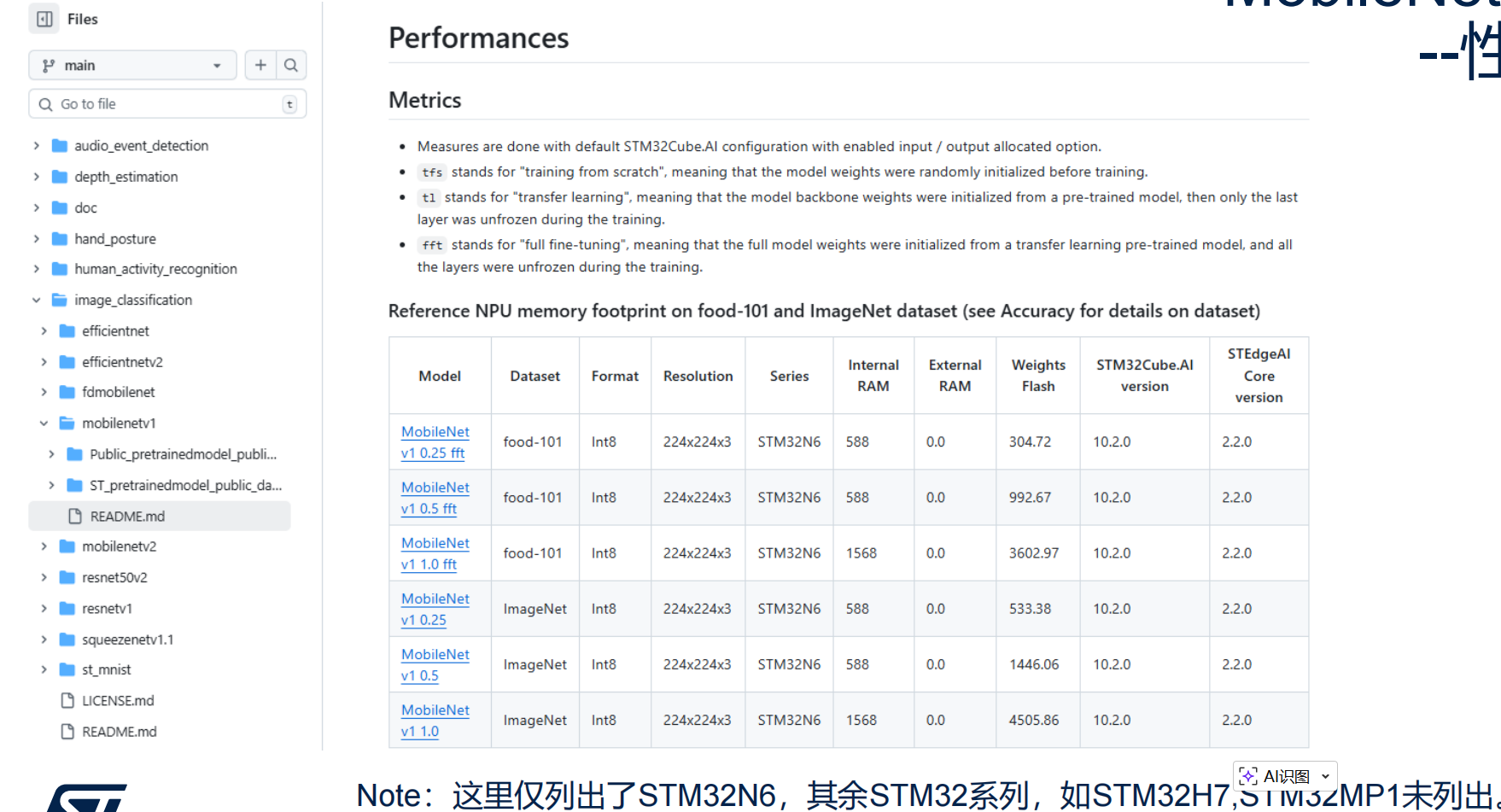
2、性能
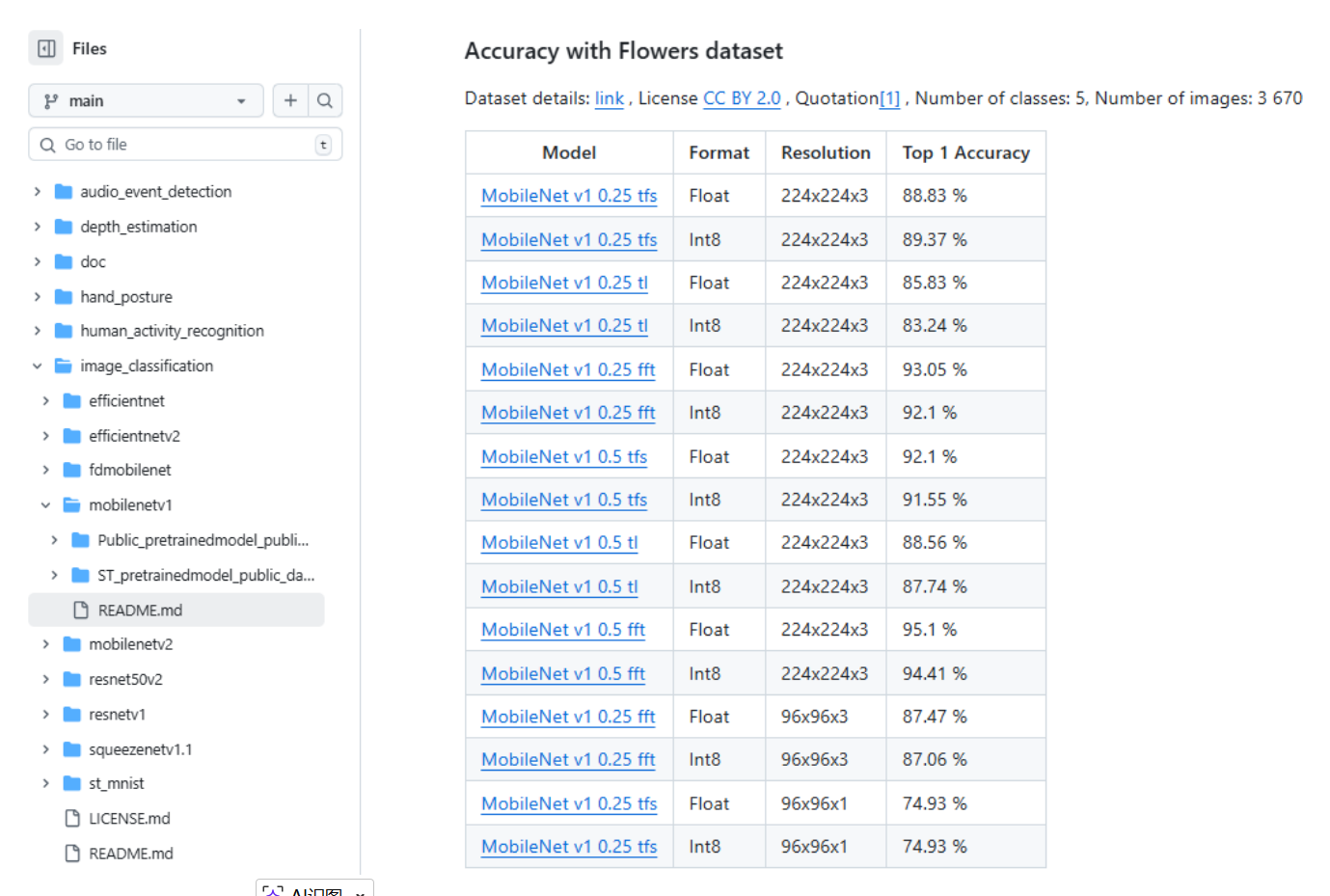
3、准确率
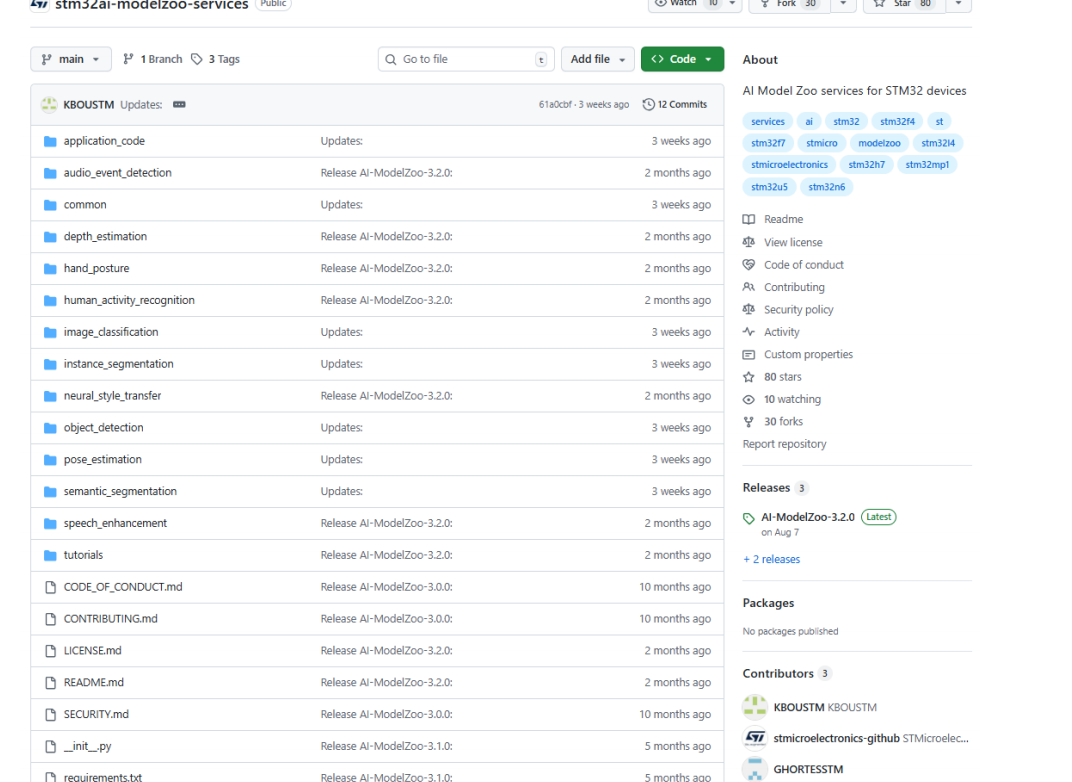
三、Model Zoo Services 路径:https://github.com/STMicroelectronics/stm32ai-modelzoo-services
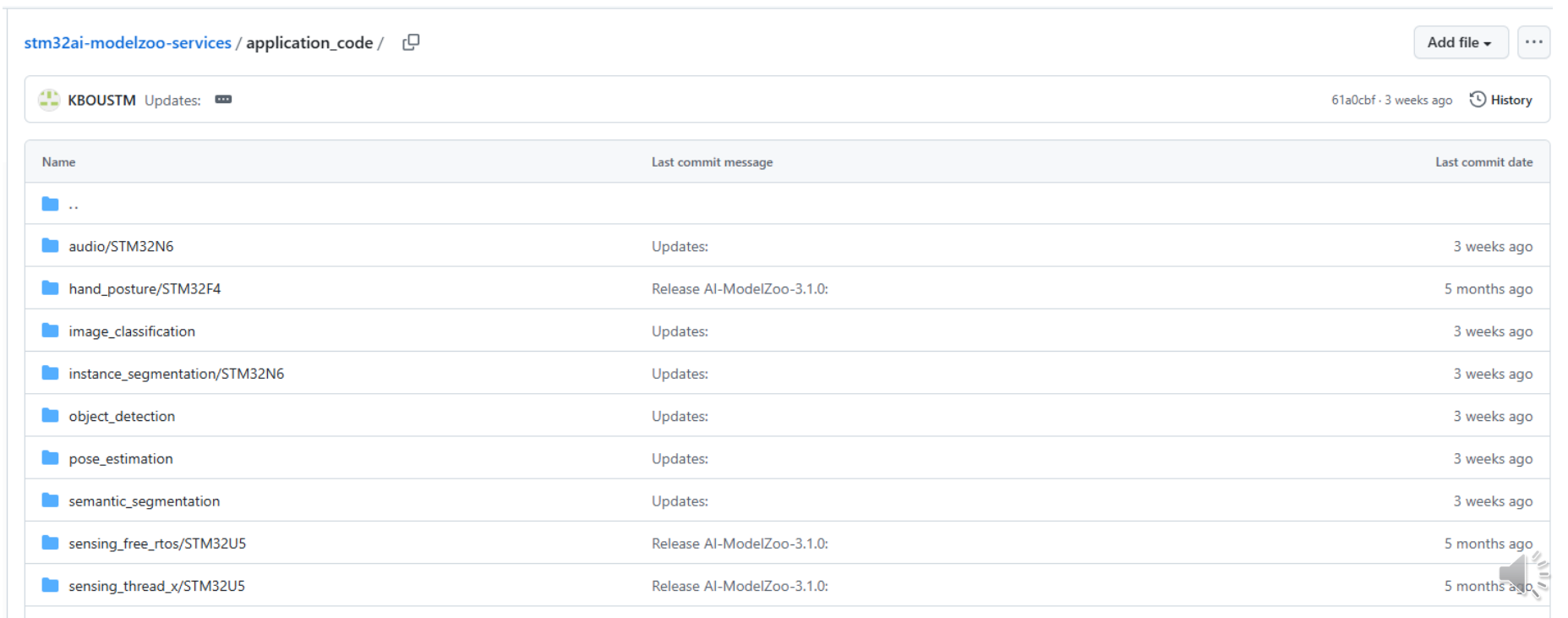
1、Application code
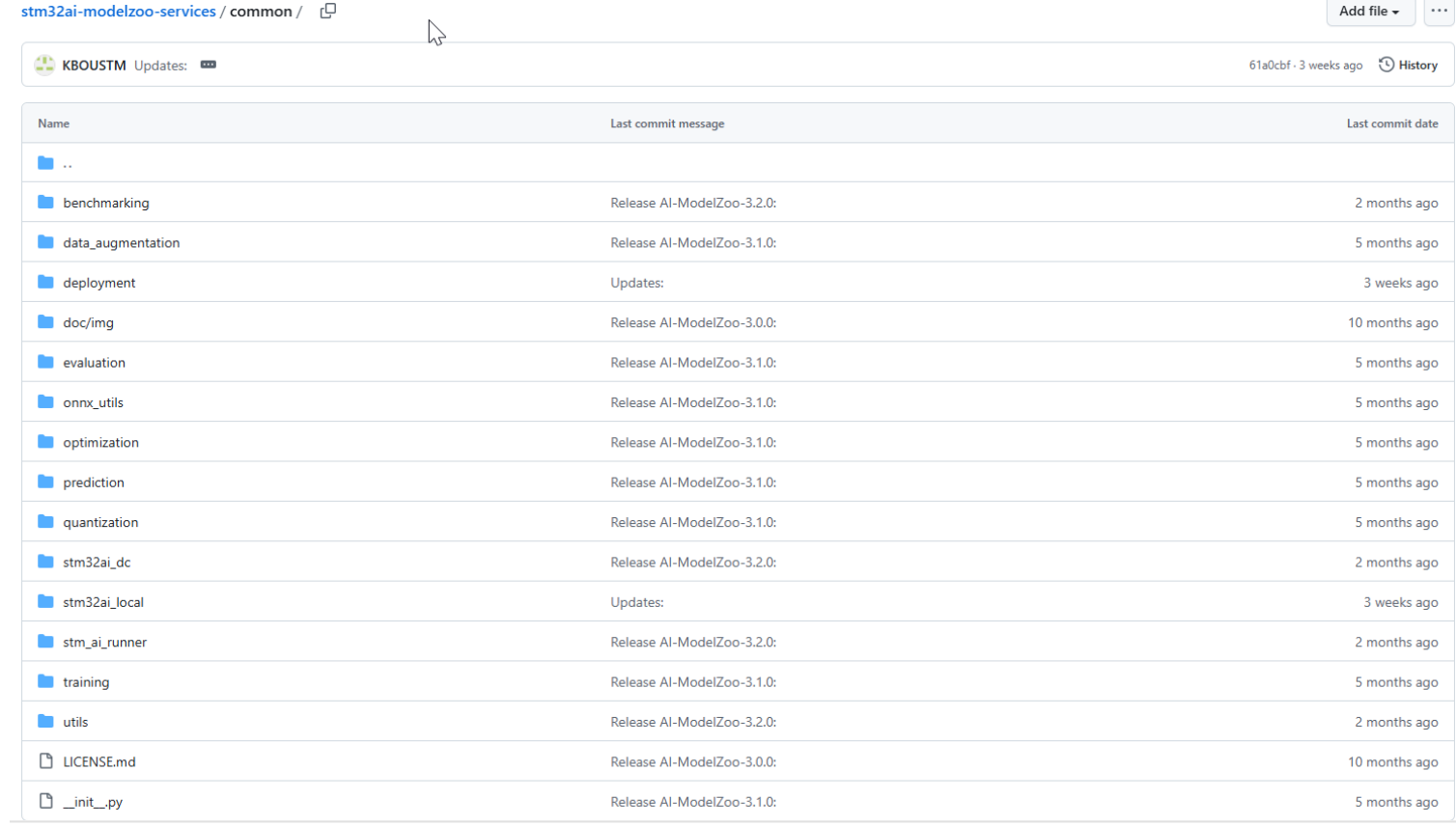
2、common
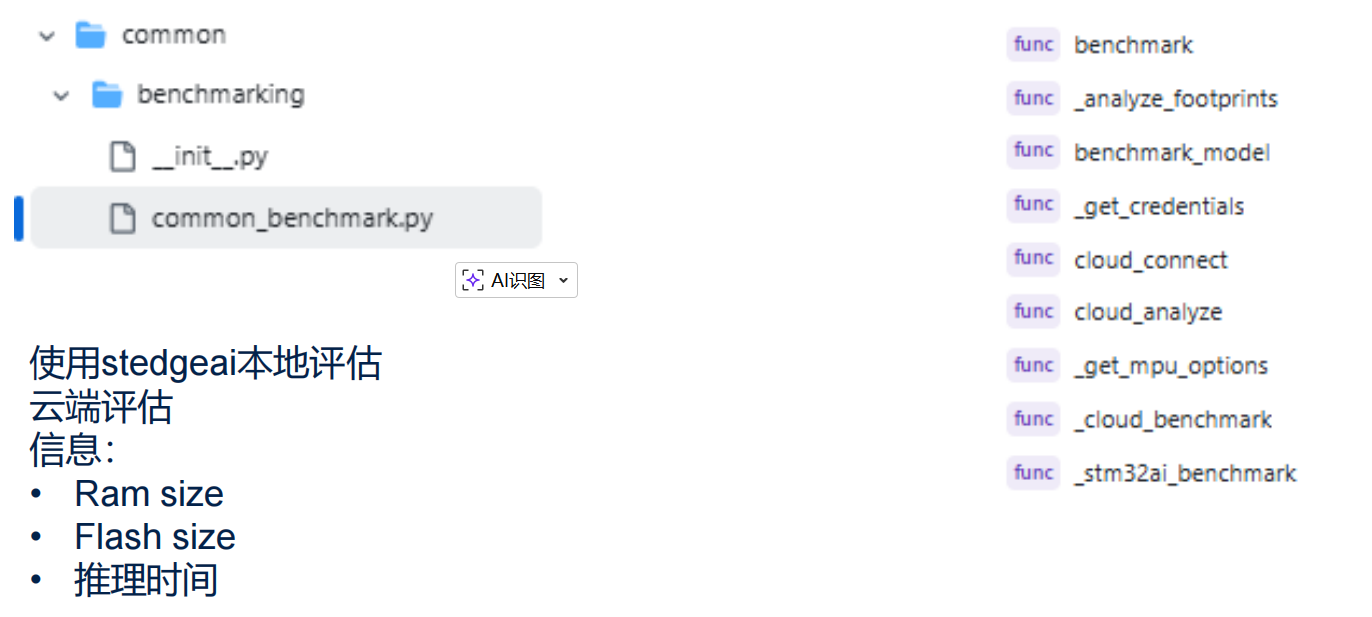
3、benchmark
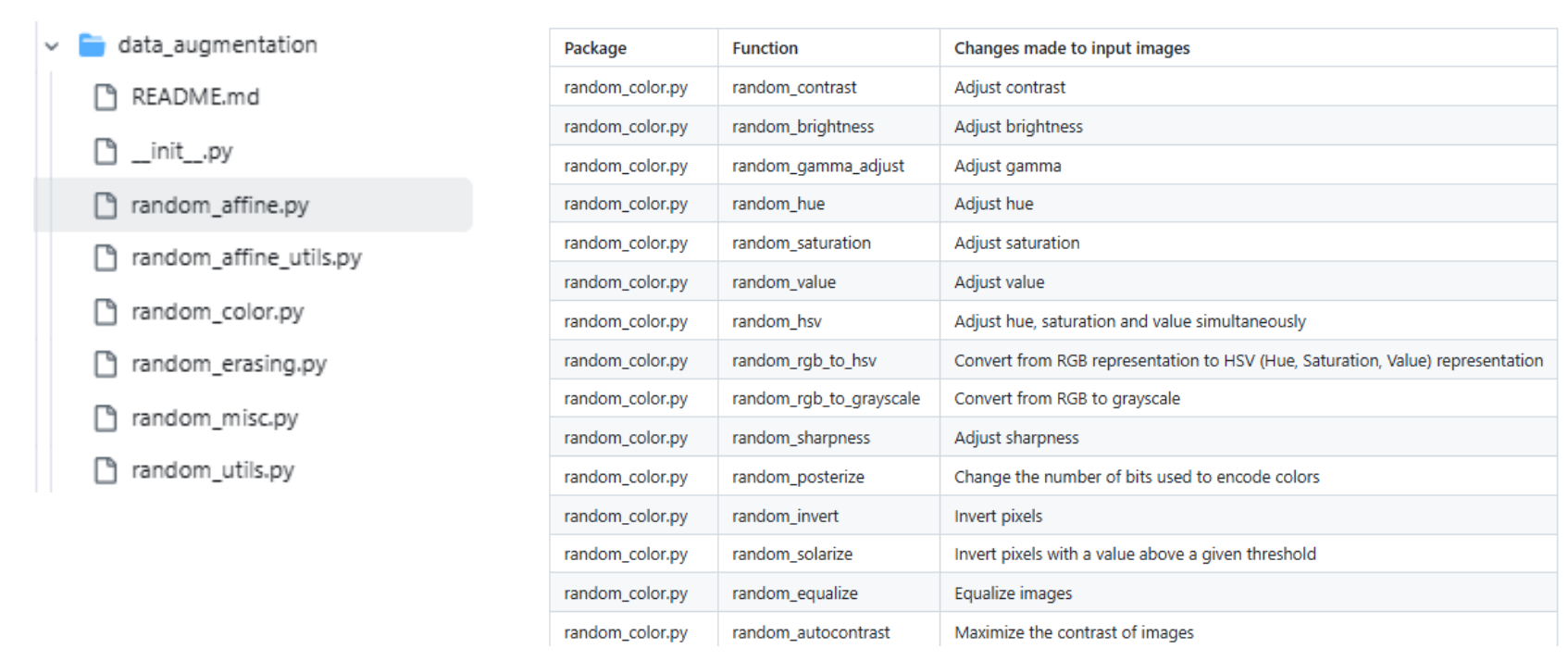
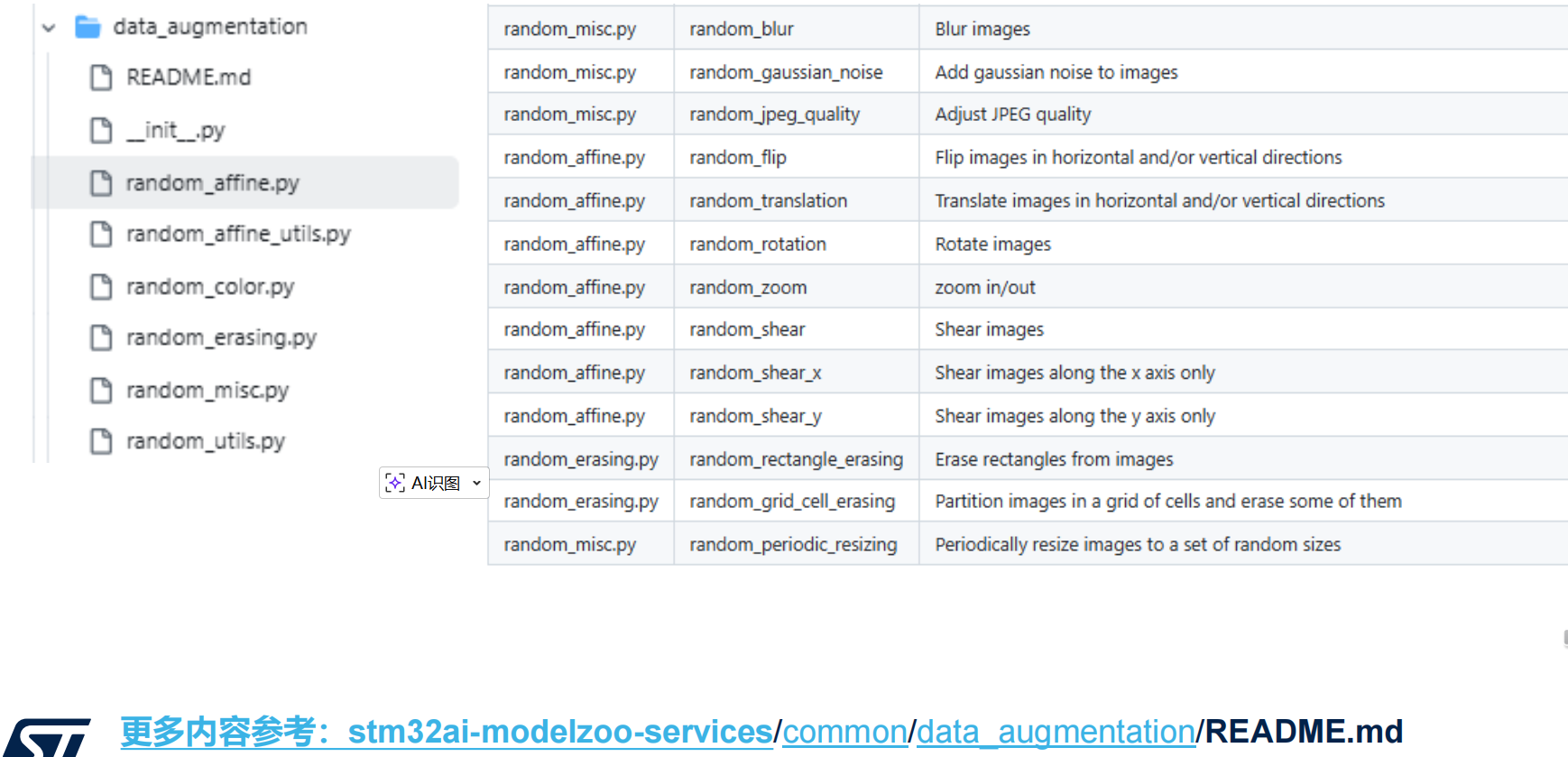
4、data_augmentation
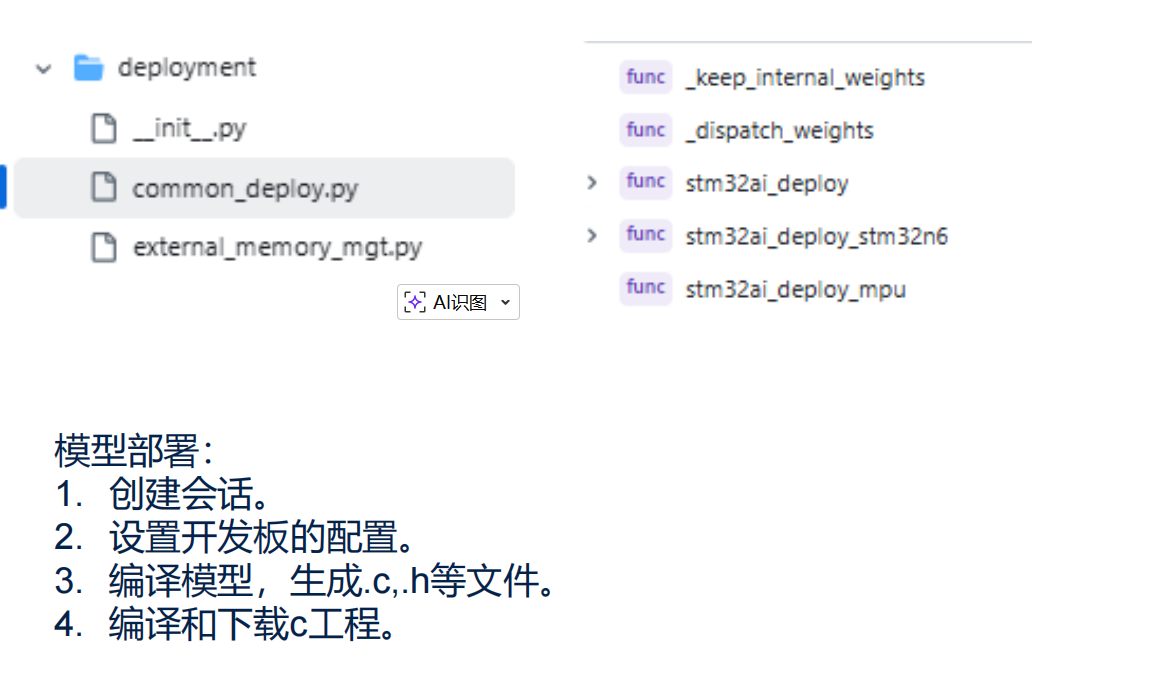
5、deployment
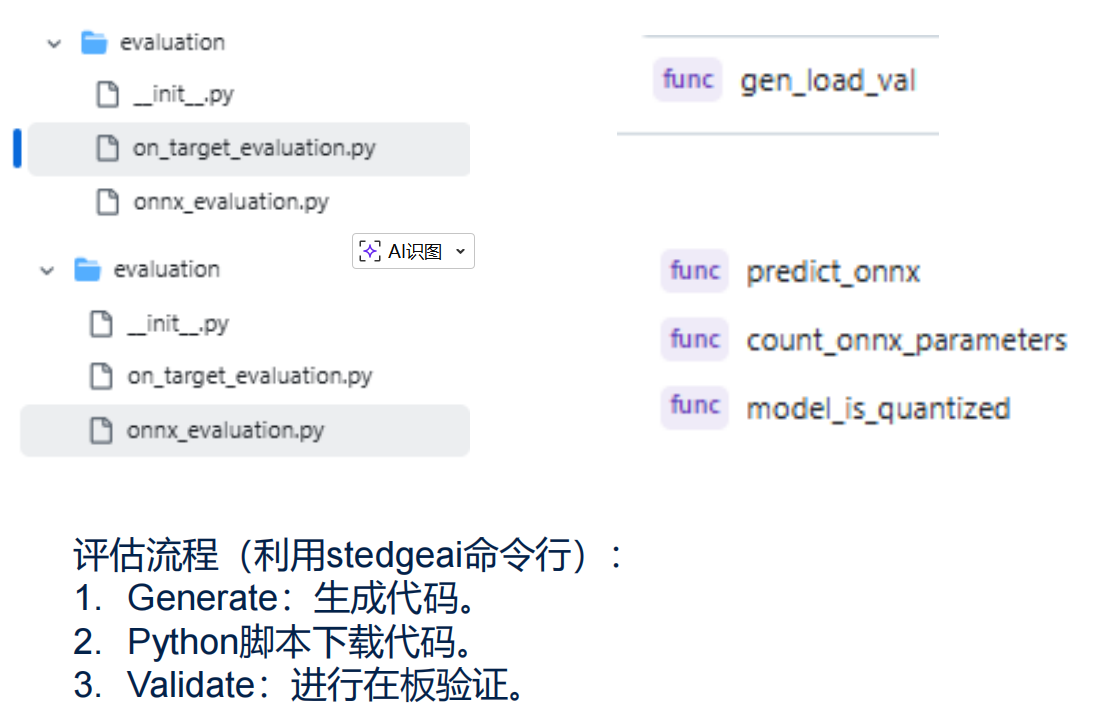
6、evaluation
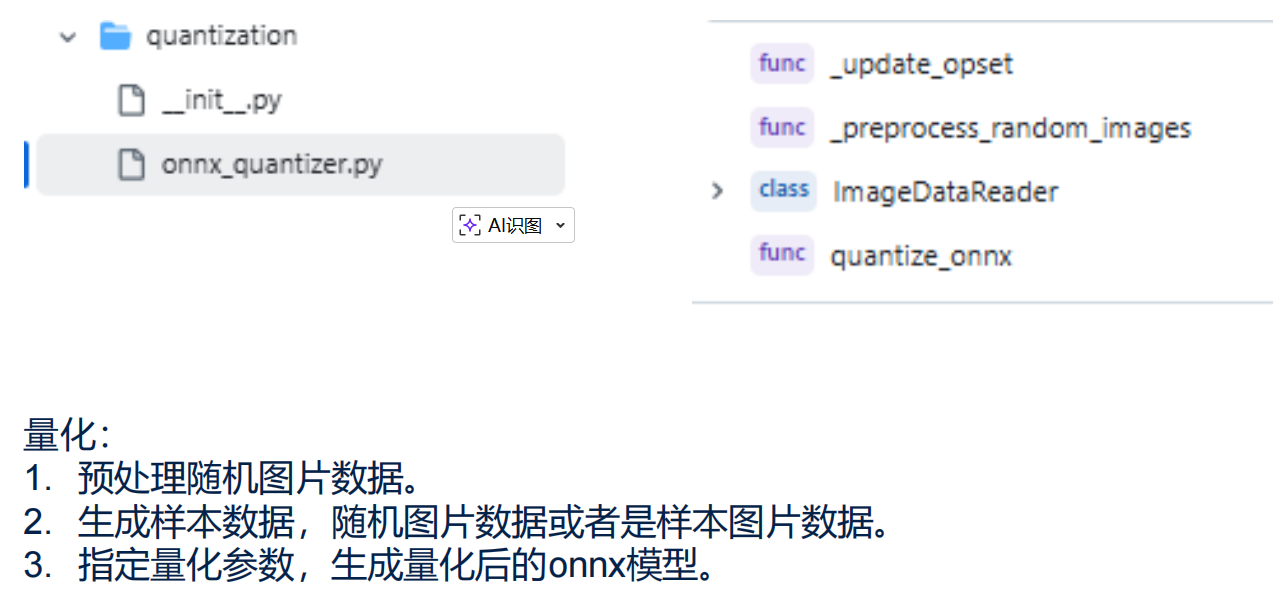
7、quantization
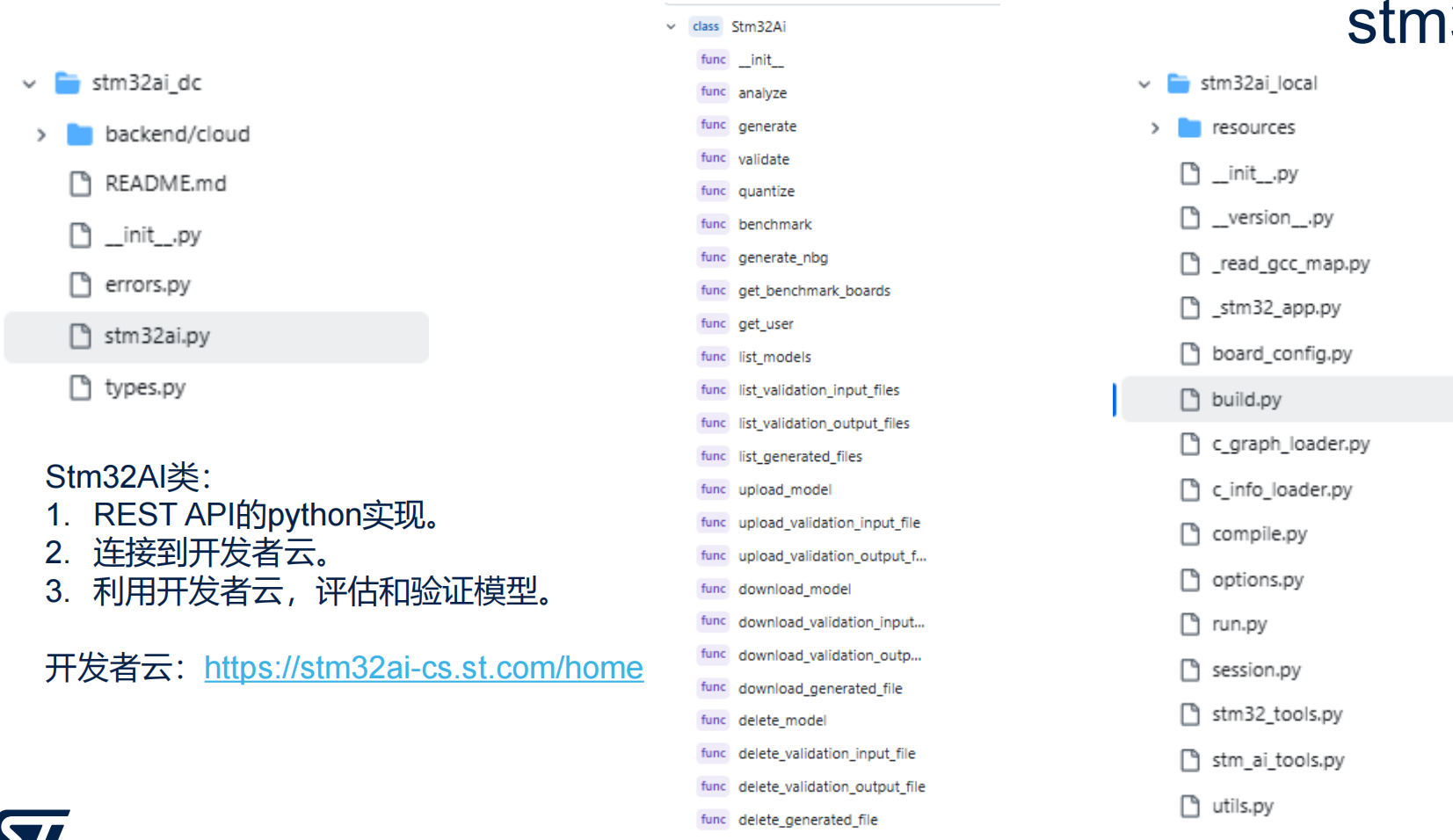
8、stm32ai
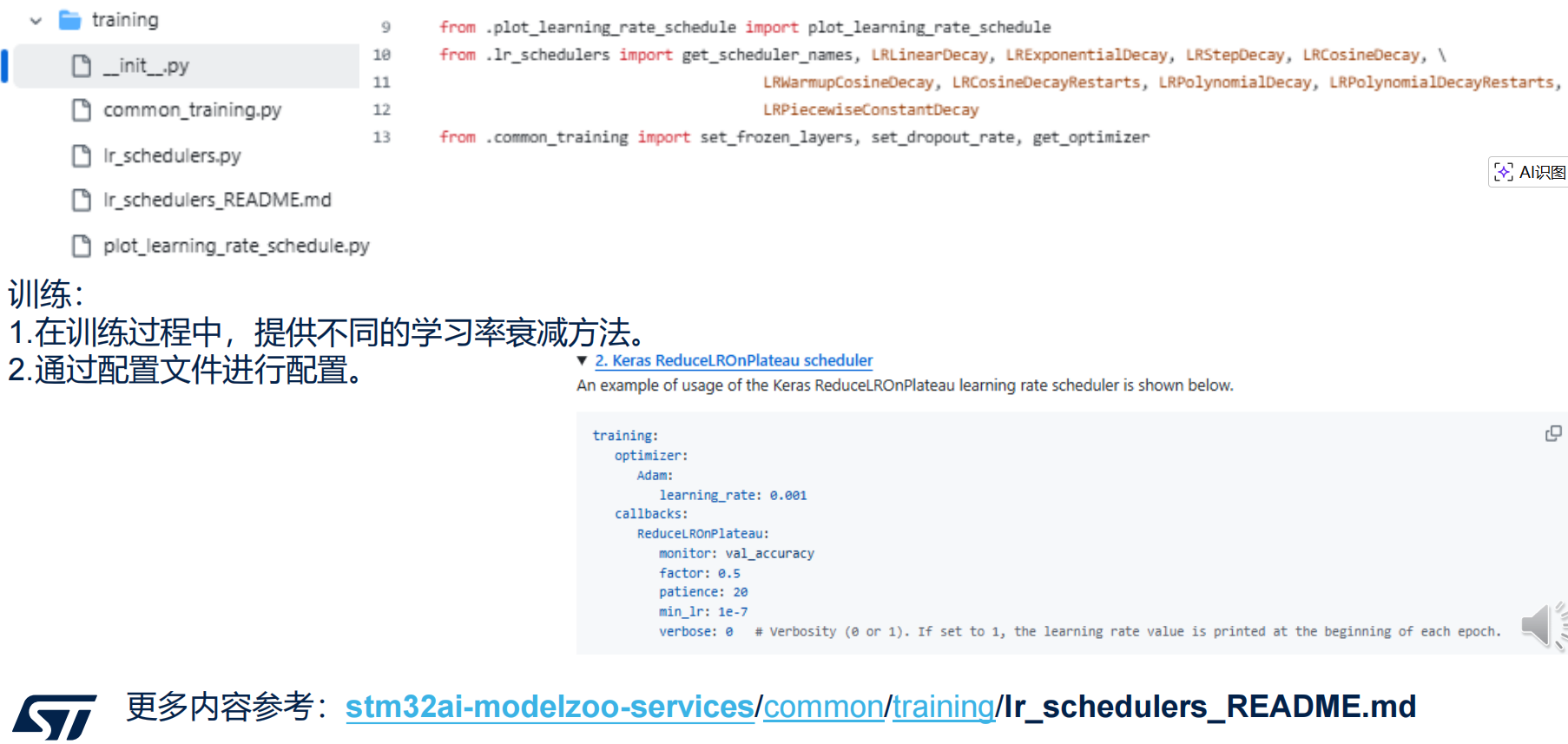
9、training
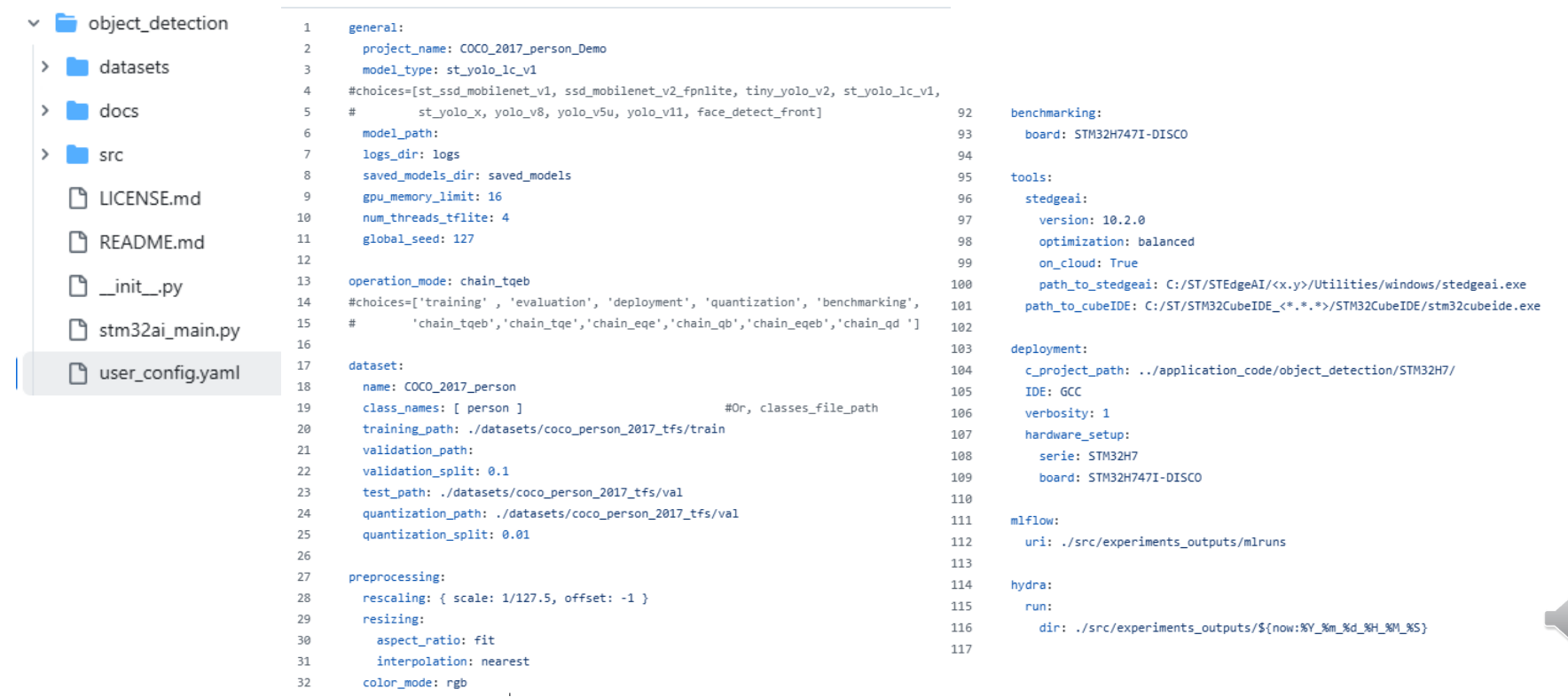
四、Object detection为例 1、user_config.yaml
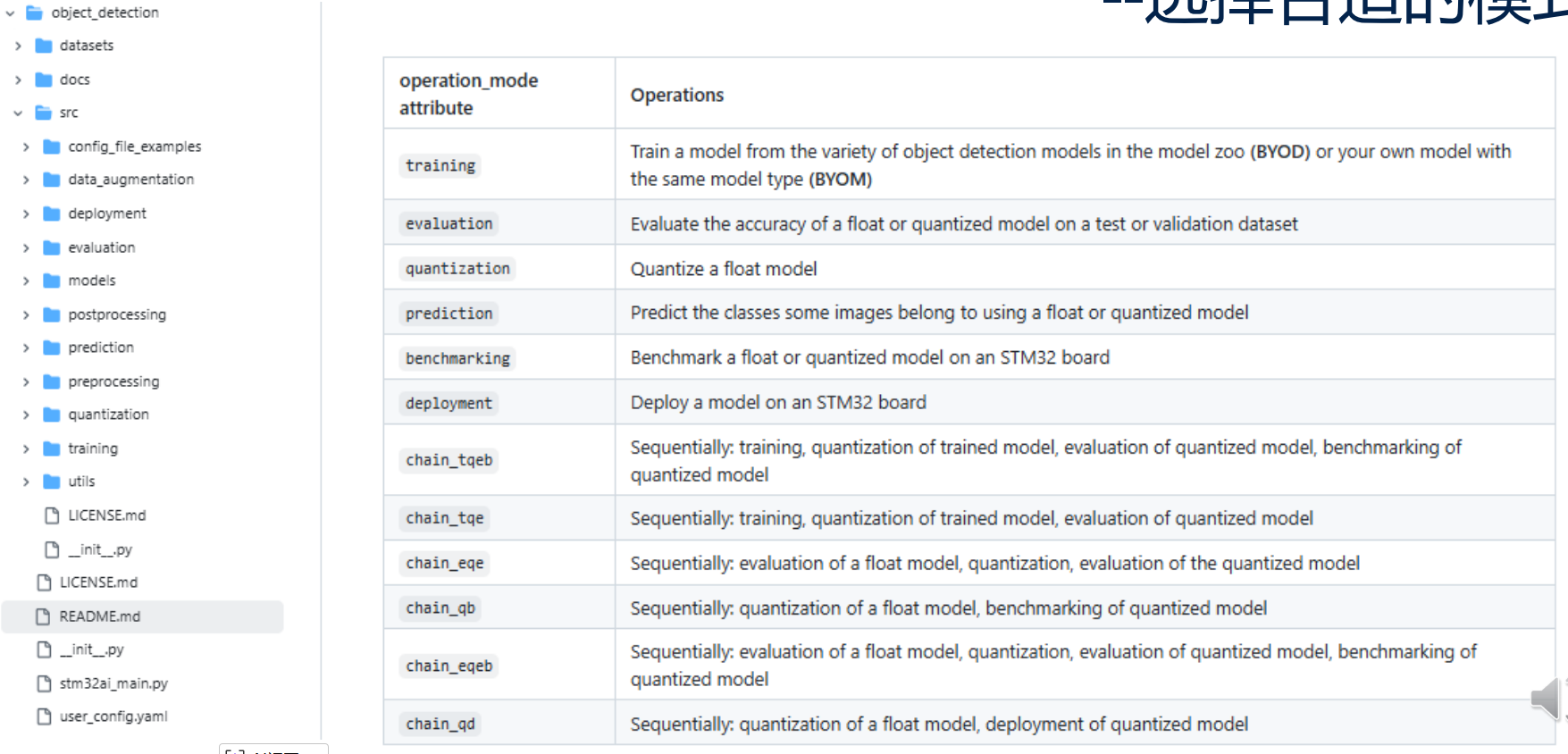
2、选择合适的模式
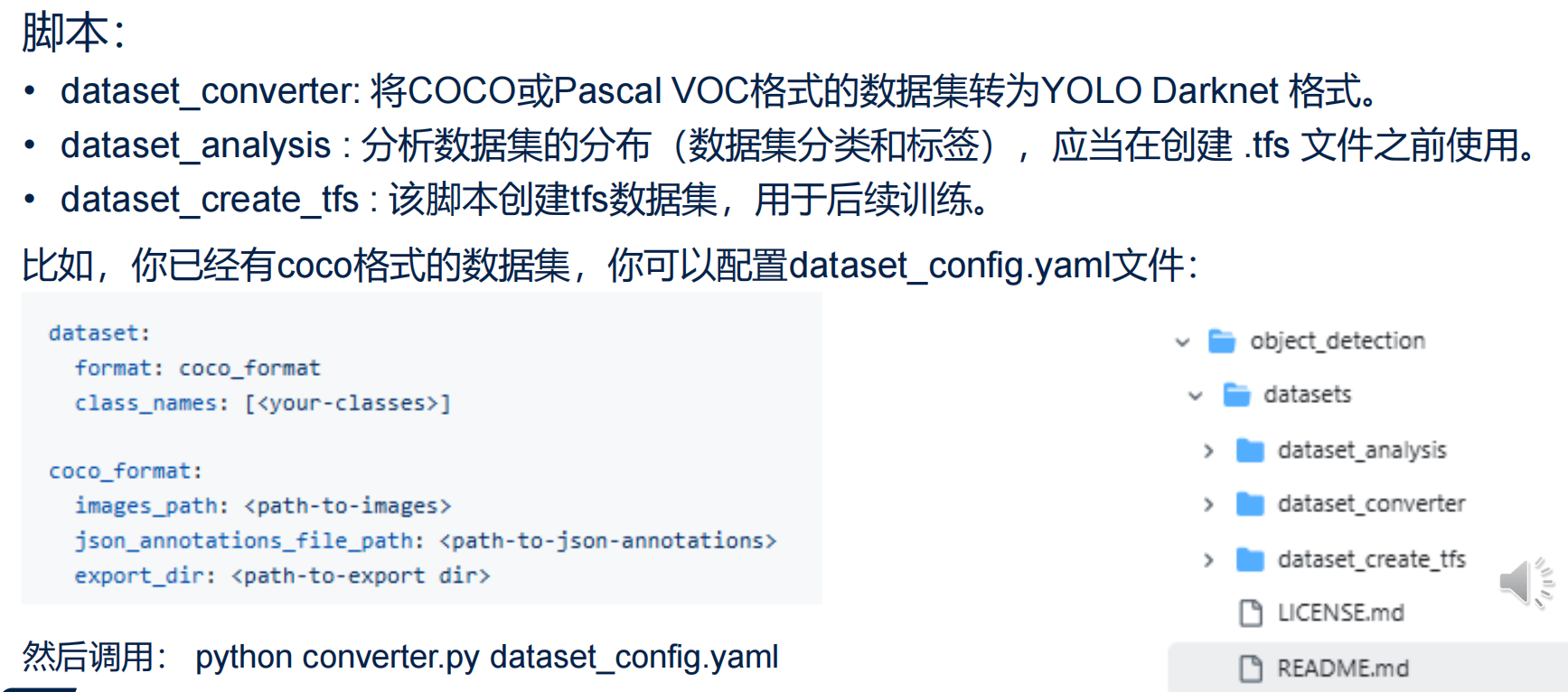
3、准备数据集
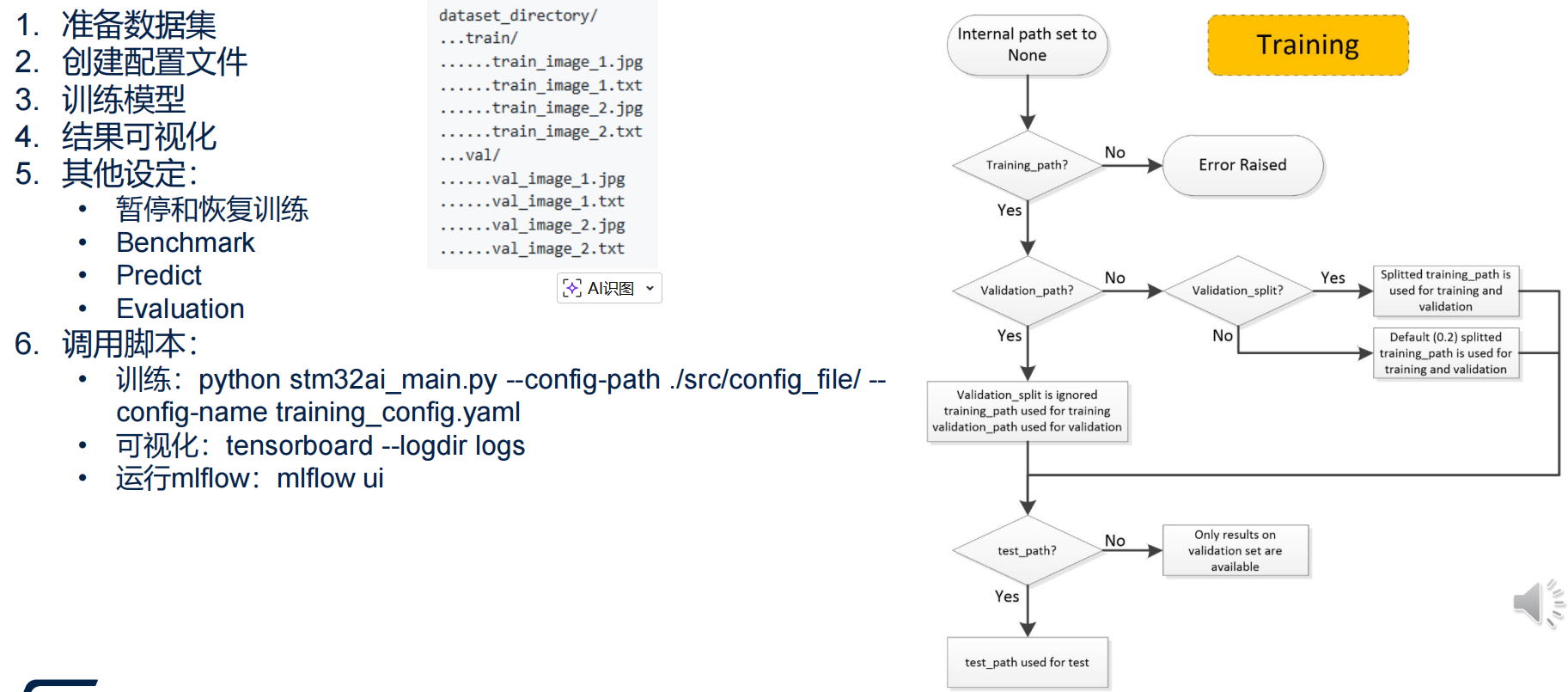
4、训练
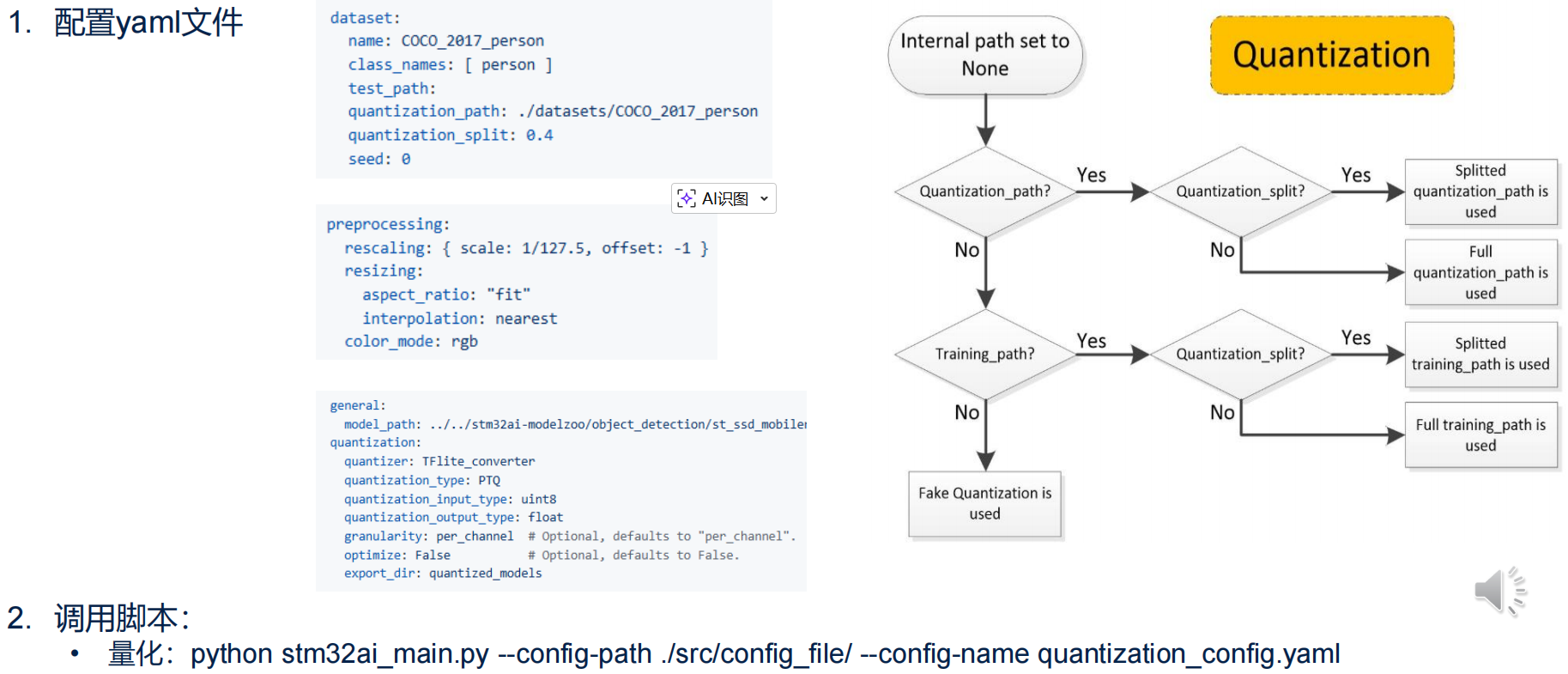
5、量化
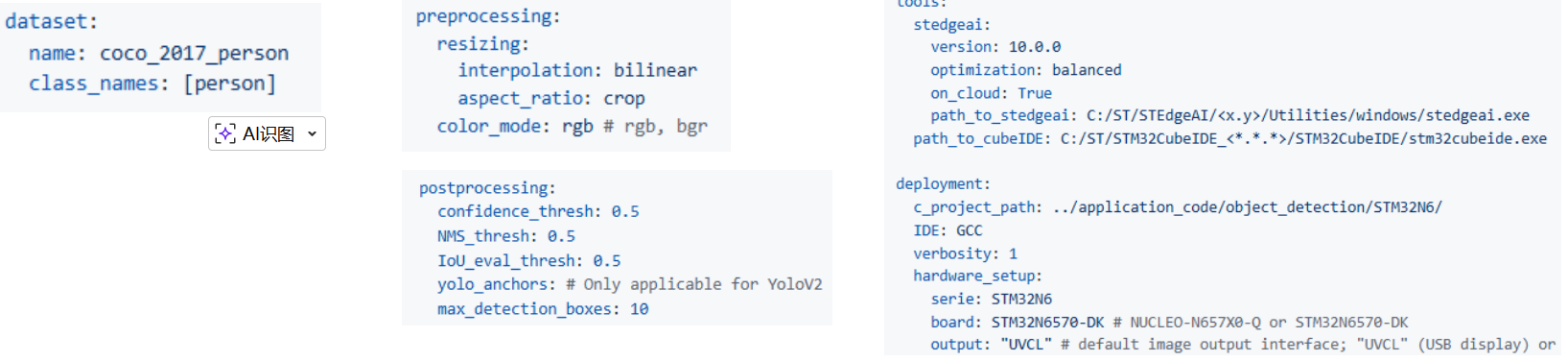
6、部署(STM32N6) ①准备STM32N6 DK板,连接CSI摄像头。 ②设置为开发者模式。 ③准备yaml配置文件:
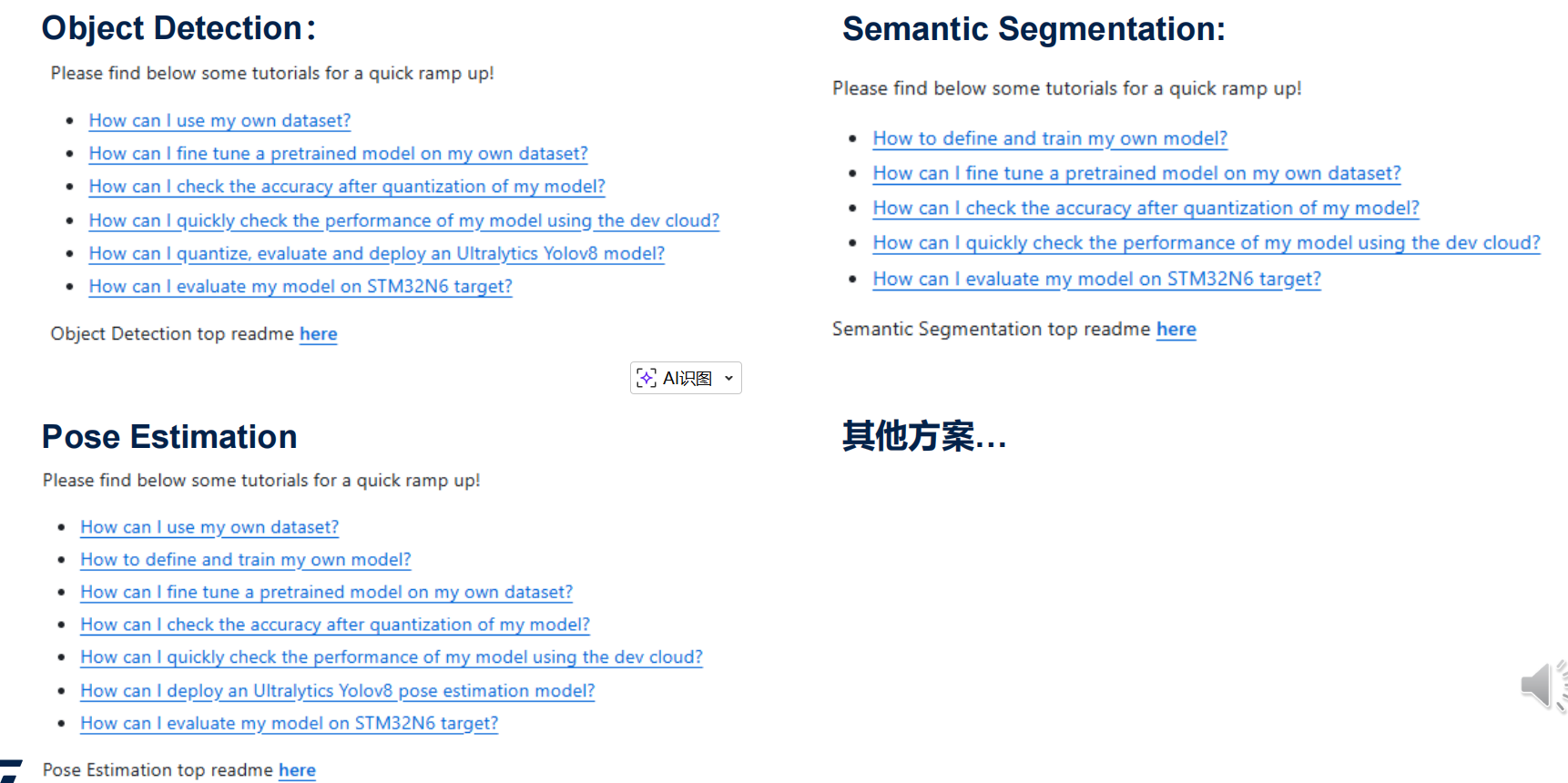
④运行: python stm32ai_main.py --config-path ./src/config_file/ --config-name deployment_n6_config.yaml ⑤成功后,设置板子为boot from flash,重新下电后上电。 ⑥PS:量化+部署: python stm32ai_main.py --config-path ./src/config_file/ --config-name chain_qd_n6_config.yaml 7、其他问题
|
合作伙伴方案 | 基于STM32N6 NE302紧凑型AI视觉节点
如何测量STM32N6的功耗
请教下STM32N6570 怎么把分辨率改成320x240并可以全屏显示
STM32N6课程学习心得
【STM32N6570-DK评测】3.CubeMX关于DCMIPP和CSI的BUG整理及摄像头使用
线下培训(深圳) | 基于STM32N6的边缘人工智能应用开发实训
《STM32N6视频课程》学习笔记+STM32N6 系统资源隔离: RIF对外设的配置和管理
《STM32N6视频课程》学习笔记+STM32N6系统资源隔离— RIF访问规则与非法访问控制
《STM32N6视频课程》学习笔记+STM32N6 系统资源隔离 Cortex M55 TrustZone
《STM32N6视频课程》学习笔记+STM32N6 资源隔离RIF简介(一)
 微信公众号
微信公众号
 手机版
手机版