【STM32U3 评测】MNIST 数字识别
本文介绍了 NUCLEO-U3C5ZI-Q 开发板结合 STM32Cube AI Studio 软件和 MNIST 数据集以及 ONNX 预训练模型,实现手写数字识别的项目设计,包括环境搭建、工程创建、关键代码、流程图、效果演示等。
项目介绍
Nucleo-U3C5ZI-Q 开发板实现手写数字识别。
- 准备工作:环境搭建、STM32Cube AI Studio、硬件连接、模型获取等;
- 工程创建:流程图、模型转换、工程代码等;
- 工程测试:工程编译、固件上传、效果演示等。
环境搭建
- 下载、安装并运行 STM32Cube AI Studio 软件;
- 进入 Setting 设置标签页,自动安装所需工具,包括 STM32CubeMX、STM32CubeProgrammer、STM32CubeIDE、ST Edge AI Core;
-
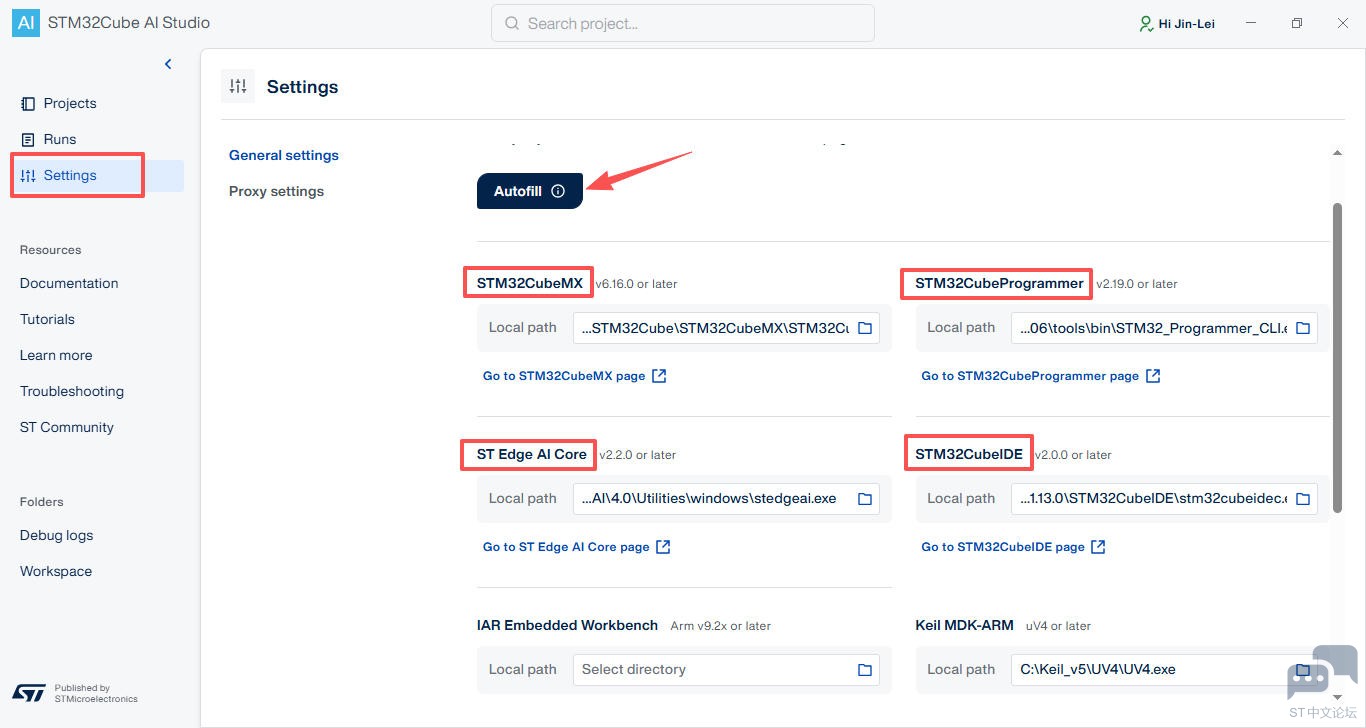
详见:【STM32U3 评测】介绍、环境搭建、工程测试 .
MNIST
Modified National Institute of Standards and Technology (MNIST) 是一个包含手写数字的数据集,里面有上万张数字图片,每张图片都标注了对应的数字标签(0到9)。该数据集可用来训练识别手写数字的神经网络。
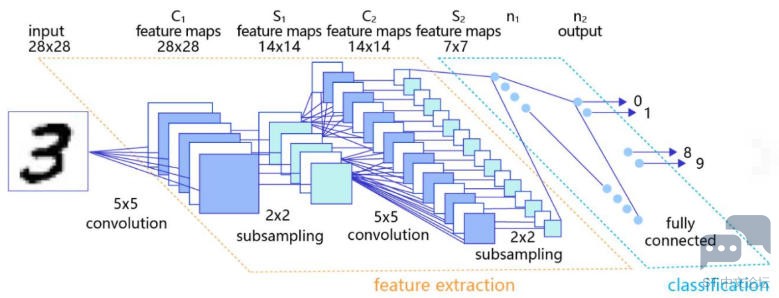
详见:yann.lecun.com
ONNX
Open Neural Network Exchange (ONNX) 是一个开放的生态系统,为 AI 开发人员提供支持 随着项目的发展选择正确的工具。

ONNX 为 AI 模型(包括深度学习和传统 ML)提供开源格式。它定义了一个可扩展的计算图模型,以及内置运算符和标准的定义 数据类型。
详见:onnx/onnx: Open standard for machine learning interoperability .
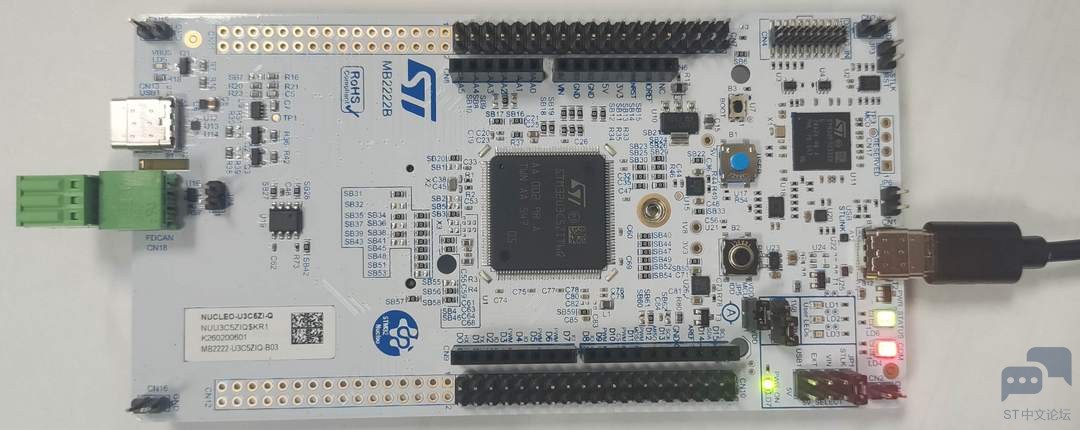
硬件连接
使用 Type-C 数据线连接开发板和电脑;
流程图
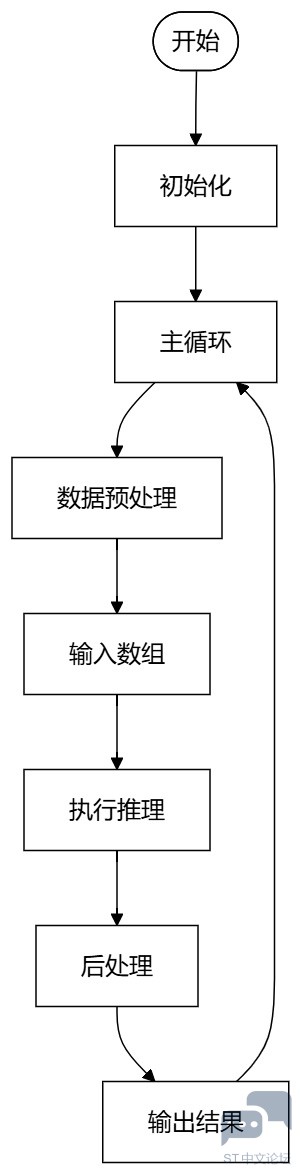
工程创建
-
打开 STM32Cube AI Studio 软件,创建工程,选择空白新工程;
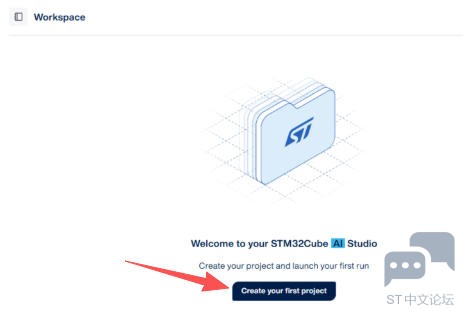
-
配置工程路径、工作空间,输入目标开发板 NUCLEO-U3C5ZI-Q;
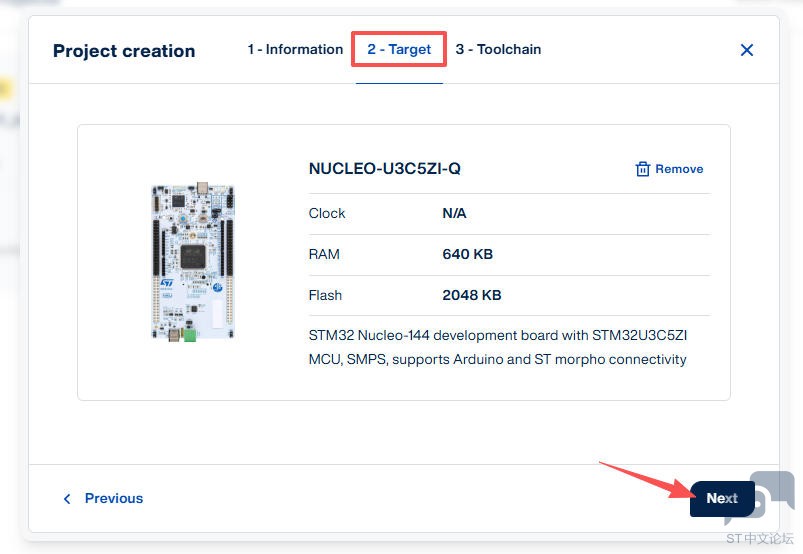
-
加载目标 mnist-12-int8.onnx 模型文件,验证模型选择 On target ;
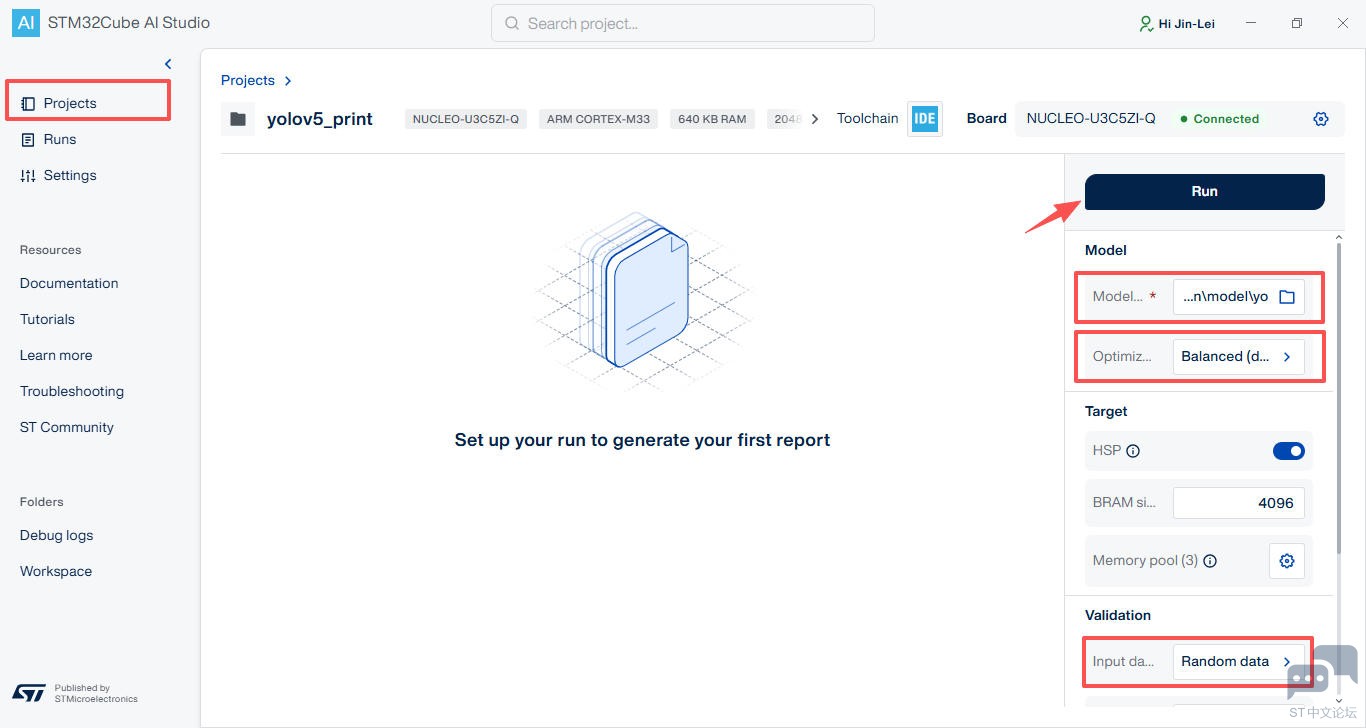
-
点击 Generate 按钮,自动生成代码;
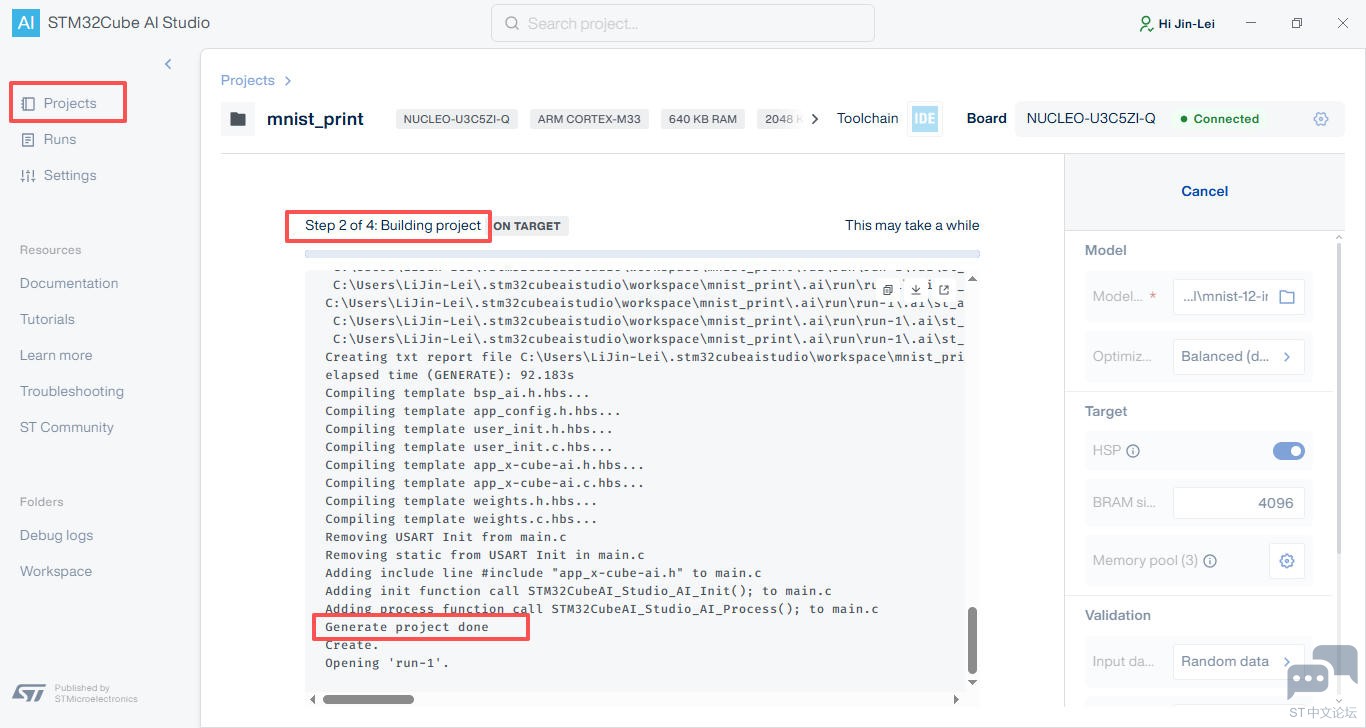
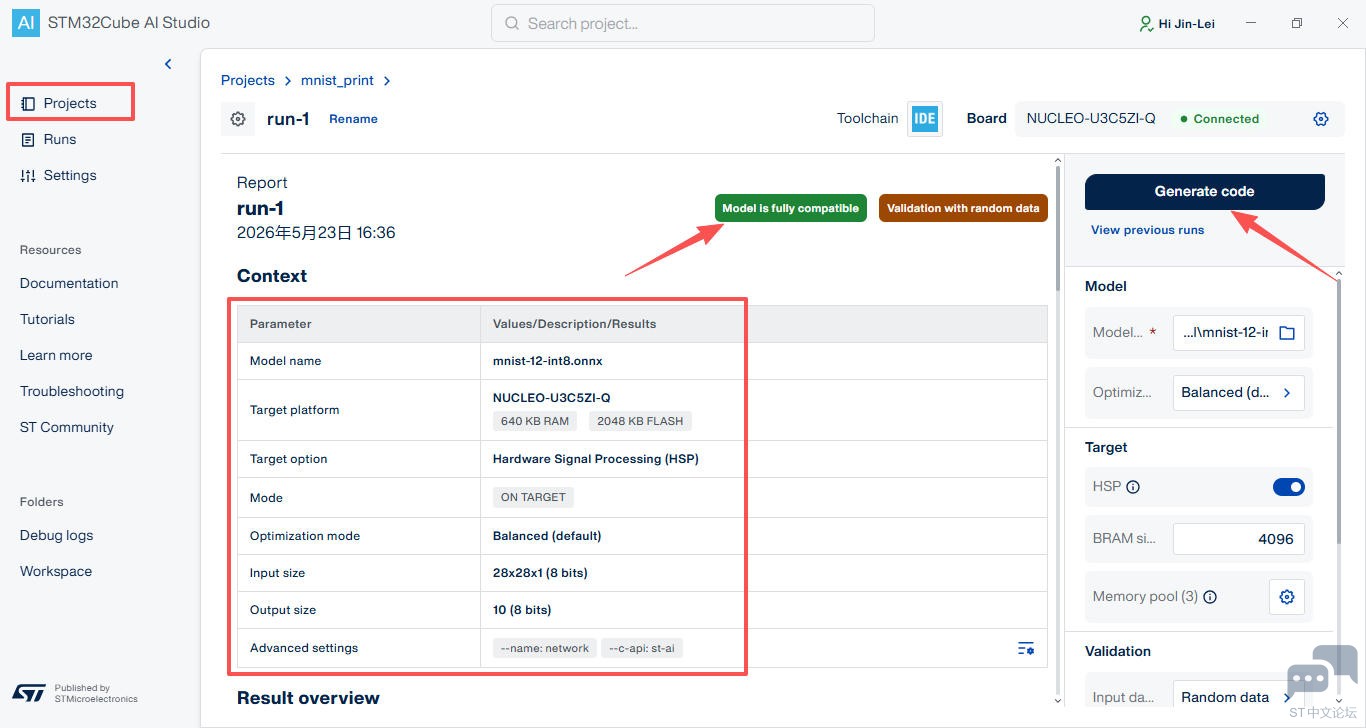
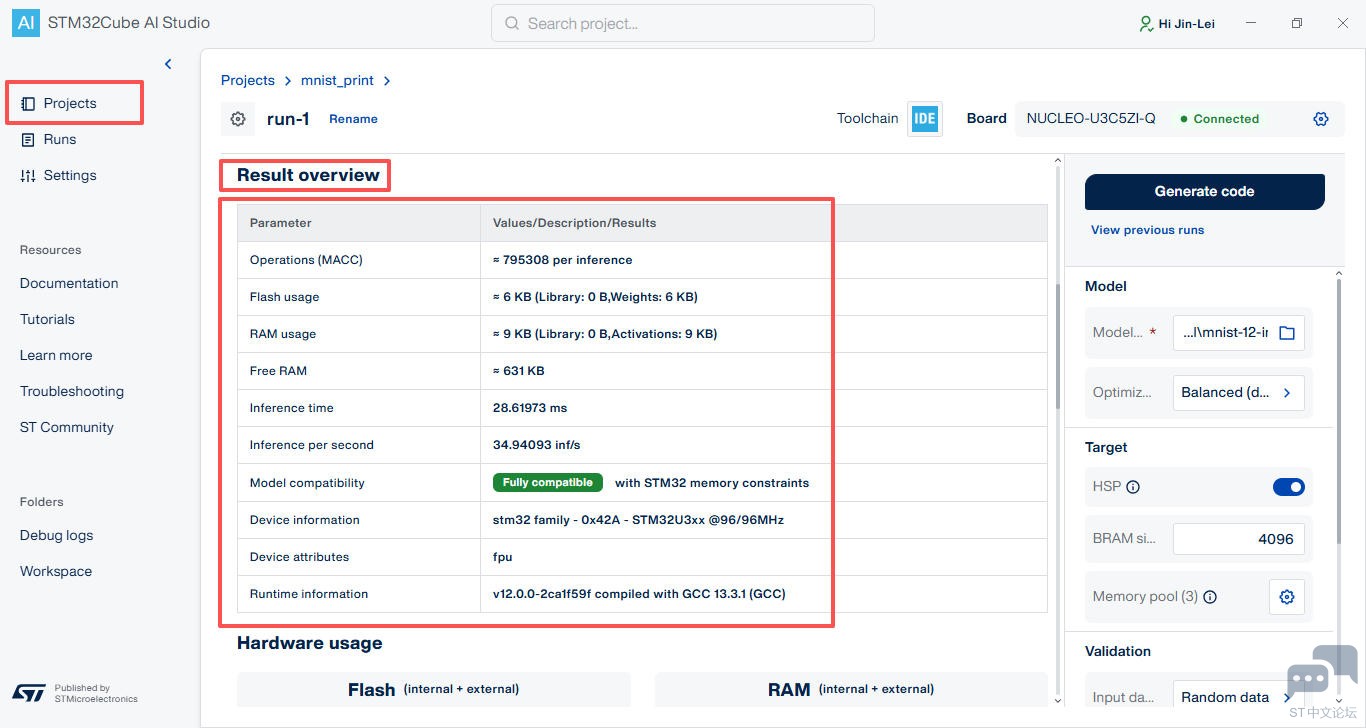
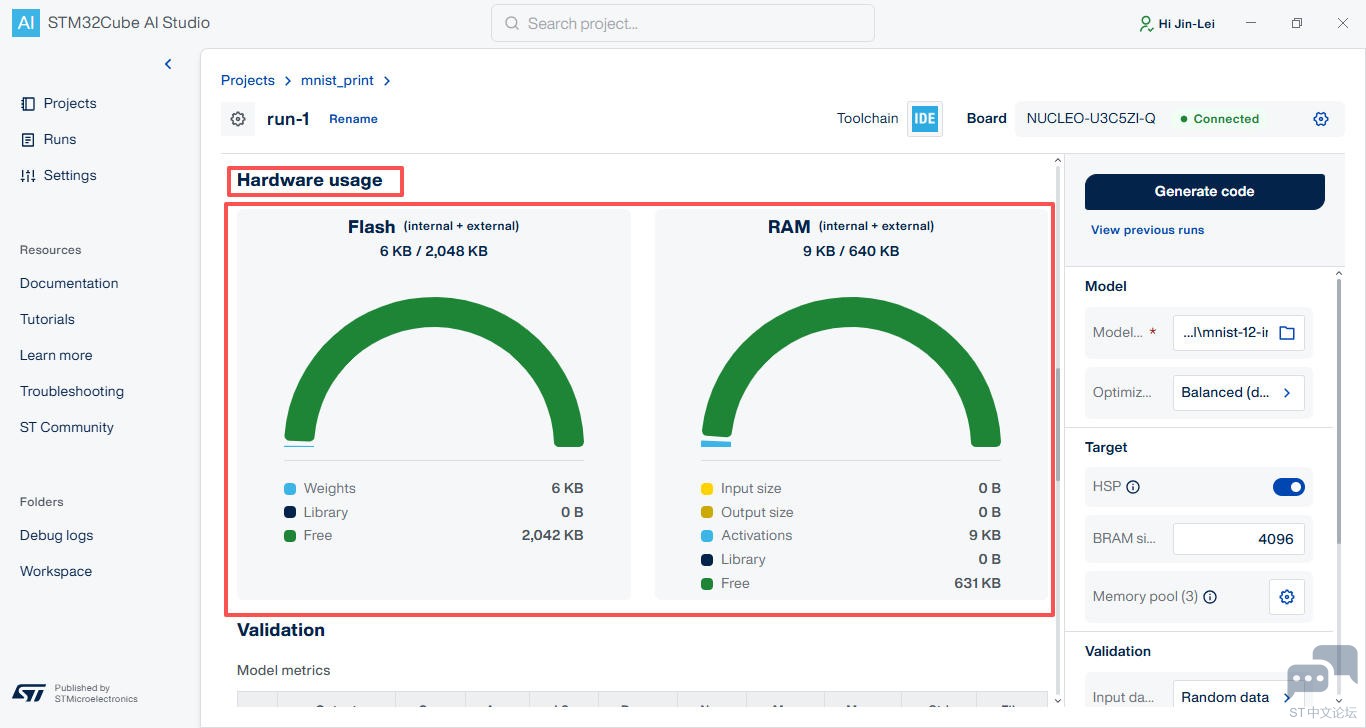
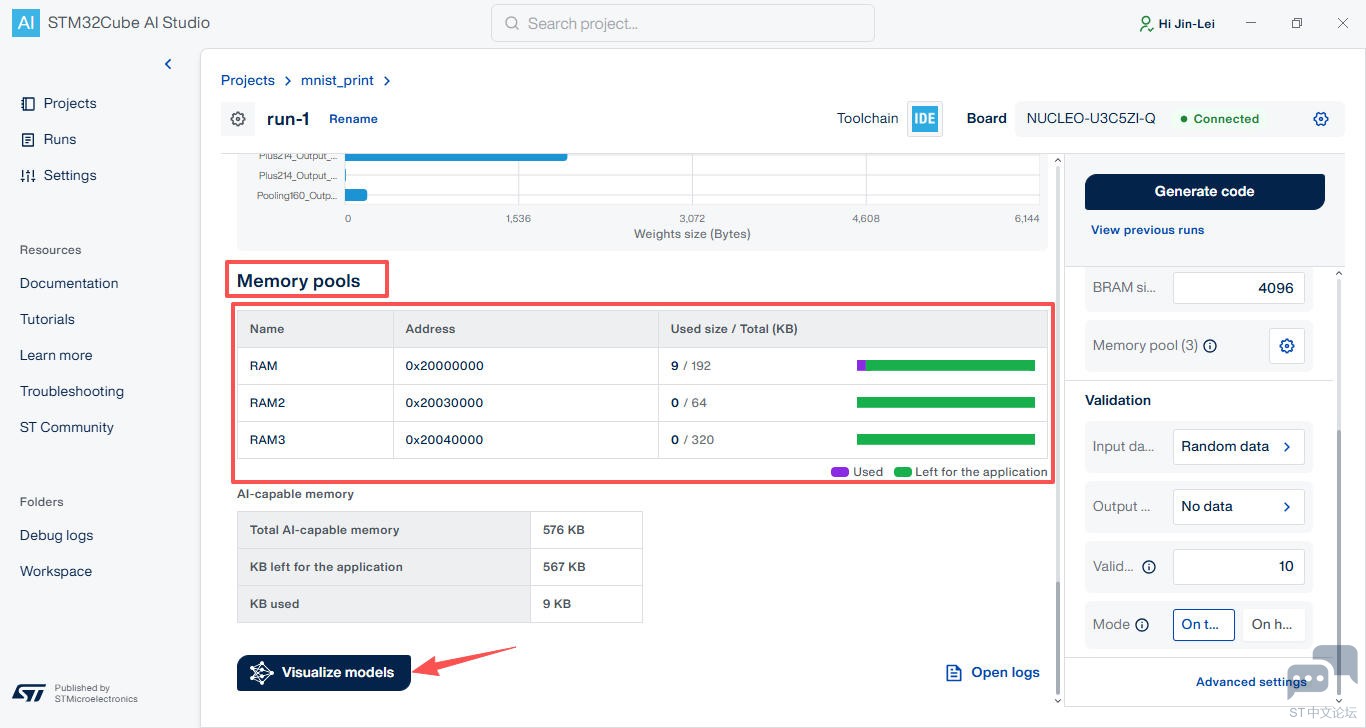
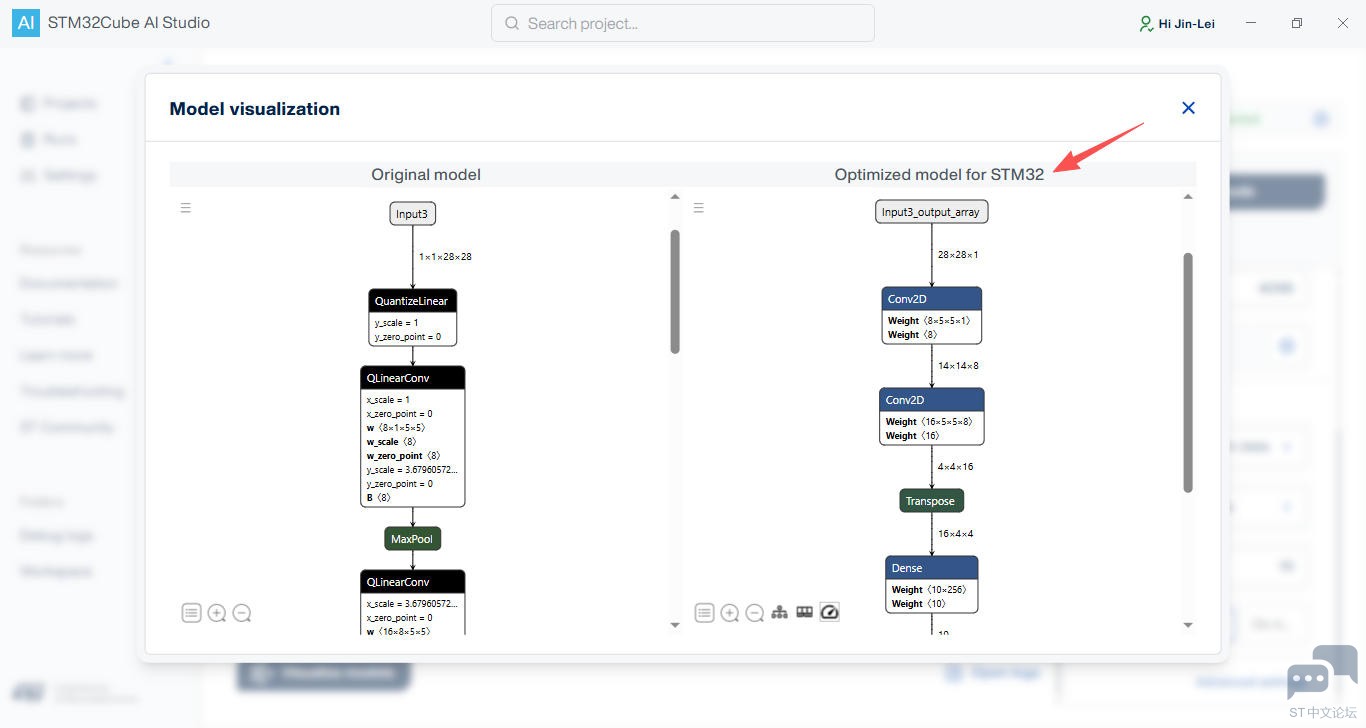
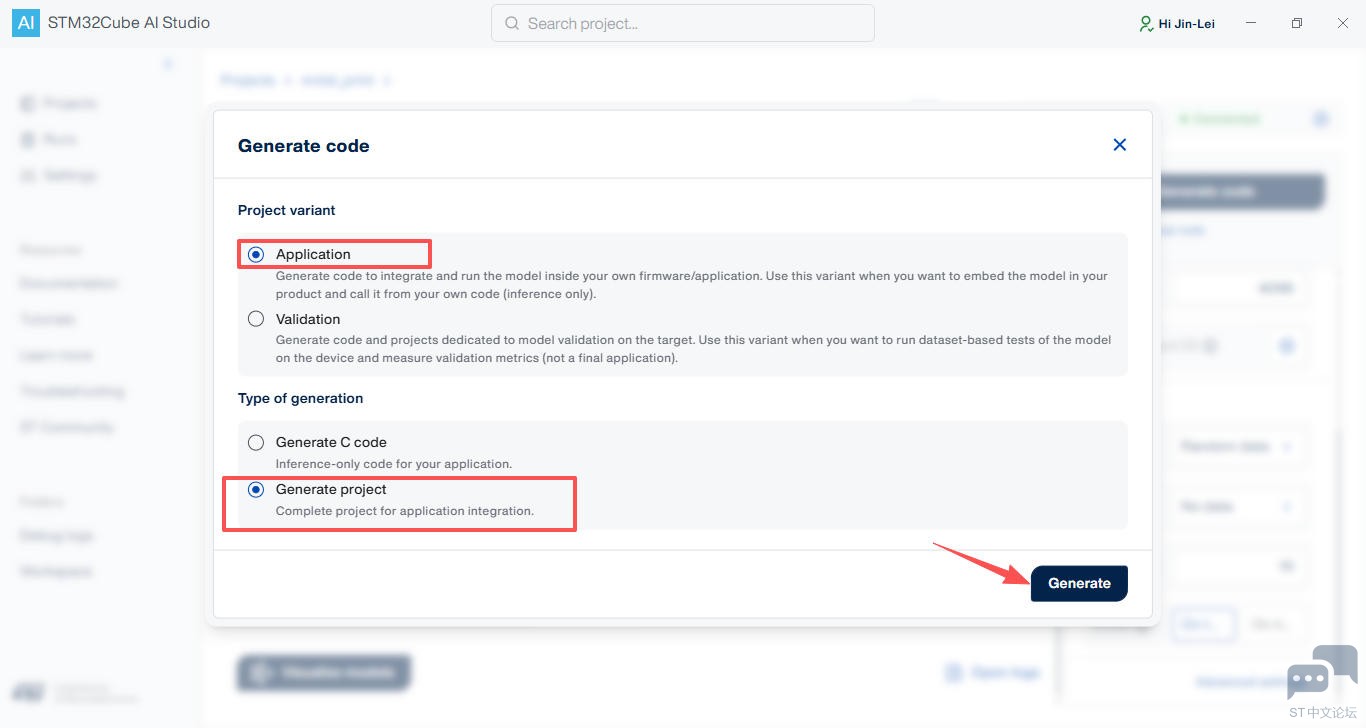
- 点击右上角 Generate code 按钮,弹窗勾选
Generate project 选项,生成完整工程;
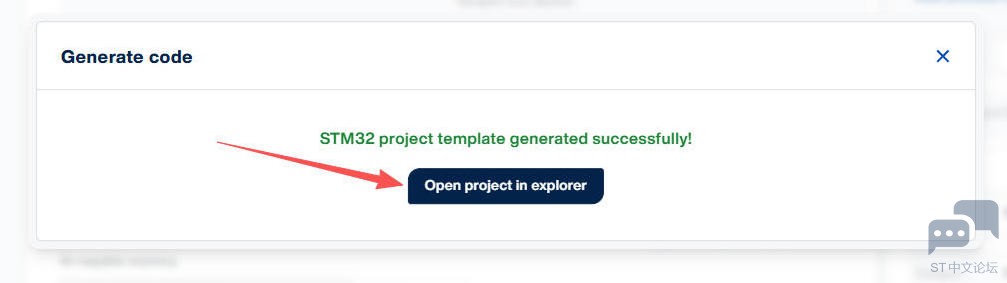
- 模型生成并打开文件路径,使用 STM32CubeIDE 加载目标工程;
工程代码
使用 STM32CubeIDE 加载生成的数字识别工程;
- 在左侧工程文件目录,双击打开
AI/APP/app_x-cube-ai.c 文件;
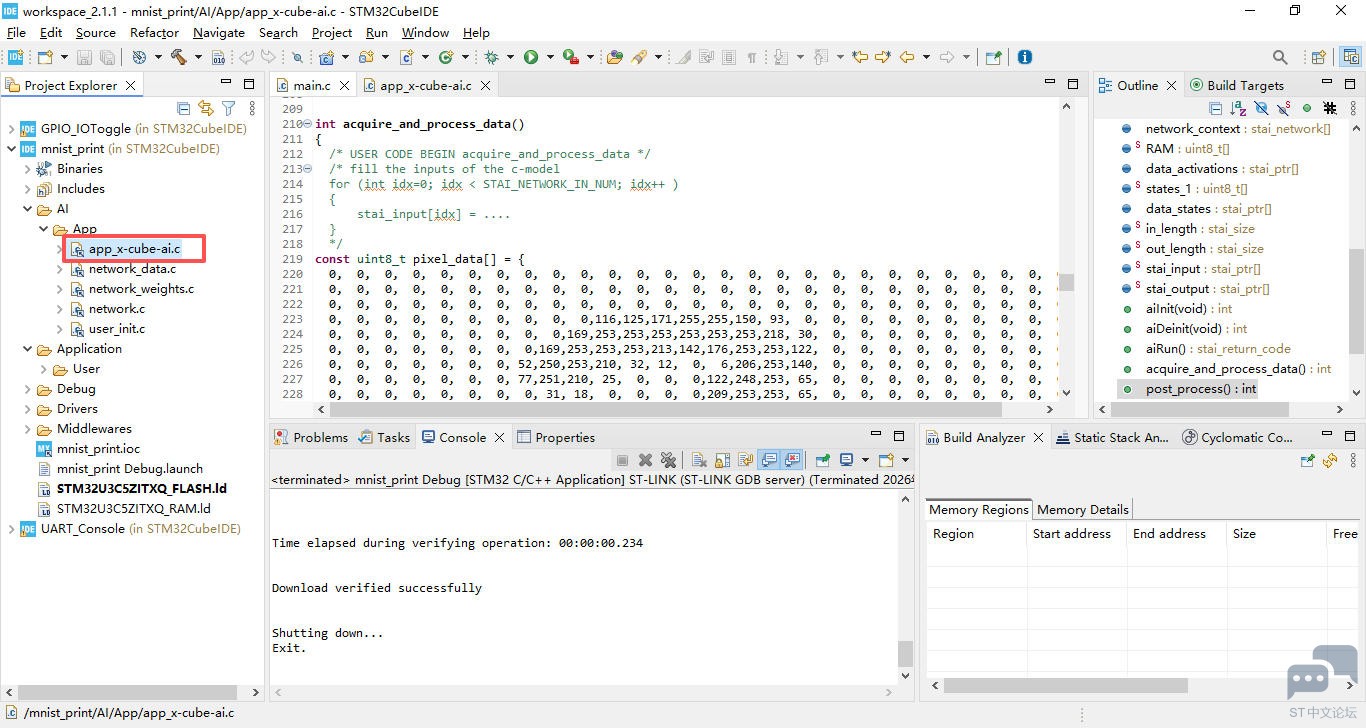
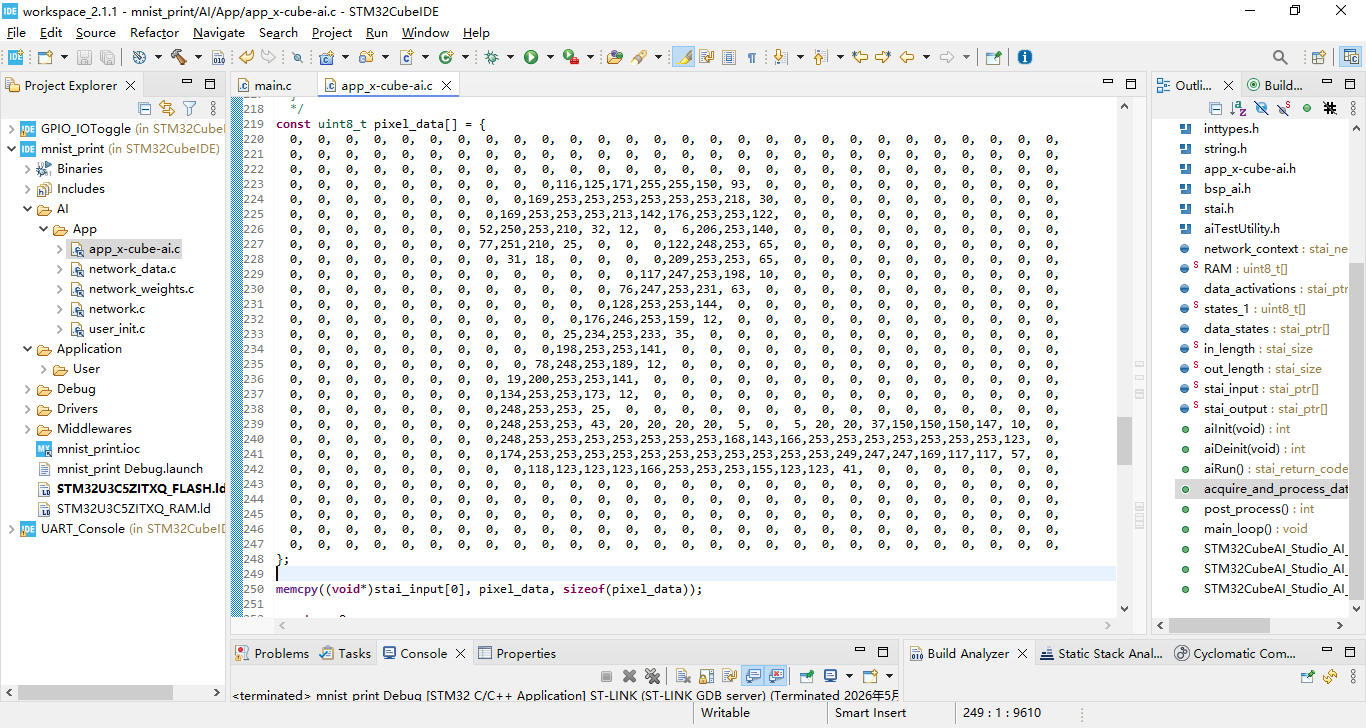
- 修改输入数据函数定义,添加 28x28 手写数字图片对应的灰度值数组;
int acquire_and_process_data()
{
  /* USER CODE BEGIN acquire_and_process_data */
  /* fill the inputs of the c-model
  for (int idx=0; idx < STAI_NETWORK_IN_NUM; idx++ )
  {
      stai_input[idx] = ....
  }
  */
const uint8_t pixel_data[] = {
  0,  0,  0,  0,  0,  0,  0,  0,  0,  0,  0,  0,  0,  0,  0,  0,  0,  0,  0,  0,  0,  0,  0,  0,  0,  0,  0,  0,
  0,  0,  0,  0,  0,  0,  0,  0,  0,  0,  0,  0,  0,  0,  0,  0,  0,  0,  0,  0,  0,  0,  0,  0,  0,  0,  0,  0,
  0,  0,  0,  0,  0,  0,  0,  0,  0,  0,  0,  0,  0,  0,  0,  0,  0,  0,  0,  0,  0,  0,  0,  0,  0,  0,  0,  0,
  0,  0,  0,  0,  0,  0,  0,  0,  0,  0,116,125,171,255,255,150, 93,  0,  0,  0,  0,  0,  0,  0,  0,  0,  0,  0,
  0,  0,  0,  0,  0,  0,  0,  0,  0,169,253,253,253,253,253,253,218, 30,  0,  0,  0,  0,  0,  0,  0,  0,  0,  0,
  0,  0,  0,  0,  0,  0,  0,  0,169,253,253,253,213,142,176,253,253,122,  0,  0,  0,  0,  0,  0,  0,  0,  0,  0,
  0,  0,  0,  0,  0,  0,  0, 52,250,253,210, 32, 12,  0,  6,206,253,140,  0,  0,  0,  0,  0,  0,  0,  0,  0,  0,
  0,  0,  0,  0,  0,  0,  0, 77,251,210, 25,  0,  0,  0,122,248,253, 65,  0,  0,  0,  0,  0,  0,  0,  0,  0,  0,
  0,  0,  0,  0,  0,  0,  0,  0, 31, 18,  0,  0,  0,  0,209,253,253, 65,  0,  0,  0,  0,  0,  0,  0,  0,  0,  0,
  0,  0,  0,  0,  0,  0,  0,  0,  0,  0,  0,  0,  0,117,247,253,198, 10,  0,  0,  0,  0,  0,  0,  0,  0,  0,  0,
  0,  0,  0,  0,  0,  0,  0,  0,  0,  0,  0,  0, 76,247,253,231, 63,  0,  0,  0,  0,  0,  0,  0,  0,  0,  0,  0,
  0,  0,  0,  0,  0,  0,  0,  0,  0,  0,  0,  0,128,253,253,144,  0,  0,  0,  0,  0,  0,  0,  0,  0,  0,  0,  0,
  0,  0,  0,  0,  0,  0,  0,  0,  0,  0,  0,176,246,253,159, 12,  0,  0,  0,  0,  0,  0,  0,  0,  0,  0,  0,  0,
  0,  0,  0,  0,  0,  0,  0,  0,  0,  0, 25,234,253,233, 35,  0,  0,  0,  0,  0,  0,  0,  0,  0,  0,  0,  0,  0,
  0,  0,  0,  0,  0,  0,  0,  0,  0,  0,198,253,253,141,  0,  0,  0,  0,  0,  0,  0,  0,  0,  0,  0,  0,  0,  0,
  0,  0,  0,  0,  0,  0,  0,  0,  0, 78,248,253,189, 12,  0,  0,  0,  0,  0,  0,  0,  0,  0,  0,  0,  0,  0,  0,
  0,  0,  0,  0,  0,  0,  0,  0, 19,200,253,253,141,  0,  0,  0,  0,  0,  0,  0,  0,  0,  0,  0,  0,  0,  0,  0,
  0,  0,  0,  0,  0,  0,  0,  0,134,253,253,173, 12,  0,  0,  0,  0,  0,  0,  0,  0,  0,  0,  0,  0,  0,  0,  0,
  0,  0,  0,  0,  0,  0,  0,  0,248,253,253, 25,  0,  0,  0,  0,  0,  0,  0,  0,  0,  0,  0,  0,  0,  0,  0,  0,
  0,  0,  0,  0,  0,  0,  0,  0,248,253,253, 43, 20, 20, 20, 20,  5,  0,  5, 20, 20, 37,150,150,150,147, 10,  0,
  0,  0,  0,  0,  0,  0,  0,  0,248,253,253,253,253,253,253,253,168,143,166,253,253,253,253,253,253,253,123,  0,
  0,  0,  0,  0,  0,  0,  0,  0,174,253,253,253,253,253,253,253,253,253,253,253,249,247,247,169,117,117, 57,  0,
  0,  0,  0,  0,  0,  0,  0,  0,  0,118,123,123,123,166,253,253,253,155,123,123, 41,  0,  0,  0,  0,  0,  0,  0,
  0,  0,  0,  0,  0,  0,  0,  0,  0,  0,  0,  0,  0,  0,  0,  0,  0,  0,  0,  0,  0,  0,  0,  0,  0,  0,  0,  0,
  0,  0,  0,  0,  0,  0,  0,  0,  0,  0,  0,  0,  0,  0,  0,  0,  0,  0,  0,  0,  0,  0,  0,  0,  0,  0,  0,  0,
  0,  0,  0,  0,  0,  0,  0,  0,  0,  0,  0,  0,  0,  0,  0,  0,  0,  0,  0,  0,  0,  0,  0,  0,  0,  0,  0,  0,
  0,  0,  0,  0,  0,  0,  0,  0,  0,  0,  0,  0,  0,  0,  0,  0,  0,  0,  0,  0,  0,  0,  0,  0,  0,  0,  0,  0,
  0,  0,  0,  0,  0,  0,  0,  0,  0,  0,  0,  0,  0,  0,  0,  0,  0,  0,  0,  0,  0,  0,  0,  0,  0,  0,  0,  0,
};

memcpy((void*)stai_input[0], pixel_data, sizeof(pixel_data));

  return 0;
  /* USER CODE END acquire_and_process_data */
}
- 修改后处理函数定义,添加输出结果和置信度等相关代码;
int post_process()
{
  /* USER CODE BEGIN post_process */
  /* process the predictions
  for (int idx=0; idx < STAI_NETWORK_OUT_NUM; idx++ )
  {
      stai_output[idx] = ....
  }

  */
    // ===================== 量化模型输出 =====================
      // 部署的 MNIST 是 uint8_t 量化输出(10个值:0~255)
      uint8_t *output = (uint8_t*)stai_output[0];

      // 找最大值
      int max_index = 0;
      uint8_t max_value = output[0];
      for(int i=1; i<10; i++){
          if(output[i] > max_value){
              max_value = output[i];
              max_index = i;
          }
      }
      // 输出 0~9 每个数字的百分比置信度
      for(int i=0; i<10; i++){
          float percent = (output[i] * 100.0f) / 255.0f;  // 转为 0~100%
          if(i == max_index){
              LC_PRINT("  数字 %d:%6.2f %%  ◀ 最高\r\n", i, percent);
          }else{
              LC_PRINT("  数字 %d:%6.2f %%\r\n", i, percent);
          }
      }
      // 串口打印结果
      LC_PRINT("========================================\r\n");
      LC_PRINT("  识别结果: 数字 %d | 置信度: %6.2f %%\r\n", max_index, max_value*100.0f/255.0f);
      LC_PRINT("========================================\r\n\n");

  return 0;
  /* USER CODE END post_process */
}
保存代码。
编译上传
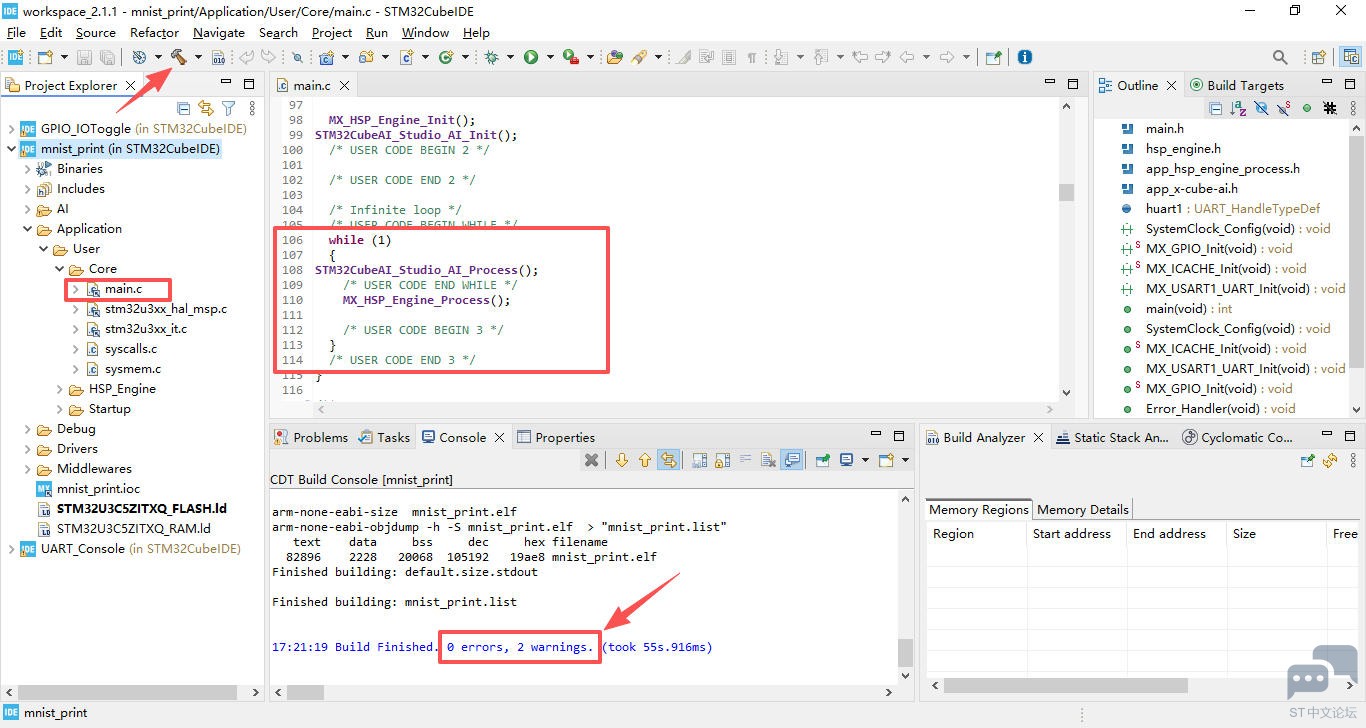
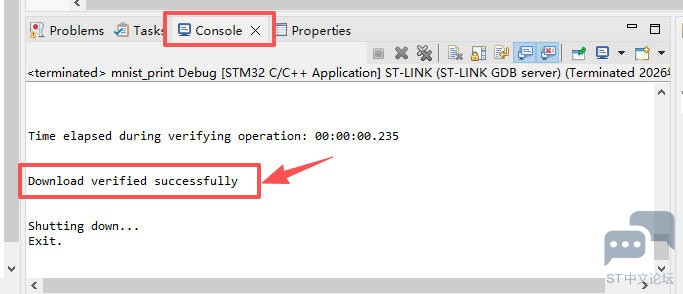
- 点击上方工具栏的运行按钮,上传固件至开发板并自动运行;
效果演示
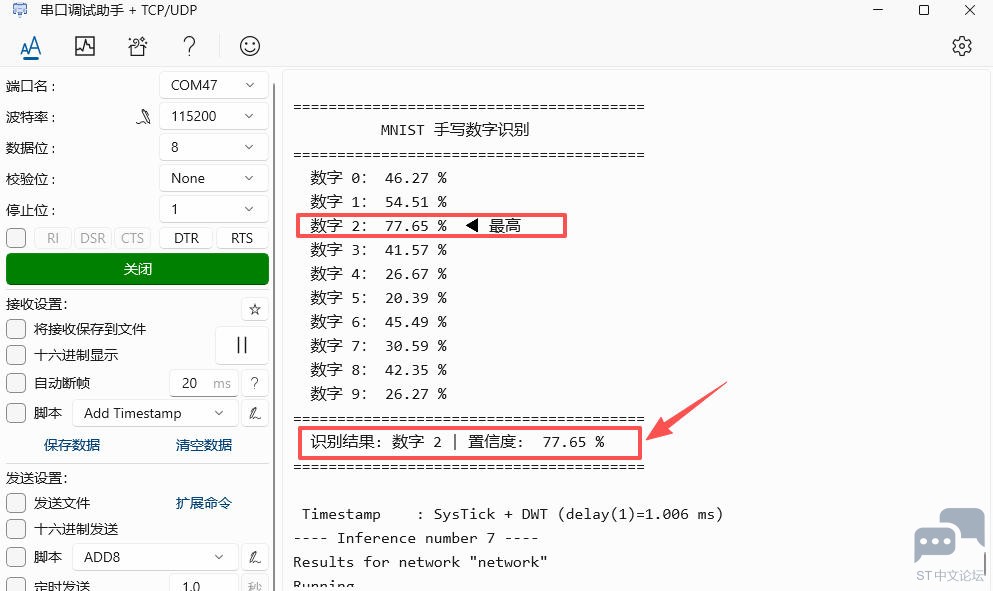
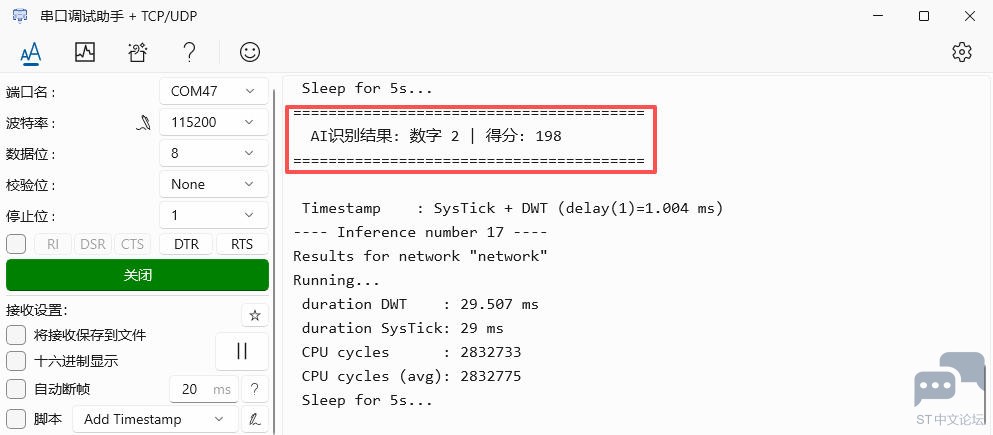
- 运行串口调试助手软件,连接 STLINK-V3 对应的虚拟串口,配置波特率 115200 bps,打开串口;
- 短按板载复位按键,串口输出数字识别结果、计算时间等信息;
总结
本文介绍了 NUCLEO-U3C5ZI-Q 开发板结合 STM32Cube AI Studio 软件和 MNIST 数据集以及 ONNX 预训练模型,实现手写数字识别的项目设计,包括环境搭建、工程创建、关键代码、流程图、效果演示等,为相关产品在边缘 AI 领域的快速开发和应用设计提供了参考。





 微信公众号
微信公众号
 手机版
手机版