首先我们先下载官方固件和keil的包
我使用keil5来编程使用keil5还需要相关的包
这个是官方历程包
https://my.feishu.cn/docx/Z2Ped7pZXojJq0xX8Y5c0xHGnAd#share-FEl6dOUNcoemisxXSOqcv11wnDg
这个是keil5L4的pack包
https://my.feishu.cn/docx/Z2Ped7pZXojJq0xX8Y5c0xHGnAd#share-EHI2d0kTAozTZ5xAa14cvPkZnxd
选择例程修改
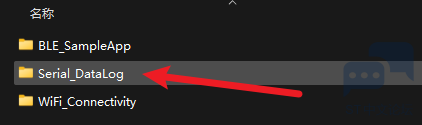
这里我们DataLog进行修改
这里我们关注其中的串口打印
static void WriteData_Thread(void const *argument)
{
  (void) argument;
  osEvent evt;
  T_SensorsData *rptr;
  int size;
  char data_s[256];

  for (;;)
  {
    evt = osMessageGet(dataQueue_id, osWaitForever);  // wait for message
    if (evt.status == osEventMessage)
    {
      if(evt.value.v == MSG_ENABLE_DISABLE)
      {
        if (SD_Log_Enabled)
        {
          DATALOG_SD_Log_Disable();
          SD_Log_Enabled=0;
        }
        else
        {
          while(SD_Log_Enabled != 1)
          {
            if(DATALOG_SD_Log_Enable())
            {
              SD_Log_Enabled=1;
              osDelay(100);
              dataTimerStart();
            }
            else
            {
              DATALOG_SD_Log_Disable();
              DATALOG_SD_DeInit();
              DATALOG_SD_Init();
              osDelay(100);
            }
          }
        }
      }
      else
      {
      rptr = evt.value.p;

      if(LoggingInterface == USB_Datalog)
      {
//        size = sprintf(data_s, "TimeStamp: %ld\r\n Acc_X: %d, Acc_Y: %d, Acc_Z :%d\r\n Gyro_X:%d, Gyro_Y:%d, Gyro_Z:%d\r\n Magn_X:%d, Magn_Y:%d, Magn_Z:%d\r\n Press:%5.2f, Temp:%5.2f, Hum:%4.1f\r\n",
//                       rptr->ms_counter,
//                       (int)rptr->acc.x, (int)rptr->acc.y, (int)rptr->acc.z,
//                       (int)rptr->gyro.x, (int)rptr->gyro.y, (int)rptr->gyro.z,
//                       (int)rptr->mag.x, (int)rptr->mag.y, (int)rptr->mag.z,
//                       rptr->pressure, rptr->temperature, rptr->humidity);
                                size = sprintf(data_s,"test : %d, %d, %d \r\n",(int)rptr->gyro.x, (int)rptr->gyro.y, (int)rptr->gyro.z);
        osPoolFree(sensorPool_id, rptr);      // free memory allocated for message
        BSP_LED_Toggle(LED1);
        CDC_Transmit_FS(( uint8_t * )data_s, size);
      }
        else
        {
          size = sprintf(data_s, "%ld, %d, %d, %d, %d, %d, %d, %d, %d, %d, %5.2f, %5.2f, %4.1f\r\n",
                       rptr->ms_counter,
                       (int)rptr->acc.x, (int)rptr->acc.y, (int)rptr->acc.z,
                       (int)rptr->gyro.x, (int)rptr->gyro.y, (int)rptr->gyro.z,
                       (int)rptr->mag.x, (int)rptr->mag.y, (int)rptr->mag.z,
                                           rptr->pressure, rptr->temperature, rptr->humidity);
          osPoolFree(sensorPool_id, rptr);      // free memory allocated for message
          DATALOG_SD_writeBuf(data_s, size);
    }
  }
}
  }
}
这里主要将我们需要的信息通过打印出来
size = sprintf(data_s,"test : %d, %d, %d \r\n",(int)rptr->gyro.x, (int)rptr->gyro.y, (int)rptr->gyro.z);
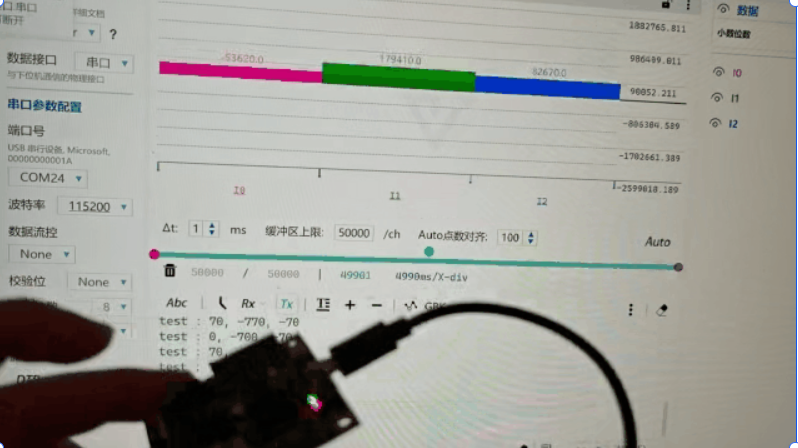
这里需要使用任意工具,我们使用的vofa来将我们的传感器数据给打印出来。
这里我们选择FireWater,其中消息格式根据,才能被串口识别到
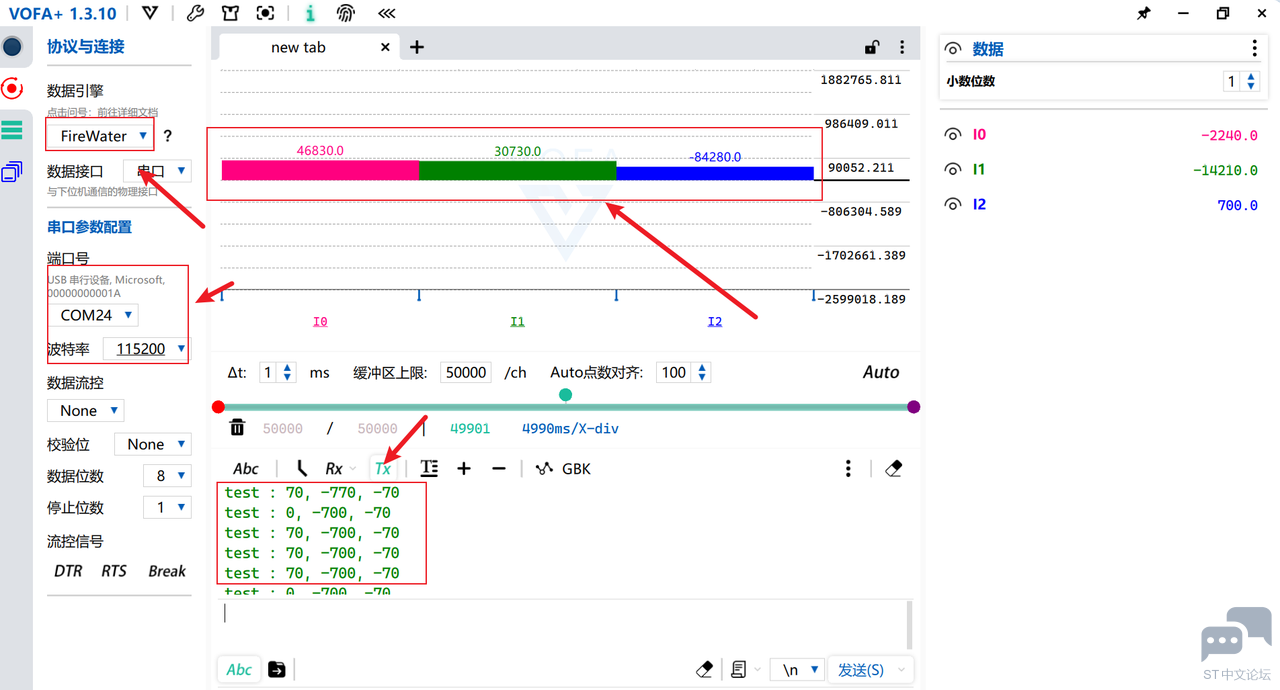
我们看到其中的数据在变化。
这里通过动图来展示一下,论坛好像不支持gif
这里的红色的柱形图是ACC绿色的是GYR蓝色的是MAG





 微信公众号
微信公众号
 手机版
手机版