【 逢7发帖赢大礼】1、利用CubeMX生成正点原子H7R7开发板的STM32CubeIDE工程
【 逢7发帖赢大礼】2、利用CubeMX添加TouchGFX功能:CubeMX配置
【 逢7发帖赢大礼】3、利用CubeMX添加TouchGFX功能:工程修改和编译烧录
【 逢7发帖赢大礼】4、CubeMX工程复用以及TouchGFX应用
【 逢7发帖赢大礼】5、TouchGFX 创建自定义界面和交互
TouchGFX生成的工程,除使用TouchGFX提供的人机界面快速进行界面显示和交互设计,还可以通过导入自定义的工程素材和修改代码,实现自定义的界面显示效果。
工程的STM32H7R7_ATK_GUI3\Appli\TouchGFX\assets文件夹中存放TouchGFX使用的GUI设计素材文件。
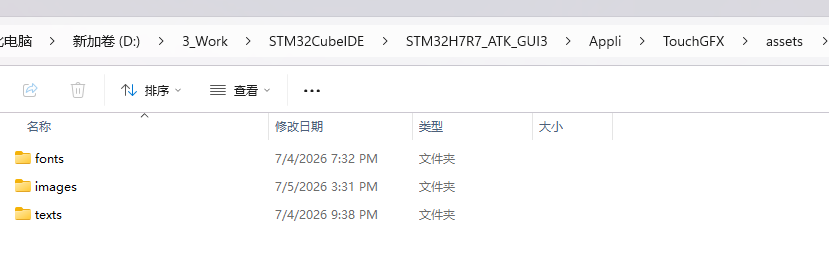
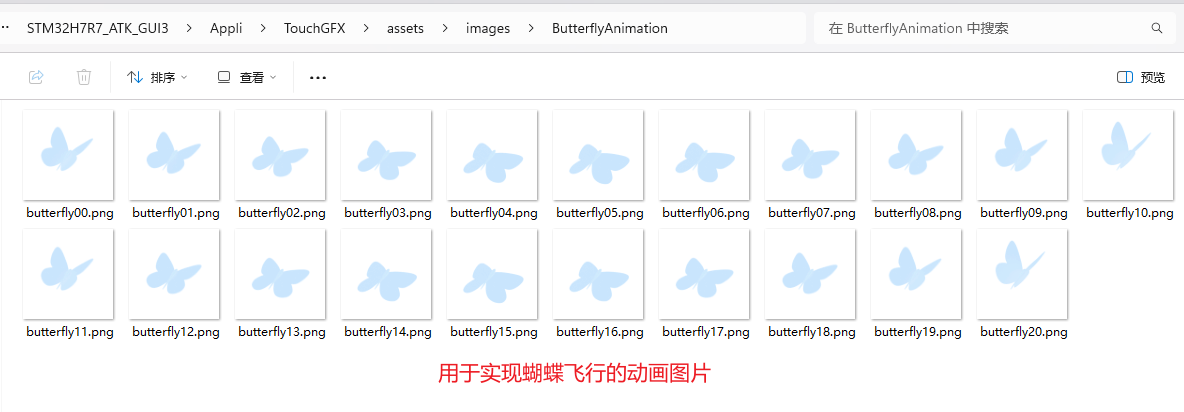
开发者可以在文件夹中添加自定义的工程素材用于程序开发。在文件夹中添加用于实现蝴蝶飞行动画的一系列图片。
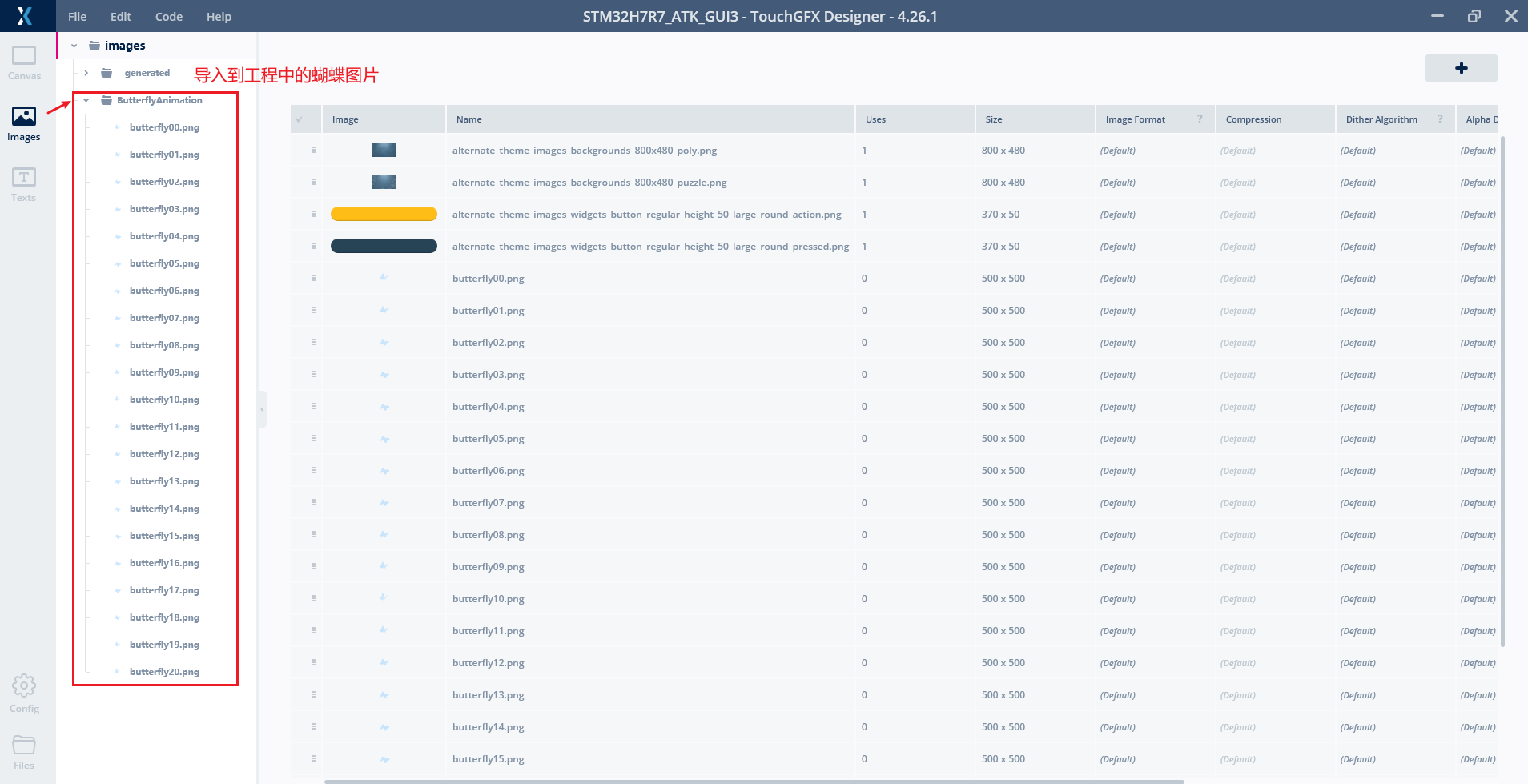
TouchGFX中通过侧边栏的image查看导入的图片资源
1、利用TouchGFX实现飞行效果
在TouchGFX中实现蝴蝶飞行动画效果,利用Animated Image控件可以很方便地实现这一效果。在TouchGFX中添加Animated Image控件,指定动画的首帧和尾帧图片,并设置循环播放和更新速率,即可实现蝴蝶飞行的动画效果。
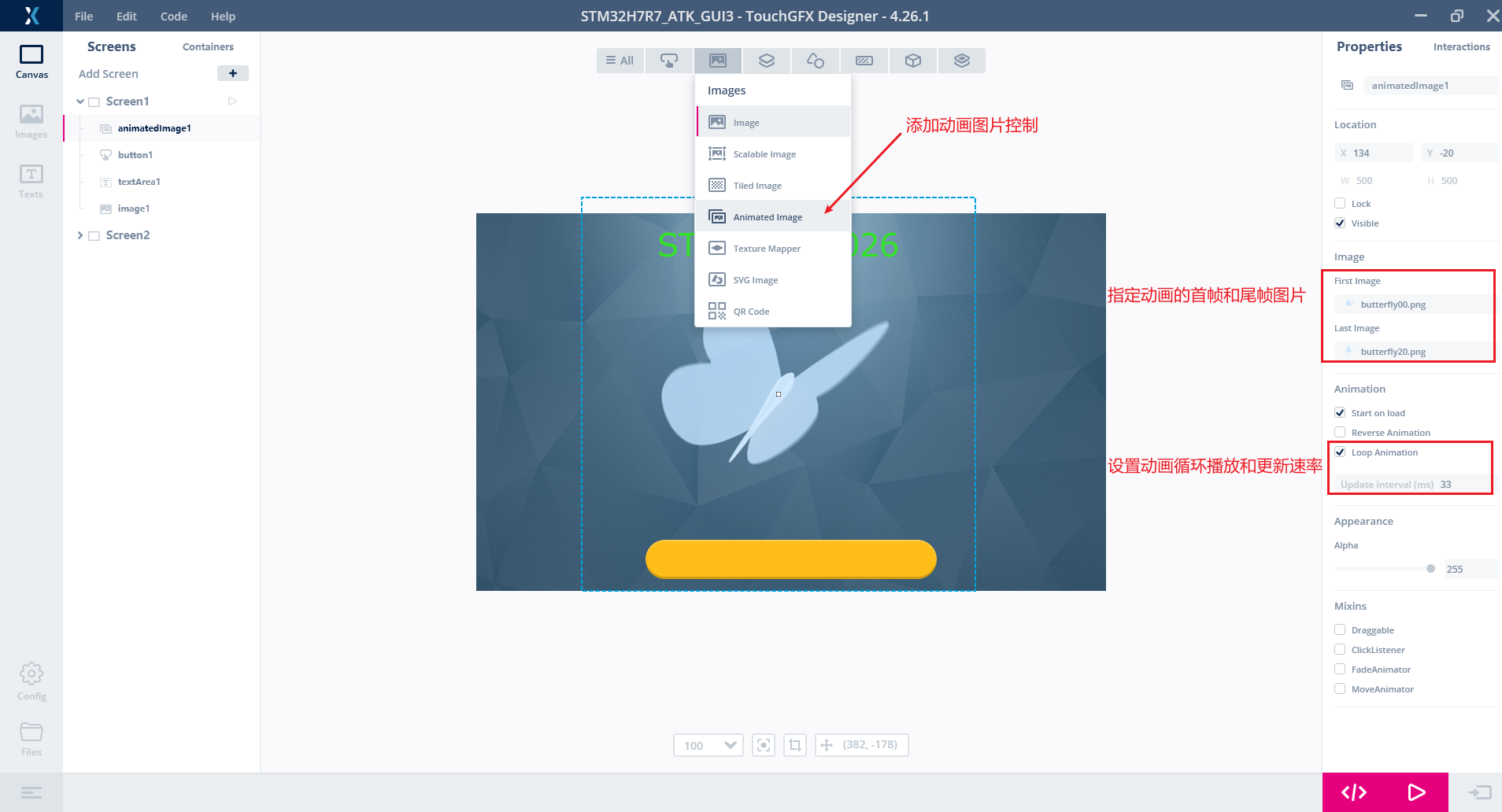
2、修改代码实现蝴蝶沿着轨迹飞行的效果
开发者在TouchGFX生成的代码中添加自定义的代码,实现更为复杂的图形显示效果。TouchGFX生成代码中generated文件中的代码是和TouchGFX工具设置的图形相关的代码。gui文件夹中的文件是用于开发者添加自定义代码。
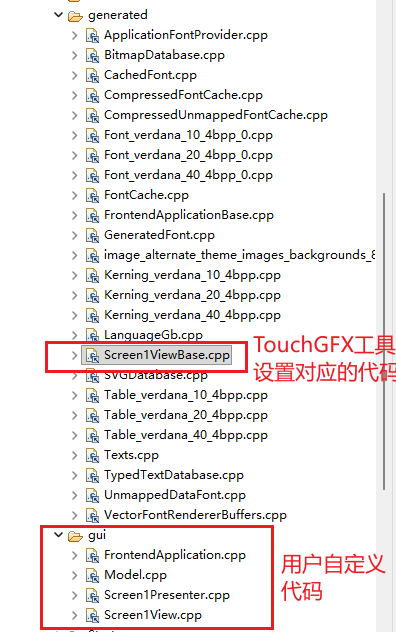
TouchGFX生成的工程是C/C++类型的,和图形应用相关代码是由C++编写的,实现功能是通过C++继承类重写基类的虚函数实现的。
在工程的Screen1View1.hpp中添加用于更新蝴蝶动画的变量和函数声明以及周期性执行的虚函数handleTickEvent
class Screen1View : public Screen1ViewBase
{
virtual void handleTickEvent();
protected:
int tickcnt;
float butterflyWavePhase;
const uint8_t ANIMATION_INTERVAL = 33; // Number of ticks between animation frames
void animateButterflyPosition();
};
Screen1View1.cpp中添加实现以下代码实现相应的函数
Screen1View::Screen1View() :
tickcnt(0),
butterflyWavePhase(0.0f)
{

}

void Screen1View::animateButterflyPosition()
{
// Sine wave animation parameters
const float WAVE_SPEED = 0.005f; // Movement speed
const int AMPLITUDE_X = (HAL::DISPLAY_WIDTH - animatedImage1.getWidth()) / 2;
const int AMPLITUDE_Y = (HAL::DISPLAY_HEIGHT - animatedImage1.getHeight()) / 2;
const int CENTER_X = HAL::DISPLAY_WIDTH / 2 - animatedImage1.getWidth() / 2;
const int CENTER_Y = HAL::DISPLAY_HEIGHT / 2 - animatedImage1.getHeight() / 2;

// Advance phase
butterflyWavePhase += WAVE_SPEED;

// Combine sines/cosines to create fluid movement
int16_t newX = CENTER_X + static_cast<int16_t>(std::sin(butterflyWavePhase) * AMPLITUDE_X * 0.7f
+ std::sin(butterflyWavePhase * 2.1f) * AMPLITUDE_X * 0.3f);
int16_t newY = CENTER_Y + static_cast<int16_t>(std::cos(butterflyWavePhase * 1.3f) * AMPLITUDE_Y * 0.6f
+ std::sin(butterflyWavePhase * 0.7f) * AMPLITUDE_Y * 0.4f);

const float FRACTION = 0.95f;
float regulatedX = (float)animatedImage1.getX() * FRACTION + (float)newX * (1 - FRACTION);
float regulatedY = (float)animatedImage1.getY() * FRACTION + (float)newY * (1 - FRACTION);

// Update position
animatedImage1.moveTo((int16_t)regulatedX, (int16_t)regulatedY);


}

void Screen1View::setupScreen()
{
Screen1ViewBase::setupScreen();
animateButterflyPosition();
}

void Screen1View::tearDownScreen()
{
Screen1ViewBase::tearDownScreen();
}

void Screen1View::handleTickEvent()
{
tickcnt++;

// Update position of the butterfly
animateButterflyPosition();

// Update animated image
if (!(tickcnt % ANIMATION_INTERVAL))
{
animatedImage1.invalidate();
}
}
通过TouchGFX仿真即可快速验证效果。烧录到开发板的效果也是一样的
3、总结
在对TouchGFX进行修改并生成代码,遇到STM32CubeIDE中的相关资源没有添加工程中的情况,此时关闭STM32CubeIDE,再次生成代码即可。 | 




 微信公众号
微信公众号
 手机版
手机版