一、硬件介绍
产品特点
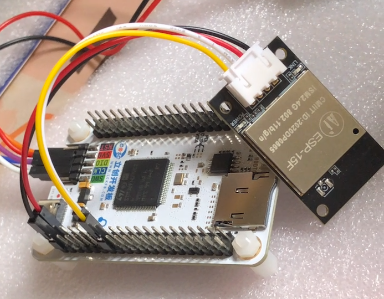
使用的是天空星STM32F407开发板,搭载ARM Cortex-M4F内核的STM32F407VET6,最高主频为168MHz,Flash 512KB,SRAM 192KB,板载SPI Flash、Micro SD卡插槽等资源;
STM32F407VET6
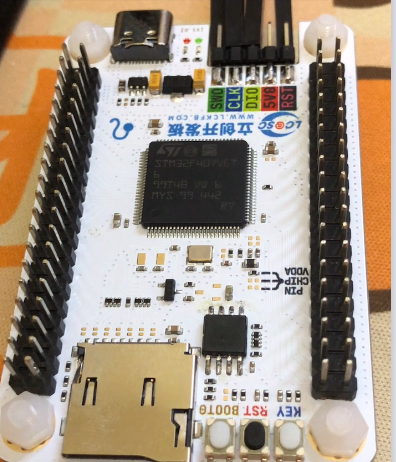
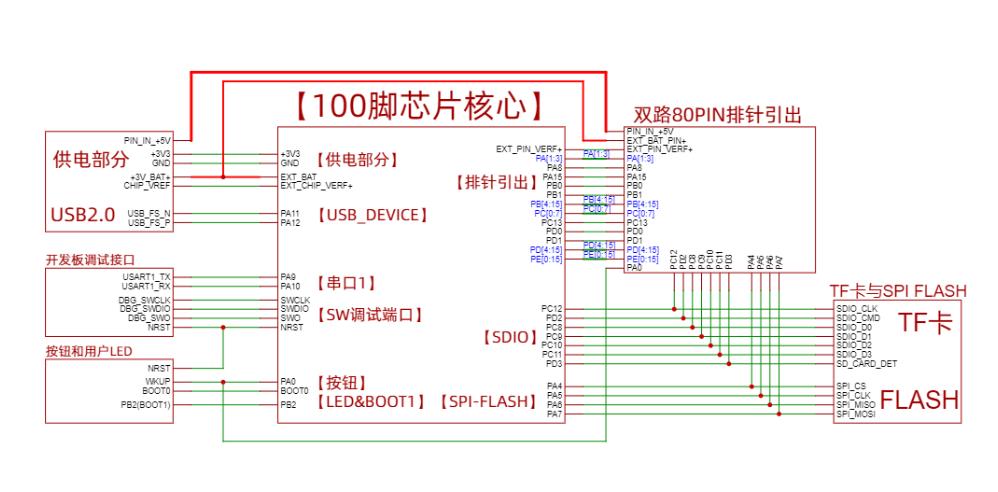
主要原理图
二、环境搭建
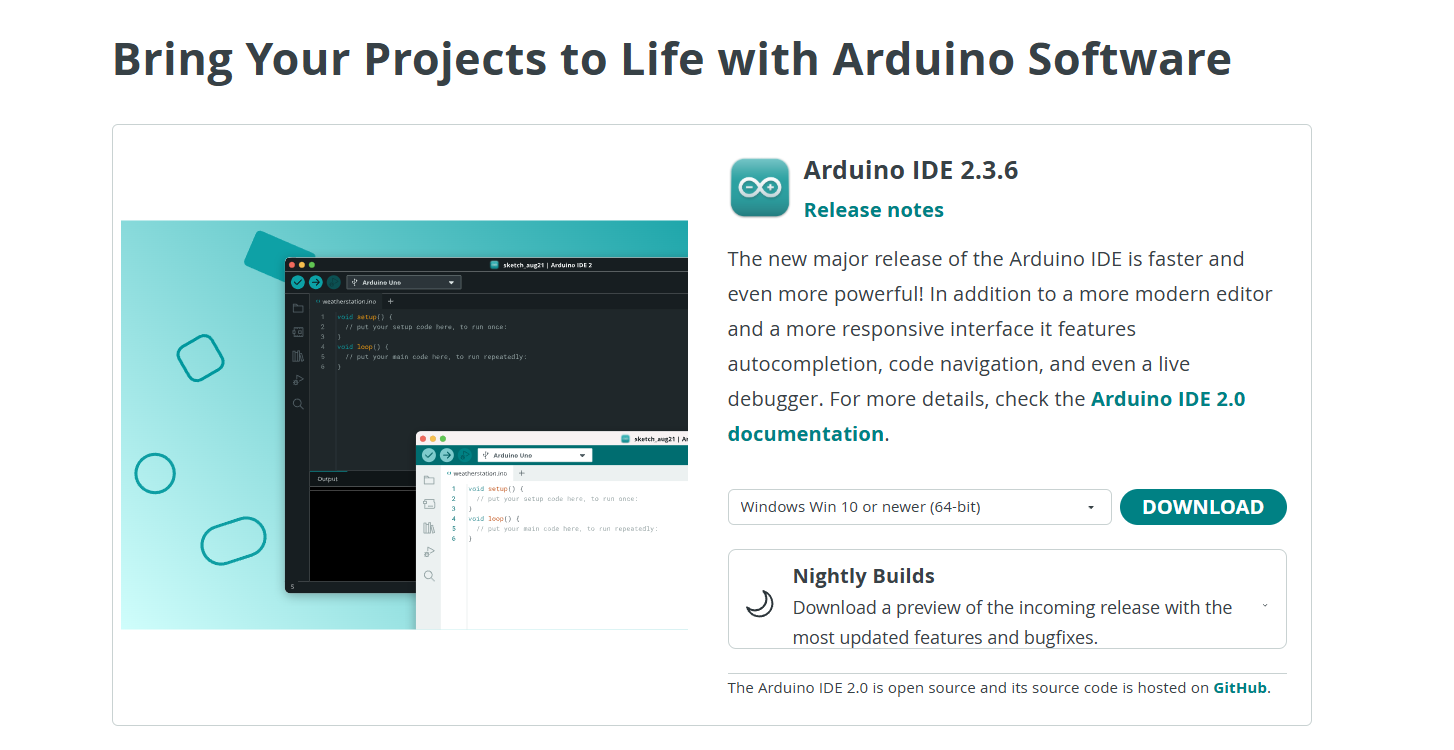
2、搭建方法
搭建方法点此查看!!!
三、硬件设备
WIFI模块(ESP-15F)
ESP-15F Wi-Fi模块支持标准的IEEE802.11b/g/n协议,完整的TCP/IP协议栈,内置Tensilica L106超低功耗32位微型MCU;
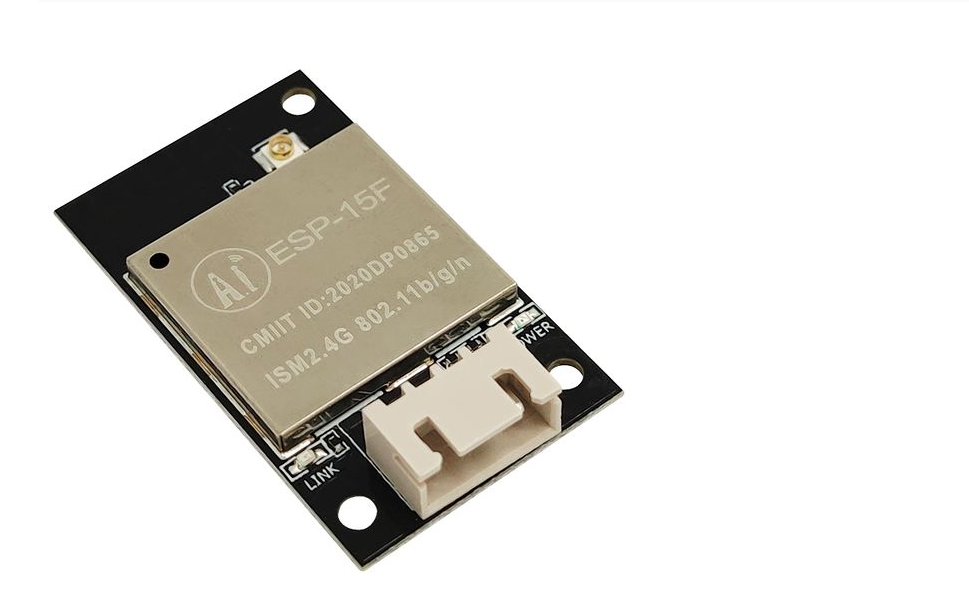
| 硬件引脚 |
功能说明 |
| TXD |
UART0_TXD(默认 5V) |
| RXD |
UART0_RXD(默认 5V) |
| VCC |
5V |
| GND |
接地 |
相关参数信息
- 完整的802.11b/g/n Wi-Fi SOC模块
- 支持UART接口
- 集成Wi-Fi MAC/ BB/RF/PA/LNA
- 串口速率最高可达4Mbps
- 内嵌Lwip协议栈
- 支持STA/AP/STA+AP工作模式
- 通用AT指令
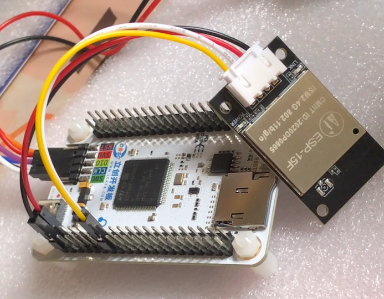
实物连接效果
| 硬件引脚 |
- |
- |
- |
- |
| STM32 |
PD6(USART2_RX) |
5V |
GND |
PD5(USART2_TX) |
| ESP-15F |
TX |
5V |
GND |
RX |
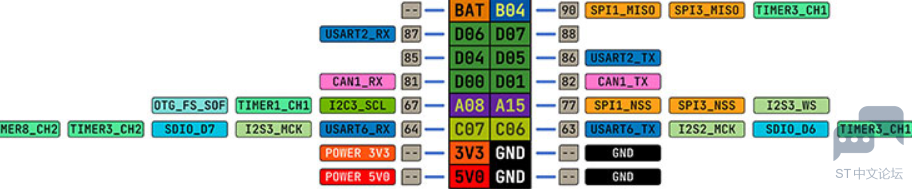
开发板硬件串口2 引脚示意图
PD6 -> USART2_RX
PD5 -> USART2_TX
四、代码编写
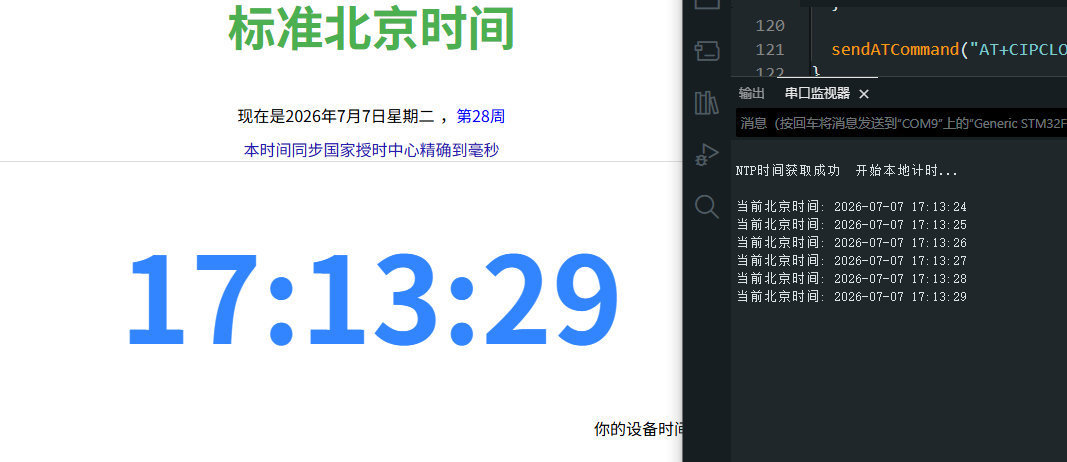
效果:通过ESP-15F模块连接WIFI,获取当前的实时时间,并在串口上每隔1s打印最新的时间值,实现实时时钟;
主要相关代码
// 硬件引脚
HardwareSerial pcSerial(PA10, PA9);
HardwareSerial espSerial(PD6, PD5);     // ESP-15F模块

// WIFI配置
const char* WIFI_SSID = "WIFI名";
const char* WIFI_PASS = "WIFI密码";
const char* NTP_HOST = "ntp.aliyun.com";
const int   NTP_PORT = 123;

#define NTP_TO_UNIX_DIFF 2208988800UL // NTP协议的时间起点
#define TIMEZONE_OFFSET  (8 * 3600) // UTC+8


unsigned long currentUnixTime = 0;  // 保存当前的 Unix 时间戳
bool timeSynced = false;
unsigned long lastPrintMillis = 0;

...

// NTP时间获取
void getNTPTime() {
  if (!sendATCommand("AT", "OK", 2000)) { pcSerial.println("ESP-15F模块无响应"); return; }
  sendATCommand("AT+CWMODE=1", "OK", 2000);
  char cwjap[128]; snprintf(cwjap, sizeof(cwjap), "AT+CWJAP=\"%s\",\"%s\"", WIFI_SSID, WIFI_PASS);
  if (!sendATCommand(cwjap, "WIFI GOT IP", 15000)) { pcSerial.println("WiFi 连接失败"); return; }

  sendATCommand("AT+CIPMUX=0", "OK", 2000);
  char udpCmd[128]; snprintf(udpCmd, sizeof(udpCmd), "AT+CIPSTART=\"UDP\",\"%s\",%d,123,2", NTP_HOST, NTP_PORT);
  if (!sendATCommand(udpCmd, "OK", 5000)) { pcSerial.println("UDP 失败"); return; }

  uint8_t ntpRequest[48] = {0};
  ntpRequest[0] = 0x1B;

  clearSerialBuffer();
  if (!sendATCommand("AT+CIPSEND=48", ">", 2000)) { sendATCommand("AT+CIPCLOSE", "OK", 2000); return; }
  for (int i = 0; i < 48; i++) espSerial.write(ntpRequest[i]);

  uint8_t ntpResponse[48] = {0};
  unsigned long start = millis();
  int byteCount = 0;
  bool dataStarted = false;

  while (millis() - start < 5000) {
    while (espSerial.available()) {
      uint8_t b = espSerial.read();
      if (!dataStarted) { if (b == ':') dataStarted = true; }
      else { if (byteCount < 48) ntpResponse[byteCount++] = b; }
    }
    if (byteCount >= 48) break;
  }

  if (byteCount >= 48) {
    unsigned long ntpTime = ((unsigned long)ntpResponse[40] << 24) |
                            ((unsigned long)ntpResponse[41] << 16) |
                            ((unsigned long)ntpResponse[42] << 8)  |
                            (unsigned long)ntpResponse[43];

    currentUnixTime = ntpTime - NTP_TO_UNIX_DIFF;
    timeSynced = true;               // 标记时间已同步
    lastPrintMillis = millis();      // 记录当前的运行时间作为起点

    pcSerial.println("\nNTP时间获取成功  开始本地计时...\n");
    printDateTime(currentUnixTime);
  } else {
    pcSerial.println("NTP 响应失败");
  }
  sendATCommand("AT+CIPCLOSE", "OK", 2000); // 关闭连接
}


void setup() {
  pcSerial.begin(115200);
  espSerial.begin(115200);
  delay(1000);
  getNTPTime(); //时间同步
}

void loop() {
  if (timeSynced) {
    if (millis() - lastPrintMillis >= 1000) {
      currentUnixTime++;
      printDateTime(currentUnixTime);
      lastPrintMillis += 1000;
    }
  }
}
五、效果演示
串口上实时打印当前的时间值;
| 




 微信公众号
微信公众号
 手机版
手机版